Bonjour à toute et à tous,
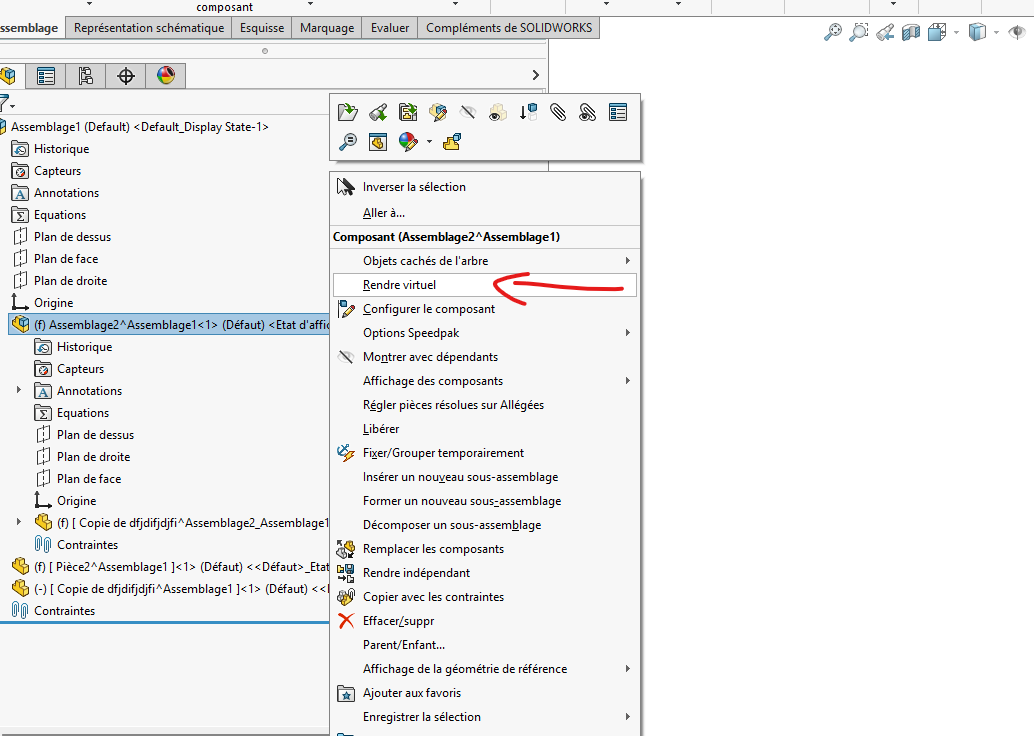
Depuis quelque temps je rencontre un problème avec les pièces virtualisées
Lors de la virtualisation d’une pièce, il ne me garde pas le nom de cette pièce.
Je m’explique,
normalement il devrais écrire : [copie de Nom de pièce^assemblage]
mais il m’écrit : [copie de ^assemblage] ou [ ^assemblage]
Si je veux aller plus loin et rendre indépendant cette pièce, il me dit qu’il est « impossible de trouver le fichier pour que le composant termine l’opération »
seul solution qui me reste est d’enregistrer la pièce (ce que je ne veux pas faire ^^)
Bonjour JungV, (Nous, nous sommes en SW2022SP4)
Pour ma part on utilise plus et les pièces virtuelles car ça beug beaucoup.
Désolé je n’ai pas de solution.
J’espère que quelqu’un d’autre pourra avoir une solution.
Bon courage.
@+.
AR.
=>Welcome to the SOLIDWORKS Web Help
=>https://www.youtube.com/watch?v=W4mxSA0NfLo
On utilise énormément les pièces virtuelles (SW 2020 Sp5.0) et nous n’avons pas ce problème.
Est ce que vous êtes sous la dernière SP (5.0 ou plus) de la version SW 2021 ?
Si non, faites la maj c’est peut être un bug de la version.
On a eu des soucis sur les pièces virtuelles principalement quand on déplace une pièce virtuelle d’un assemblage a un autre (SW n’aime pas ça car il a une seule pièce virtuelle dans 2 assemblages avec des noms différents → foire au bug).
Peut être un souci de caractère bizarre dans le nom de fichier (le genre de truc qui empeche windows ou SW de créer le fichier temporaire)
Si vous voulez aller plus loin sur ce problème, vous pouvez aller fouiller dans vos fichiers temporaires (là ou SW enregistre les pièces virtuelles en cours d’utilisation). Cela vous permettra de voir ce que SW a créé (ou pas).
Normalement c’est dans C:\Users*Nom de l’utilisateur*\AppData\Local\Temp
Solidworks créé des jolis répertoires nommés : swx22848 (le numéro, ici 22848 change à chaque ouverture de SW) ou il range tous les fichiers virtuels créés pour chaque assemblage
Je n’arrive pas à reproduire le problème de manière systématique : il peut se produire toute une journée comme ne pas apparaître du tout.
@froussel : j’ai bien regardé dans le répertoire TEMP. Pour le moment, tout semble correct, mais je continuerai à surveiller lorsque le problème se représentera.
@FRED78 : c’est effectivement la solution que j’utilise depuis quelque temps pour pallier le problème, même si elle devient assez lourde à la longue. Mon autre solution consiste à rendre le composant indépendant jusqu’à pouvoir le renommer.
Ça ressemble pas mal à un souci de références cassées ou de chemins de fichiers avec les pièces virtualisées . SolidWorks perd probablement le lien interne du composant, d’où le nom incomplet et l’erreur quand tu veux rendre la pièce indépendante.
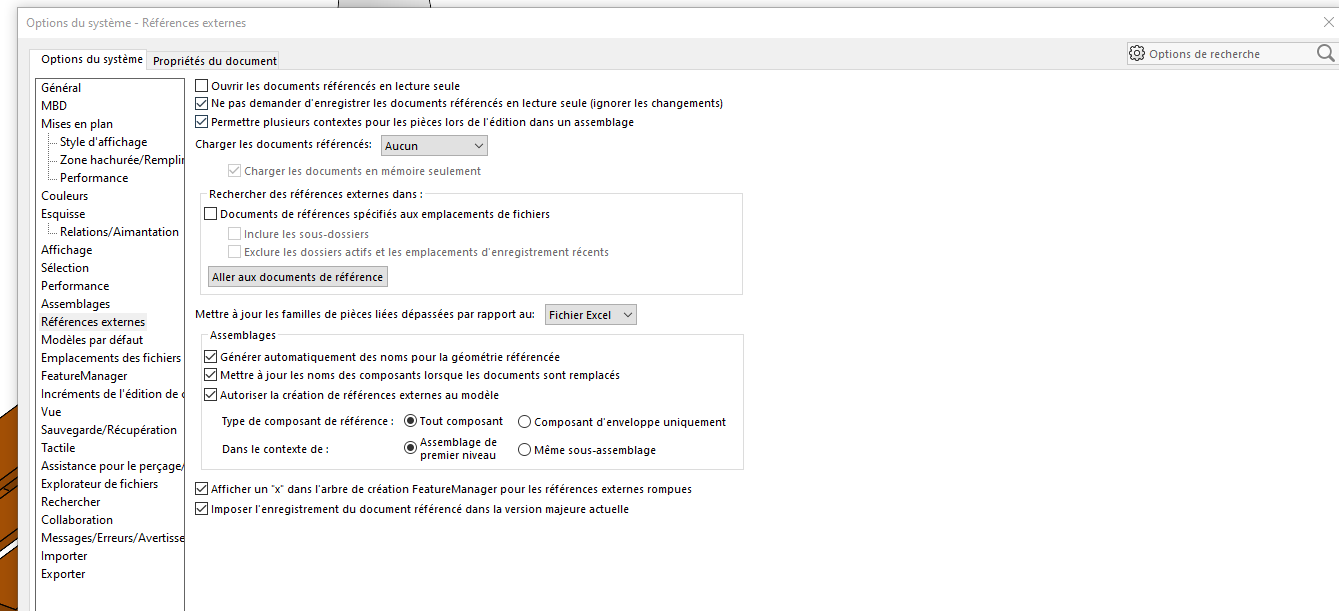
Vérifie aussi que les références externes sont bien activées dans les options et que ton assemblage n’a pas été déplacé ou renommé hors de SolidWorks. J’ai déjà vu ce comportement après un changement de dossier ou un Pack and Go incomplet.
Il arrive également que nous enregistrions un assemblage contenant des pièces virtualisées, puis en le rouvrant plus tard, certaines de ces pièces aient disparu. Comme elles faisaient partie intégrante de l’assemblage, il est impossible de les récupérer. La seule solution est alors de les recréer, ce qui est long et fastidieux
Pour les pièces qui disparaissent, l’utilisation d’un PDM devrait y remédier (attention c’est cher et compliqué) ou au moins te permettre de récupérer la version précédente de la pièce virtuelle.
C’est le genre de bug que l’on avait quand on déplace une pièce virtuelle d’un assemblage a un autre → à ne surtout pas faire avec un assemblage virtuel (si tu veux récupérer une pièce virtuelle d’un autre assemblage il faut passer par un enregistrement sous en local (donc pièce qui n’est plus virtuelle) puis virtualiser ta pièce locale une fois insérée dans le nouvel assemblage.
Pour moi les options de références externes ne devraient pas vraiment influer sur tes composants virtuels (bien que souvent ils ont aussi des références externes qui sont gérées par ces paramètres).
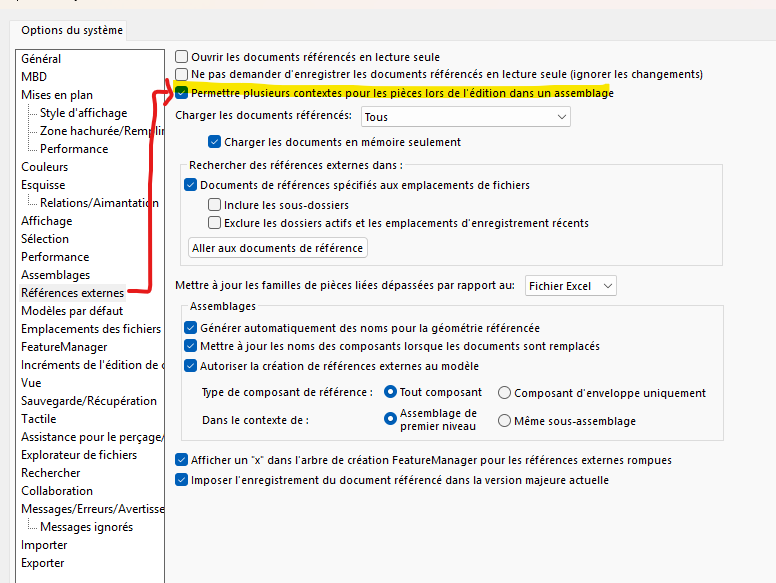
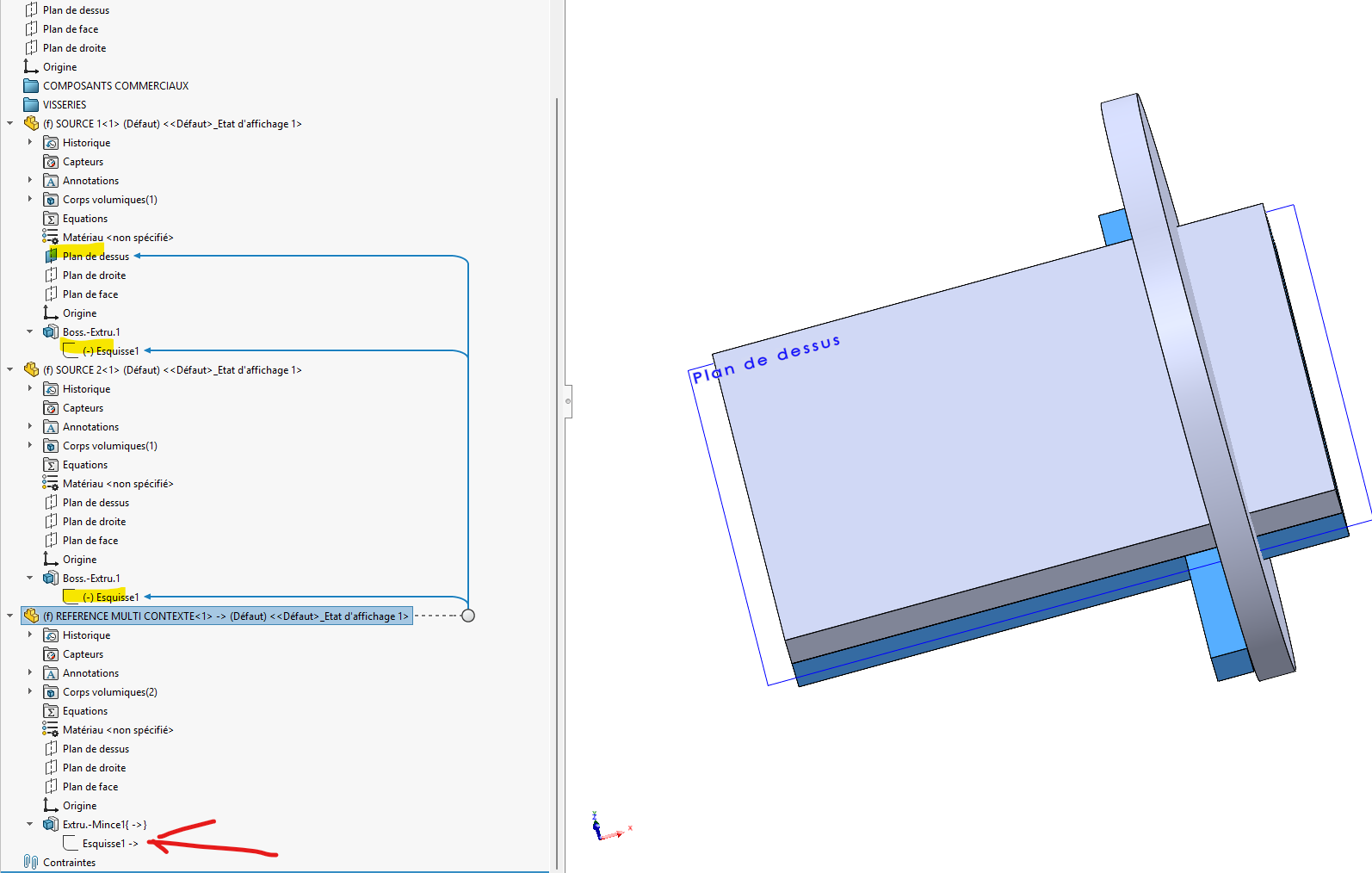
Il faut peut être supprimer le « permettre plusieurs contextes » (la définition de l’aide : " Options de références externes
Permet de créer les références externes d’une pièce seule à partir de plusieurs contextes d’assemblage. Cependant, une fonction ou une esquisse individuelle dans l’assemblage ne peut avoir qu’une seule référence externe."
n’est pas très claire pour moi).
Je rebondis sur votre reflexion sur les references externes
Cependant, une fonction ou une esquisse individuelle dans l’assemblage ne peut avoir qu’une seule référence externe
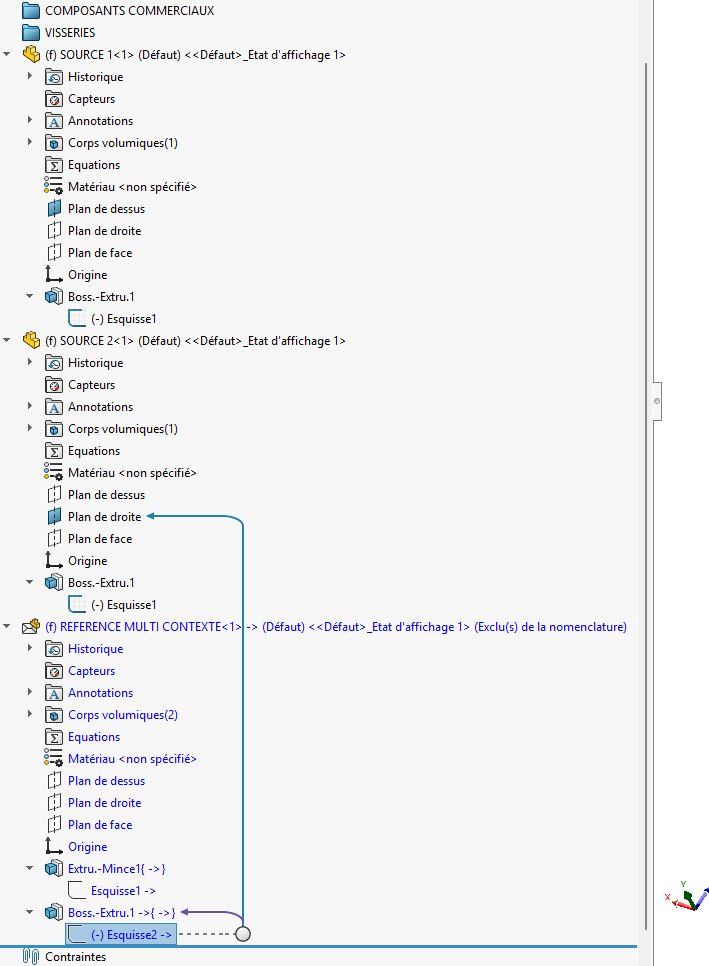
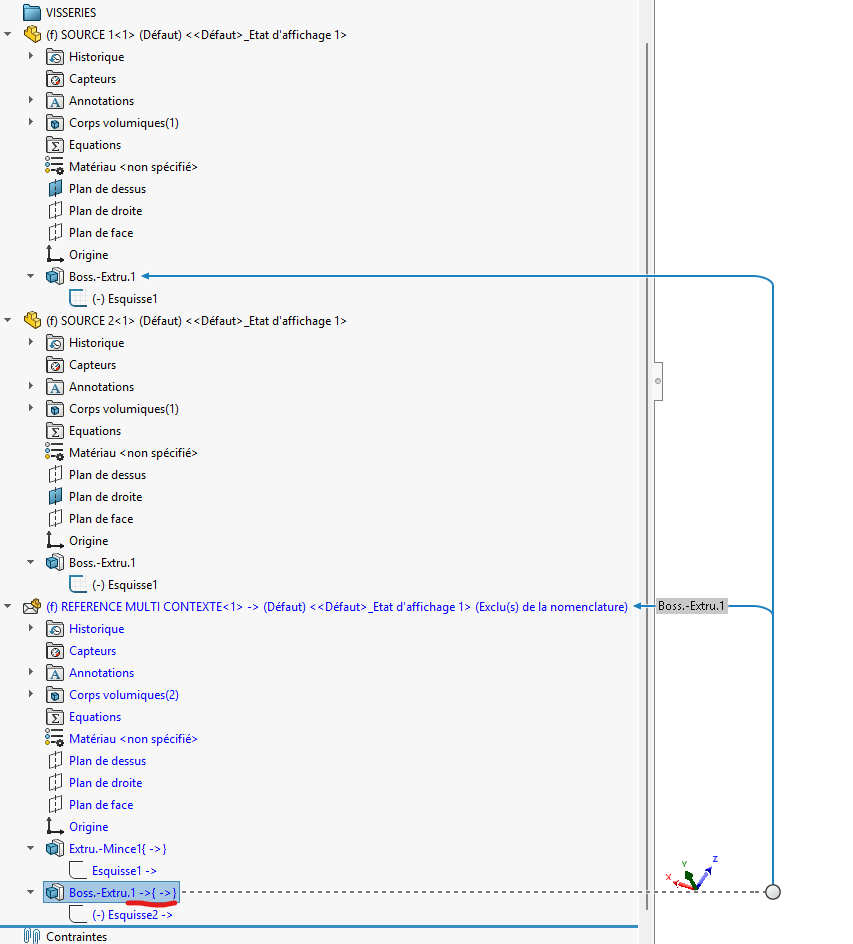
Dans le cas où on autorise plusieurs contextes (option, donc plusieurs sources, on autorise des références de deux endroits pas forcément d’une seule source. Après je vérifierai dans le cas d’une esquisse et une fonction.
J’ai fait le teste de mon côté, et c’est possible. Par le passé dans le cadre de projet nous travaillons sur des assemblages piping avec des assemblages de squelette (squelette GC, squelette structure, etc…). Il nous arrivait régulièrement d’avoir pour une esquisse plusieurs source (plan, esquisse, etc…). Les fonctions de la même façon avaient eux aussi plusieurs references externes et de différentes sources.
J’ai fait le teste sur l’esquisse, je ne l’ai pas fait sur la fonction pour l’exemple.
LA ou il faut faire très attention dans le problème dont nous parlons, c’est des references « cyclique » (je ne sais pas si le terme est approprié bref). Déplacer une pièce dans un assemblage, et si vous crée un conflit Parent/enfant (du Deja vu quand la reference n’est pas ouverte, effectivement là c’est le bordel.
La perte de pièces à l’ouverture juste après une opération de copie tree (via EPDM pour nous mais le souci pourrait être similaire via le pack&go): oui (très pénible, semble lié au poste à l’instant t : obligé de faire faire la copie par un collègue).
Des soucis liés au transfert de fichier virtuel d’un assemblage à l’autre : oui
Mais cela fonctionne proprement dans 99% des cas (on a plus de crash Solidworks aléatoires que de souci sur les pièces ou assemblages virtuels).