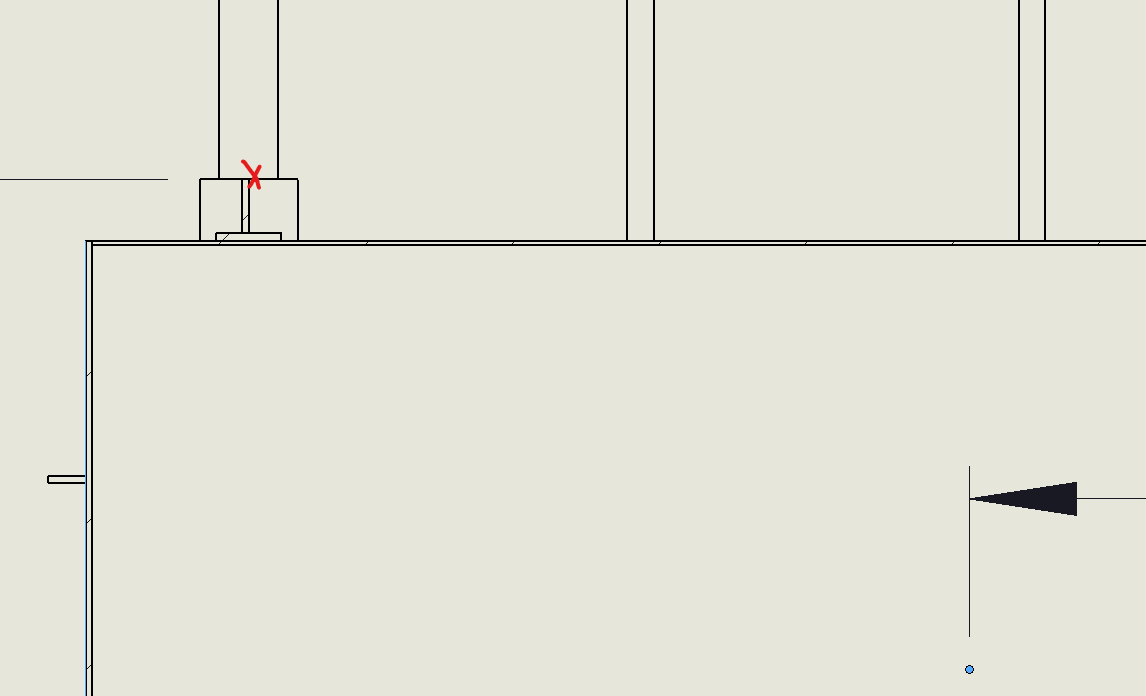
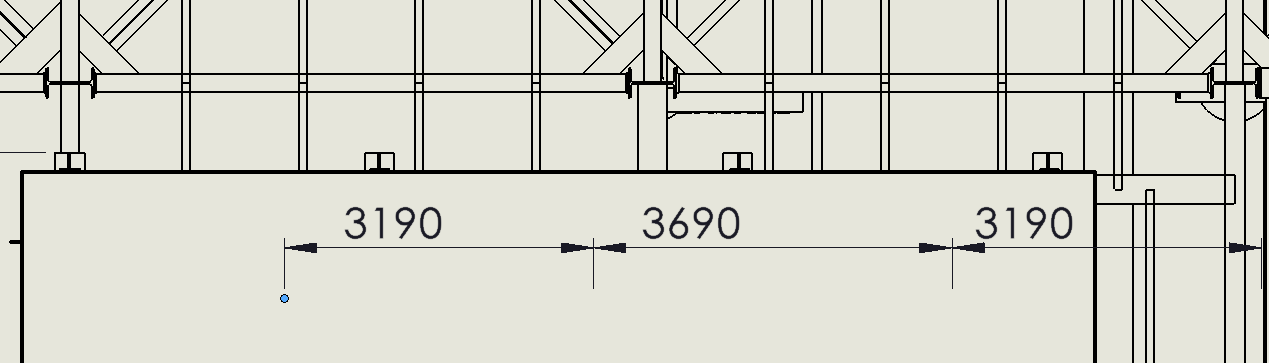
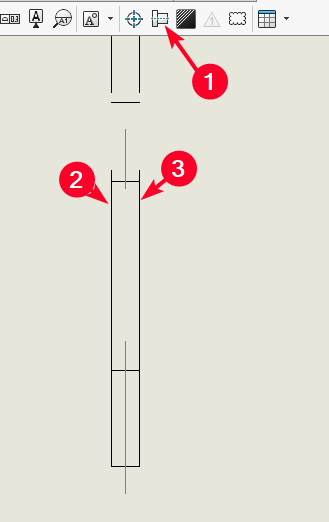
lorsque que j’essai de coter l’entraxe des pieds de mon équipement je sélectionne deux points milieux des fer plat de mes pieds, la cotation s’affiche mais en décalé de mes deux points sélectionnés.
Bonjour Rems51,
Cela me l’a déjà fait, alors comment je procède :
1 - Je sauvegarde et je ferme ma MEP, voir également Solidworks et je ré-ouvre le tout, et ça fonctionne .
2 - Quant c’est plus possible, j’esquisse deux point où je souhaite mettre ma cotation, mais ce n’est pas très catholique. Et je me sert de ces points pour ma cote (Mais pour juste une MEP ça le fait…).
Voilà j’espère que cela t’aidera.
@+.
AR.
merci @A_R mais même en fermant et en rouvrant ca ne change rien par compte je rends compte que le phénomène est identique sur l’ensemble de points et des points milieux.
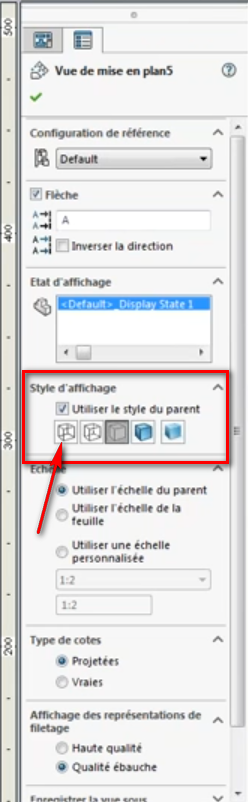
Non dans ton affichage de vue , tu as 4 possibilités d’affichage, une en rendu, une autre en rendu avec arrêtes visible, une avec simplement avec les arrêtes visible, en mode caché, puis tout les traits.
Regarde cela à droite de ton écran en cliquant sur ta vue…
Désolé mon pc est en cours de traitement je ne peux te faire de capture d’écrans …
Sivous avez conçu des poutres avec la fonction mécano soudé tu dois avoir une esquisse qu’il est possible de montrer dans votre mise en plan.
Coté les esquisses en utilisant un filtre d’esquisse.
Sur les mêmes principes si vous avez des tube coté les axes du modèle (pas ceux que vous créez dans MEP). La 2D est de la 3D écrasée les beug sont nombreux dans la sélection, les filtres soulagent le logiciel. Même si là je ne pense pas que ce soit le problème.
Une autre option c’est d’insérer un autre plan dans votre fichier et y copier toutes les vues, j’ai eu un cas similaire impossible de réaliser une vue, mais après cette manip ça fonctionne
Avez-vous altéré la vue rognage ou coupe locale, vue interrompue ? Souvent avec SW dans le cas d’assemblage lourd (pour le PC) altéré les vues et perturbe l’affichage
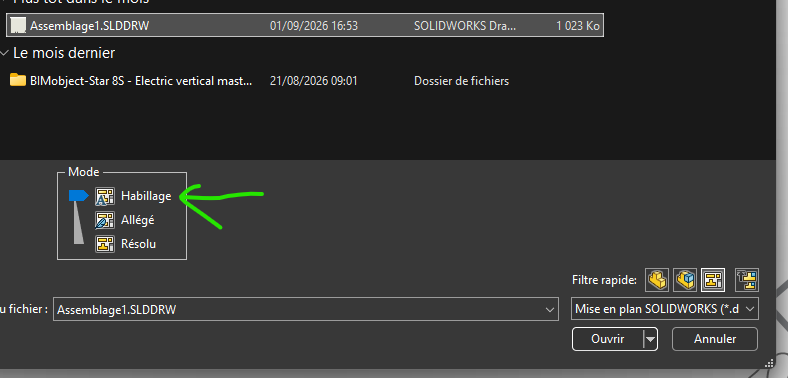
Essaye d’ouvrir votre plan en mode habillage
Merci à tous de vos retours. @FRED78 non ma charpente a étée convertie en corps et en surfaces donc pas d’esquisse. Et le problème est effectivement sur une vue en coupe. Le plan est bien mode habillage. Pour ce qui est de « d’insérer un autre plan dans votre fichier et y copier toutes les vues », tu veux dire ajouté une feuille, un fond de plan?
Bonjour rems51,
Je vois que tu es passé de corps en surfaces, je pense que le problème vient de là, on ne peut pas coter des surface, sauf erreur de ma part…
A suivre, @+.
AR.
Si le point milieu déconne, création de trait d’axe a partir des 2 traits continu puis cotation du trait d’axe.
Annotation création de ligne de construction puis sélection des 2 trait fort le trait d’axe se créer au milieu et on le côte ensuite.
Oui c’est effectivement ça, ajouter une feuille créer un fichier avec deux plans , glisser les vue d’une page à l’autre et regarder si cela marche.
Comme le précise @A_R les surfaces c’est la m… dans les mises en plan.
La solution de @sbadenis est une solution que je pratique dans ce cas, appliquer un axe du type sysmétirque entre deux traits et coté les axes.
Lors d’export d’un autre logiciel vous pouvez générer des corps ou des surfaces. Également lors de l’import sélectionné dans les deux cas des corps. Cela vous facilitera la vie sur les mises en plan, et les coupes surtout.
Dans certain cas le logiciel à l’export ou l’import crée des surfaces (souvent inutile ou redondante) supprimer les. Ces surfaces sont souvent l’enveloppe d’un volume existant, et génère des erreurs dans les coupes ou dans votre cas un problème de sélection.
Un filtre de sélection et « une sélection autre » vous permet de choisir le trait qui vous intéresse solide ou surface.
Il a été dit l’import de cotation de la 3D précédemment c’est une très bonne solution, le plan est le reflet de la 3D, l’import est toujours plus efficace et vous pourrez coté les axes temporaires directement de la 3D
Bon courage les surfaces c’est de la m… dans les plans