Hello everyone,
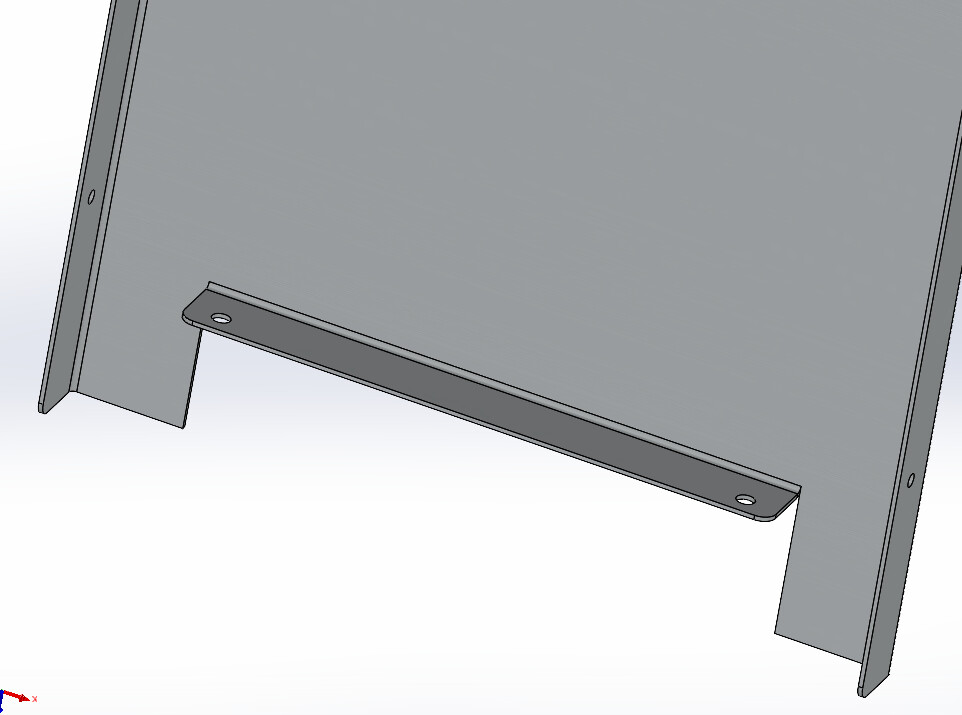
I encounter a problem when I unfold my piece below.
When unfolding, the folded part merges with the unfolded part and my unfolded part is not good.
However, I did activate the notching in the bend function and the corner treatments in the " Unfolded state" function.
The only way I found is to offset the sketch of the " sheet metal bent on edge " function but that necessarily creates a shift for me, if I put this offset at 1.5mm (radius of the notching) it doesn't do the notching and I find myself in the initial situation.
Am I obliged to do a material removal before creating my edge-bent sheet metal or is there a way to do this notching automatically so that the unfolded sheet is good?
AQUPRD01110-PEQ01-CA-AC-01. SLDPRT (441.1 KB)
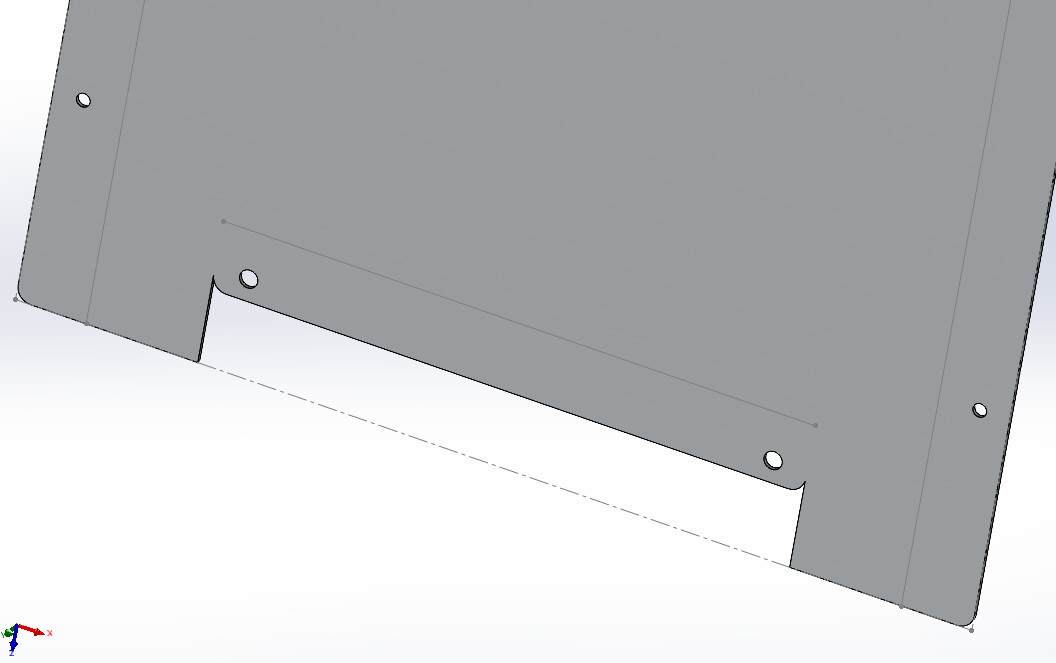
In this case I prefer to do the biting myself. (material removal of 2 rectangles of 0.1x the bending radius, and this before adding fold)
You should know that Sw is far from being a sheet metal arrow and quickly finds itself blocked by not much. (round rectangle transformation, notching and so on...)
3 Likes
It works, I'll do them by hand in this case. Thank you for your feedback!
Hello, welcome to the forum.
You have to shift the sketch of the " sheet metal bent on edge " function, usually I put 0.2mm (minimum for laser cutting).
Set the notch to 0.2mm wide and long.
In addition, SW does it better when the fold is entirely outdoors:
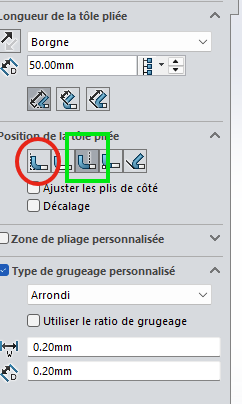
I just did this on your piece and it works fine:
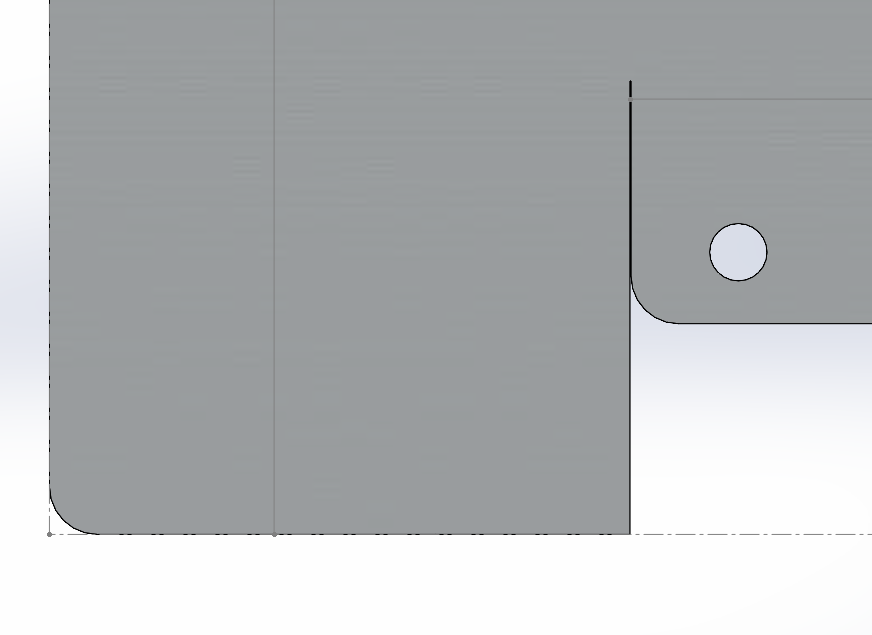
In your case, you will need to rethink the " Remove. mat.-Extru.5 " for this offset by a thickness + 1 bending radius.
Good luck...
4 Likes