Hello on the screen my axis line is good but after printing no.
How can this be remedied?
|On my computer|On paper|
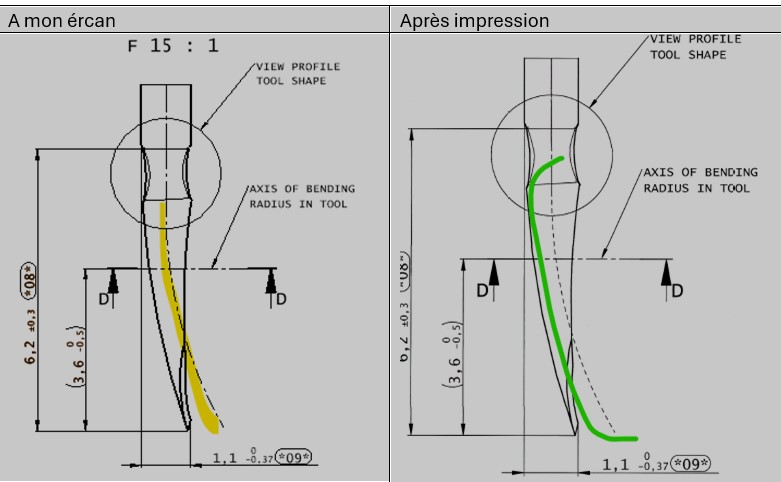
Thank you.
Hello;
More precision is needed on the elements used:
3D+version software (Solidworks, autocad, other)?
Printer or plotter?
If it's a plotter, I'll look at the print manager + Layers.
This phenomenon is reproduced with a print to a pdf?
Hello
SOLIDWORKS 2022
Lexmarch printer.
the axis lines are created in a sketch in 3D.
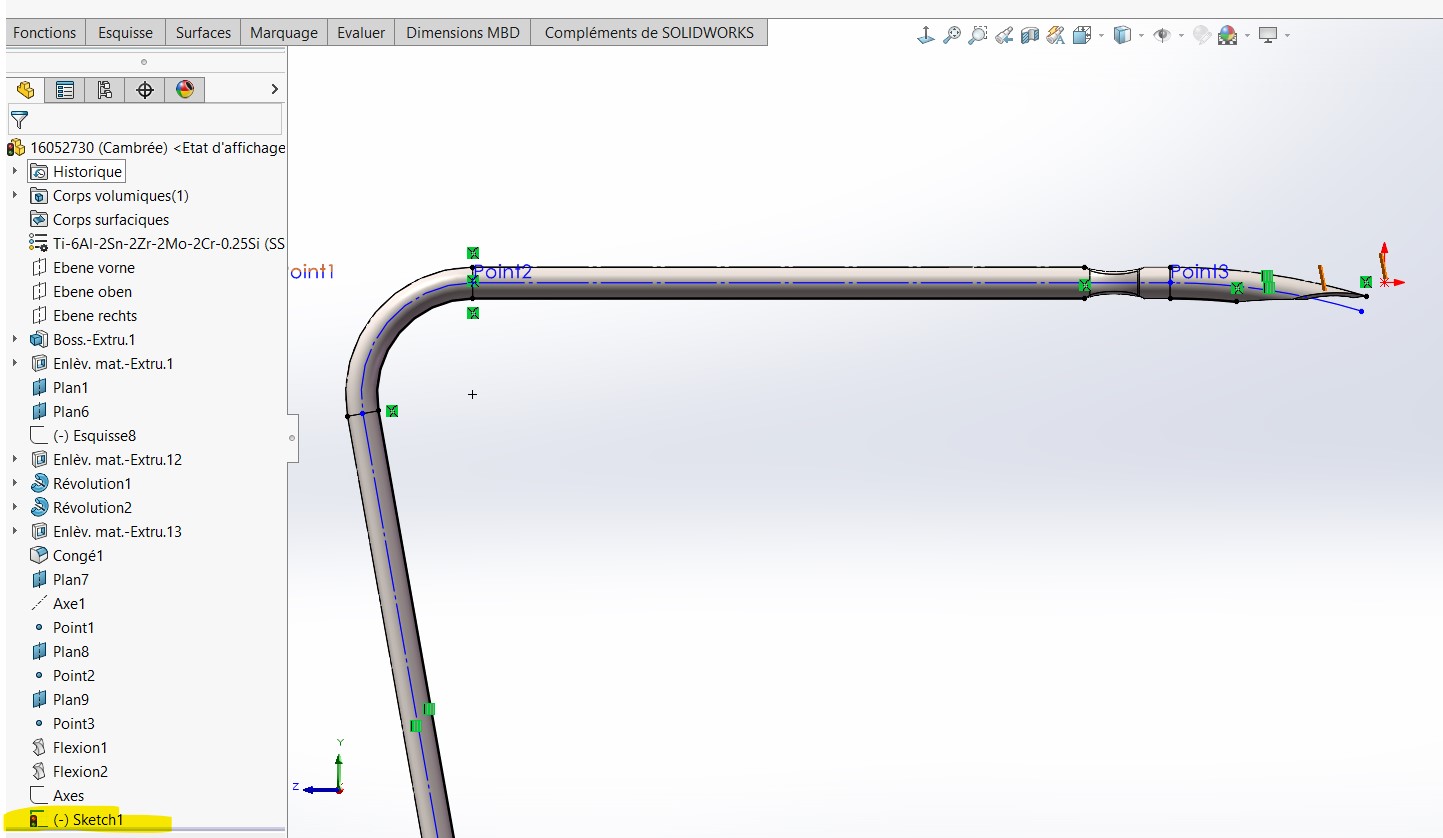
If I make a pdf of solidworks I don't have this phenomenon.
Thank you
I think the problem comes from here.
What happens if you make the axis lines directly in the drawings?
Hello @bvergnieres
Personally I always print from a PDF, have you tried to see the result?
Try to retrieve the sketch path in your MEP of your cable? and transforms these properties into a centerline, and starts printing again (Using a PDF
Normally, axes created with the axis tool follow temporary axes.
Be careful with anything that modifies the original view, cropping, interrupted view, local cut. As soon as you change the shapes or strokes of a view without going through 3D, display bugs occur. All actions on the view must be done before a cropping function for example.
Keep us informed
1 Like
Thank you
except that this is a curve but I'm going to try to draw it in the 2D.
Hello @bvergnieres
If it's a curve you can't I think you use the axis tool, if built with a spline. But try to retrieve the sketch attributes in your plan and turn the style into an axis.
Can you send me your 3D?
Thank you