Hello,
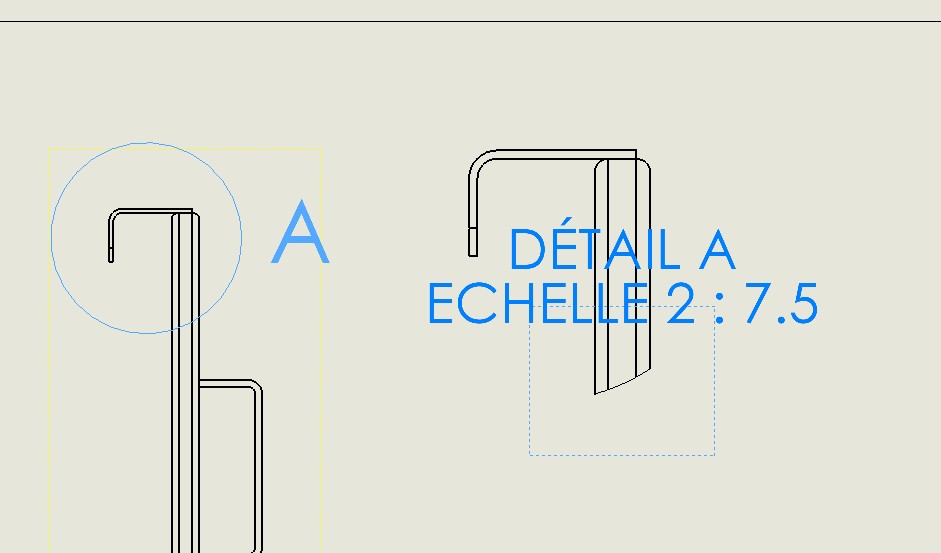
In a drawing, when creating a detail view of my part, the interaction area (blue dotted rectangle) does not take into account the scale of the detail view and in fact it is impossible to dimension the part in this detail view since the part is outside the interaction area. The only solution I found is to force the detail view to scale 1 and then set it to the desired scale, so that the interaction area returns to size taking into account the scale.
Is it a bug of SP 4.1 because there is no problem with V2.1
Thank you.
Probably.
Golden rule: never work in production with a release that is not the last one (so SP5.0 or higher)