Je rencontre trois problèmes lorsque j’utilise SolidWorks 2021 :
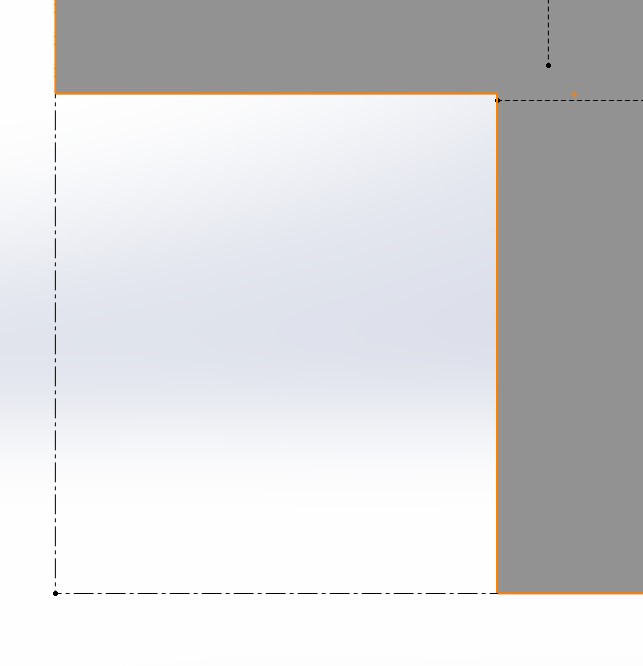
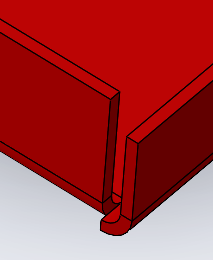
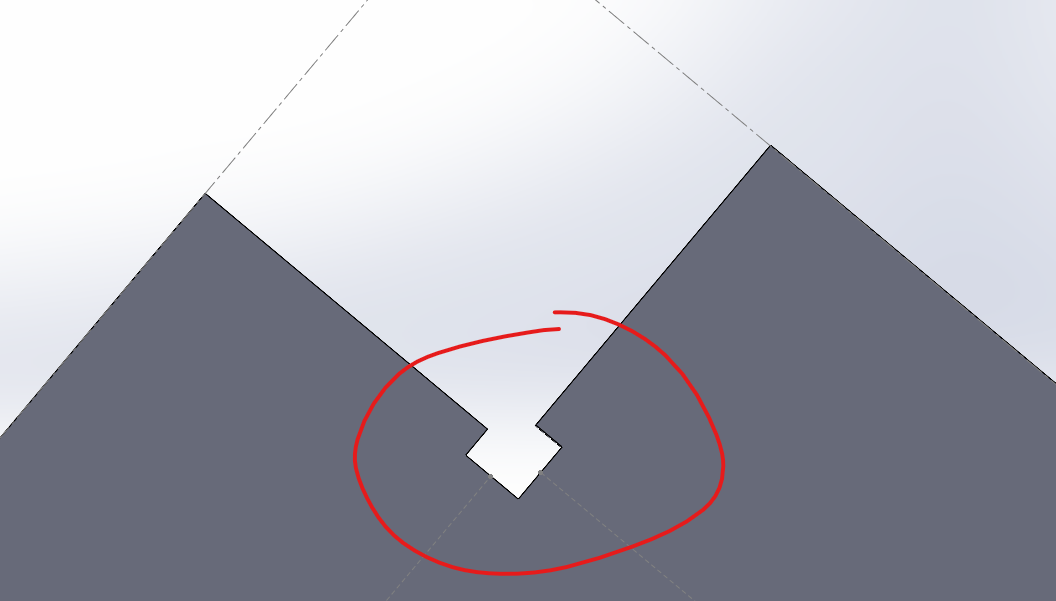
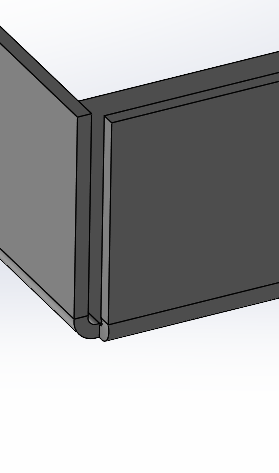
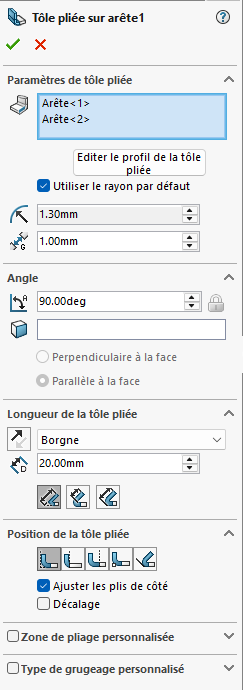
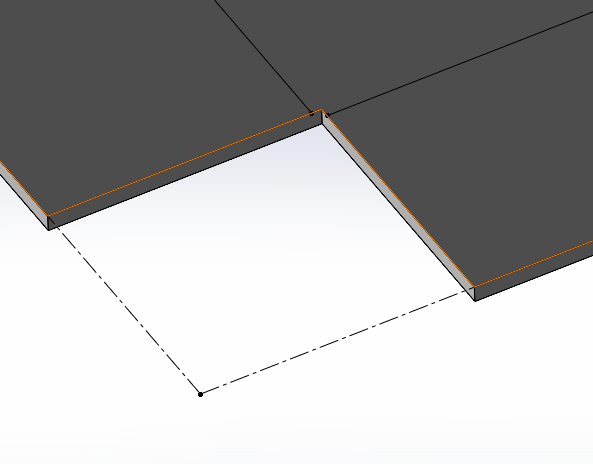
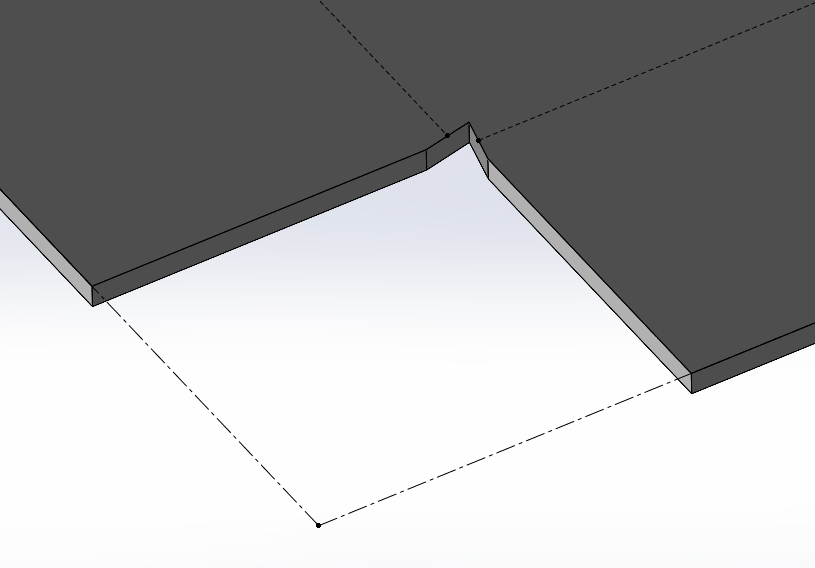
Concernant le premier, c’est pour un mauvais déplié (pour une pièce de tôlerie). Sur les deux arêtes, d’un coin d’un plat, je fais un plis à 90° (avec en plus la fonction coin fermé).
Que ce soit avec ou sans coin fermé, le problème est toujours là.
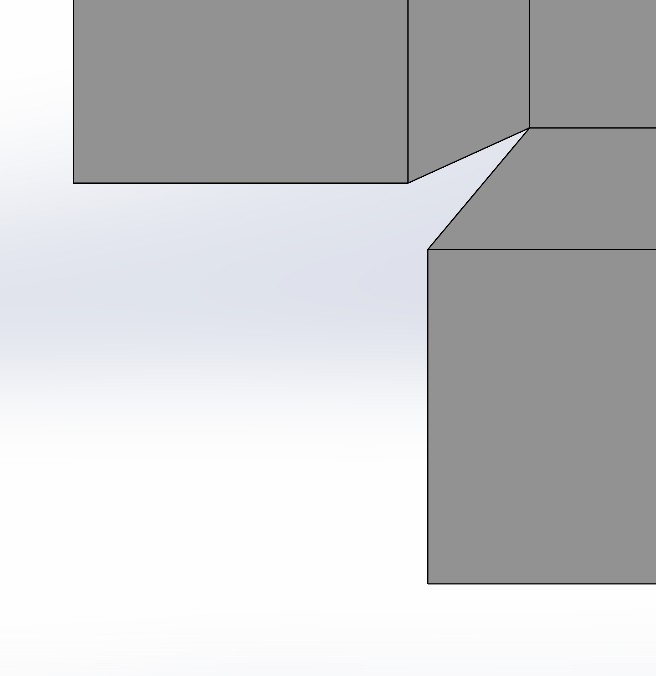
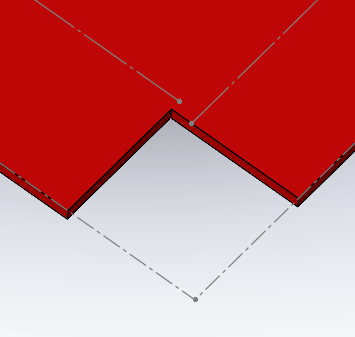
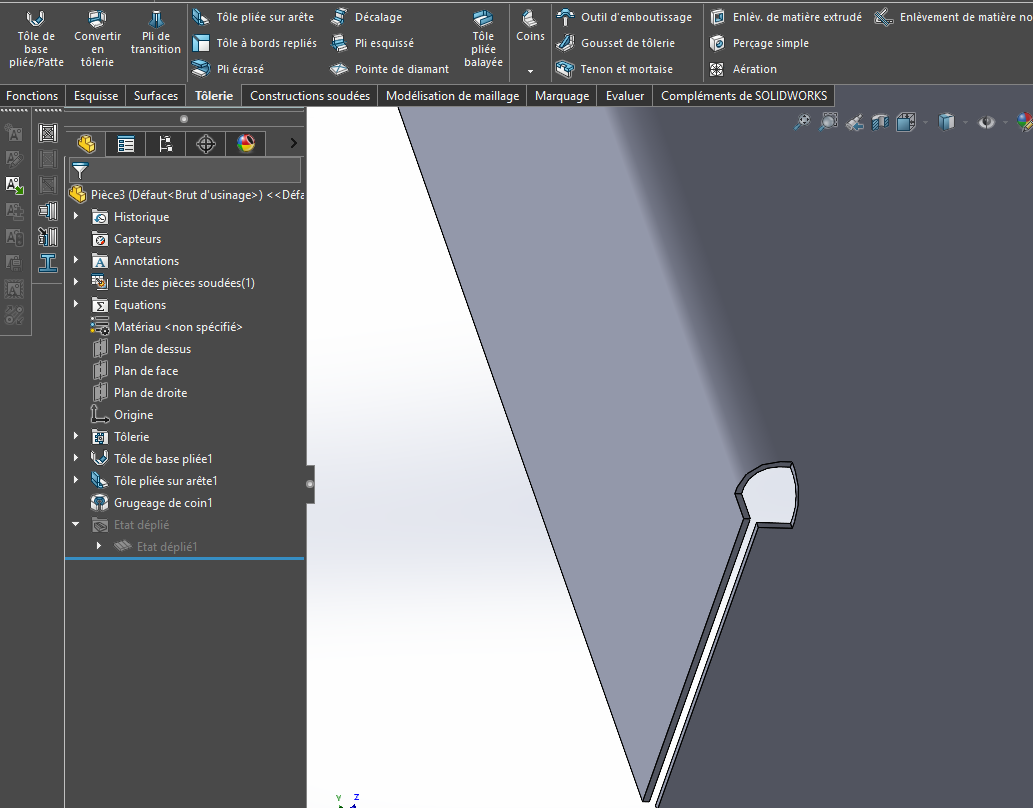
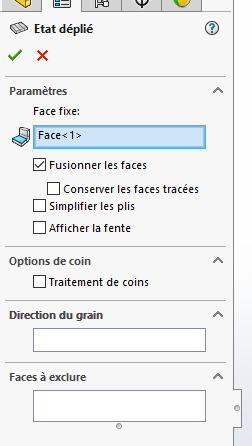
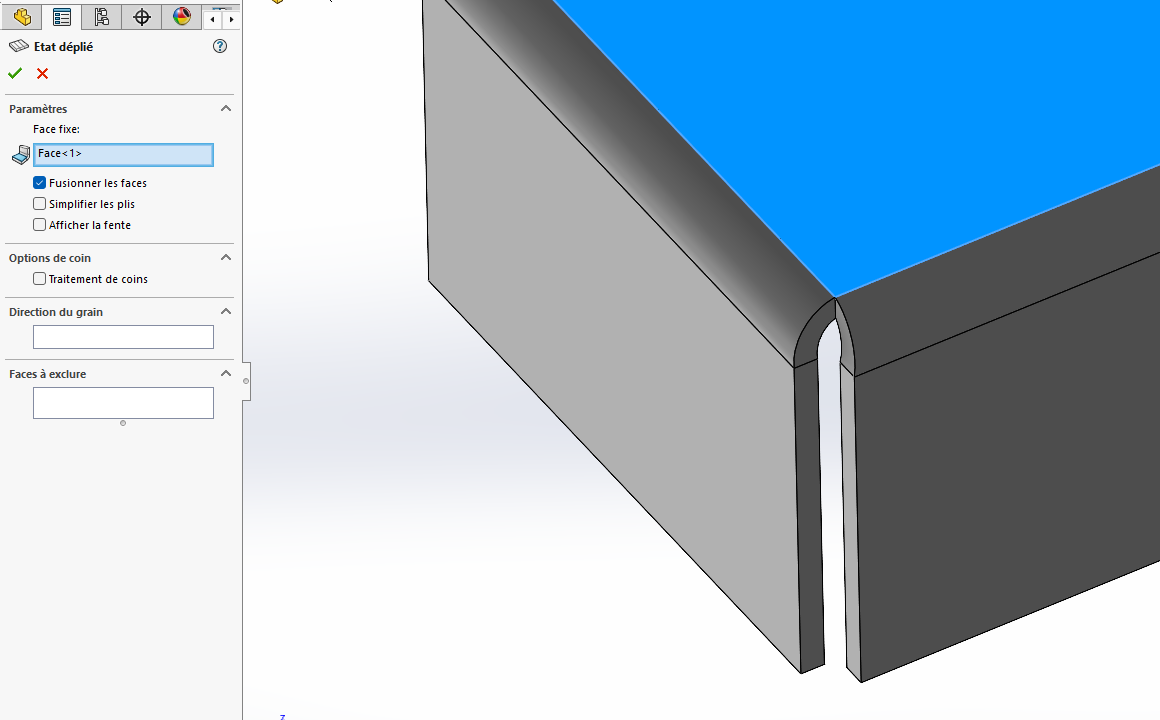
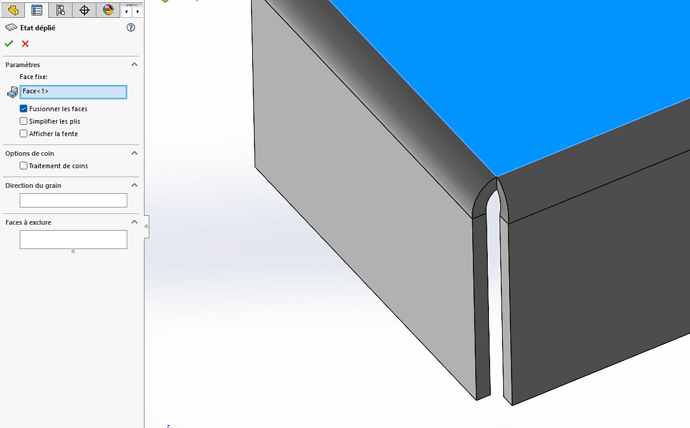
Cependant, lorsque j’utilise la fonction Déplié, j’obtiens cela :
Est-ce possible d’avoir une option dans SW pour obtenir le grugeage de coin, obtenu avec la fonction déplier, avec la fonction dépliée ?
Pour le deuxième, cela arrive (pas toujours mais souvent) lorsque je réalise un plan d’assemblage en A3. Une fois réalisé et sauvegardé, dès que je veux le fermer, SW freeze pendant 5 à 10 secondes et se ferme automatiquement même si j’ai d’autres fichier ouverts. Que ce soit via le raccourci Ctrl+W ou à la souris, même résultat.
D’après ce que j’ai constaté, cela n’arrive qu’en format A3 et en début d’utilisation de SW, cela ne le faisait jamais.
Le PC est récent donc je ne vois pas d’où vient le problème.
Enfin le troisième, c’est pour sauvegarder un fichier que ce soit part, assemblage ou plan. Cela arrive de temps en temps que la fonction Sauvegarder ne fonctionne plus, que ce soit via le raccourci Ctrl+S ou la fonction.
Dans ce cas, je dois redémarrer SW pour que la fonction refonctionne.
Encore une fois, je ne sais pas d’où vient le problème.
J’espère que les screens du premier problème sera visible car lorsque j’écris ceci, cela ne m’affiche que du texte. Dans le cas contraire, j’expliquerais.
Oui le monde de SolidWorks est semé d’embuche.
Pour la fonction tôlerie il existe une fonction grugeage, sauf sur les plies ou il elf ait automatiquement. Mais je ne l’utilise pas souvent, d’autres s’auront mieux t’expliquer.
J’ai déjà eu un retour d’un chaudronnier sur des formes bien particulière, le déplié SolidWorks ne serait pas bon ou réaliste. Certainement des facteurs (Facteur ou autre table) qui ne sont pas au top par défaut. Le retrait des tôles etc.… n’est peut-être pas réaliste, mais je m’avance peut-être, mais c’est le retour que l’on m’a fait.
Pour les plans et le font de plan, il est conseillé de le refaire dans la version qui tu utilises (SW2021), plutôt que de reprendre un fond de plan d’une version ancienne.
Pour ton troisième problème, cela m’est deja arrivé. Avez vous les derniers correctif SP xx ?
Il est difficile de répondre à ce genre de question, les PC ne sont pas tous pareil et les sous couches non plus, voir même des droits admin. Parfois une réinstallation peut résoudre certain problème.
Bonjour,
Pour le point 1 peux-tu mettre une copie d’écran de la pièce pliée avec l’arbre ou les options de pliage
Le trait de pliage vertical semble suspect. Déchirure?
Quand j’ai les mêmes traits de pliage voilà ce que donne la pièce
Je n’utilise pas la grugeage du pli, j’en crée un autre à partir de la fonction grugeage.
J’obtiens quelque chose de correcte à l’œil
Je plie les deux coté dans la m^me fonction de pliage
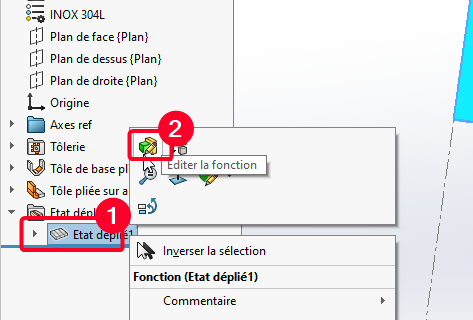
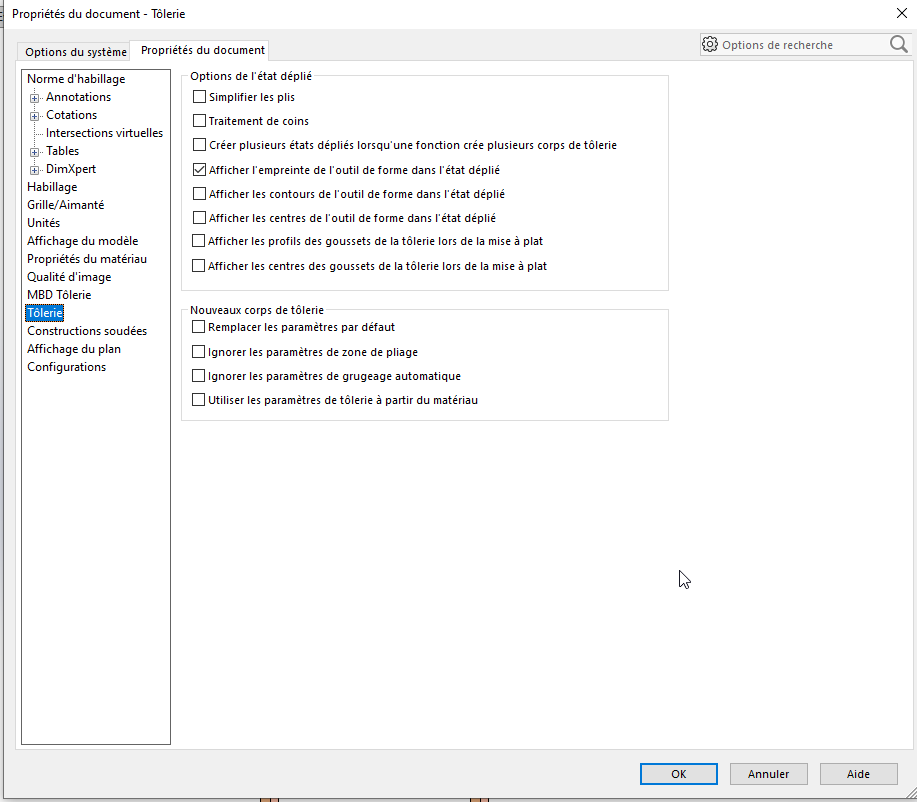
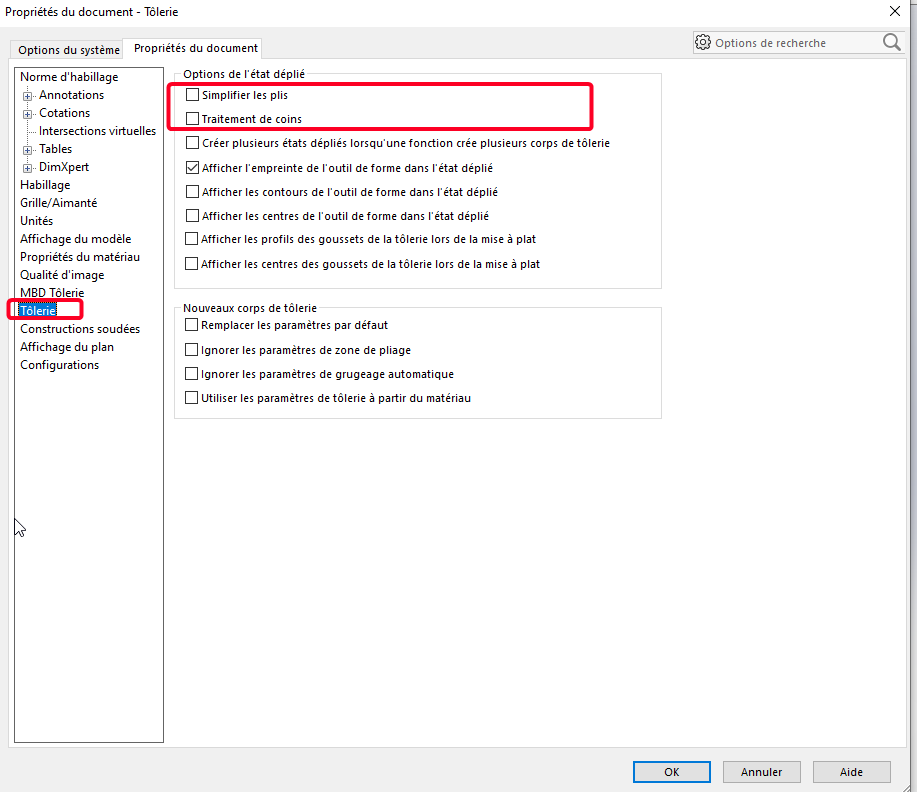
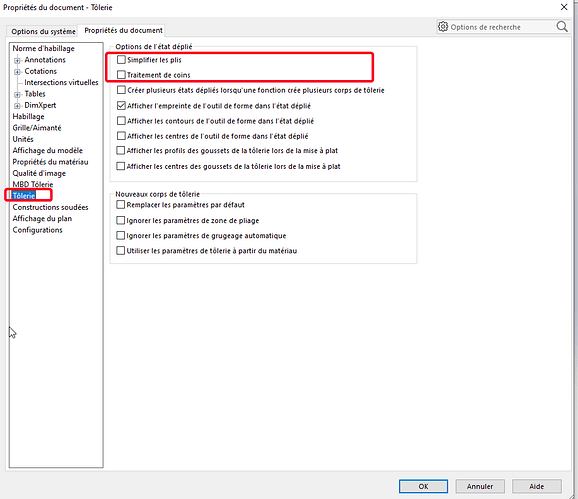
Et dans tes options de dépliés il faut vérifier si simplifié les plis est actif ou pas, cela joue beaucoup sur certain pli:
Et pour mon avis Sw n’a jamais été top au niveau tôlerie même si il y a du mieux dans les dernière versions, c’est loin d’être parfait avec les bug de déplié qui ne se réalise pas pour un croisement de matière ou autre…
Montre nous aussi comment sont réalisé les 2 plis concernés par ce grugeage (imprim écran) cela peut impluencer le grugeage.
Navré pour la réponse tardive, j’étais pas mal occupé après le post de mes problèmes SW.
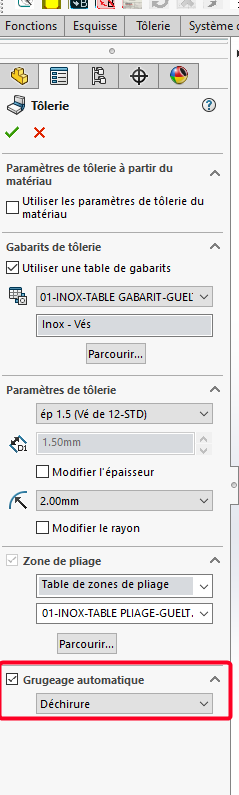
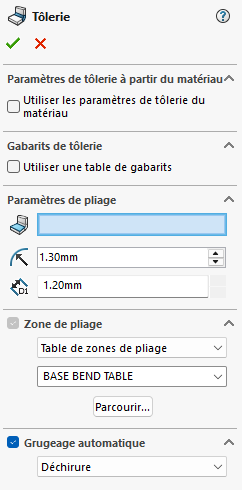
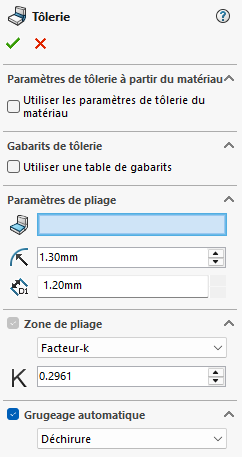
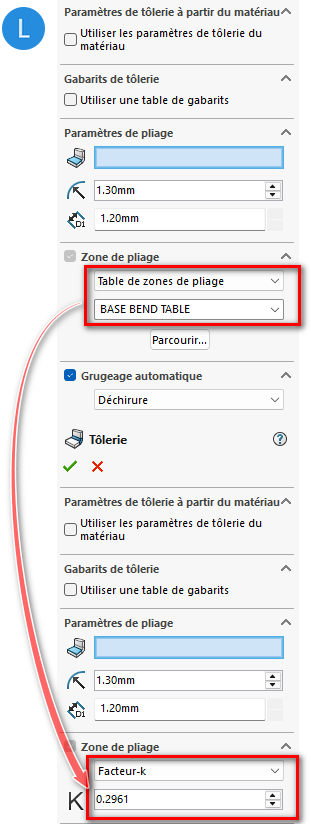
Pour le grugeage, dans la fonction tôlerie, par défaut, la zone de pliage est une table excel (fournis par SW, je pense). Mais même si je mets un facteur k à la place, cela ne change rien.
Et j’ai essayé en cochant et décochant Grugeage automatique, déchirure ou rectangulaire, même résultat.
Ceci ne fonctionne que si le pli n’est pas sur la totalité de l’arête. Un espacement minimum sur l’extrémité de l’arête pour justement appliquer le grugeage automatique mais ce n’est pas de ce type de grugeage qui me pose problème mais celui où le pli fait la totalité de l’arête.
Pour les plans, ce sont des personnalisés (copies à partir des modèles par défaut de SW), et je les avais fais sous (SW2017). Quand j’ai eu la version 2021, je pense les avoir réenregistrer sous 2021 mais pour être sur je vais le refaire et voir si cela corrigera ce problème.
Pour la sauvegarde, effectivement, les derniers correctifs SP n’est pas jour mais je pense que je ne peux les faire car mon employeur ne veut pas forcément payer la MAJ. Il faut que je vois avec lui
Sur ta capture des données de tôleries tu as, dans un premier temps, une redirection vers une table de pliage, et dans le plis suivant tu donne in facteur K. Je me demande si une partie du conflit n’est pas sur ce point.
Soit tout pointe sur la table de pliage (qu’il faut contrôler, celles de Solidworks n’est pas toujours l’idéal selon le matériau à plier …)
Soit on utilise un facteur K cohérent avec chaque pli.
Si tu as des doutes, utilise les pliages simplifiés comme le suggère @sbadenis.
Je m’en doutais un peu ayant déjà eu le cas pour éviter se problème à l’avenir, modifie ta pièce de base et dans les options du document de la pièce modèle (Outils Options, Propriété du documents) tu décoches simplifier les plis qui se permet des exubérance au niveau du grugeage.
C’est ce que j’ai fais mais via le FeatureManager
pour tous les modèles selon l’épaisseur et la matière.
J’avais oublié qu’il y avait aussi cela dans Option/Propriétés de document
De mémoire, j’avais déjà décocher ces options mais aucun résultat.
Donc j’ai réitérais l’expérience, et voici la conclusion :
Il n’est pas obligé de décocher les options dans Propriétés du document car dans FeatureManager, à lui seul, si on décoche cela fonctionne (même si dans Propriétés du document, c’est coché)
À l’inverse, cela ne fonctionne pas si on décoche uniquement dans Propriétés du document.
Donc au minimum, il faut décocher dans le FeatureManager.
@FRED78, concernant les plans, juste en réenregistrant les plans de la version 2017 sous 2021, cela ne corrige pas le problème. Je vais repartir de zéro, sous 2021, et je verrais si cela corrige le problème.