I'm experiencing three issues when using SolidWorks 2021:
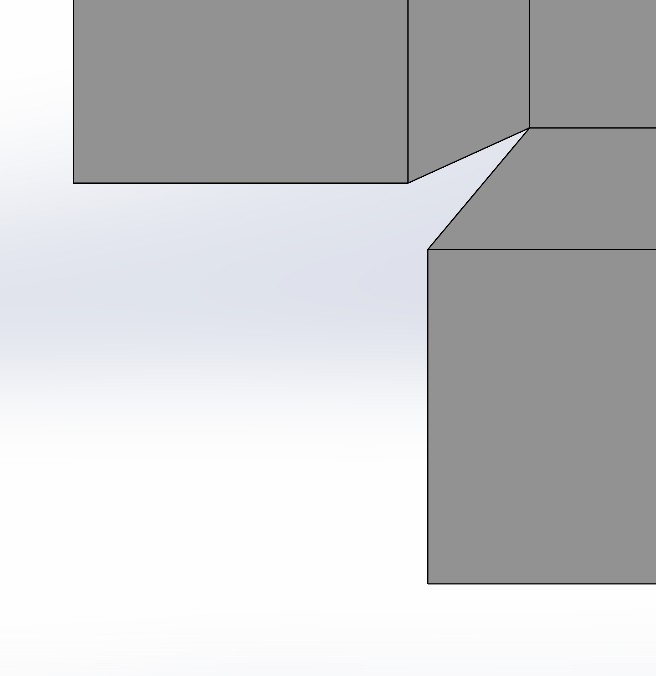
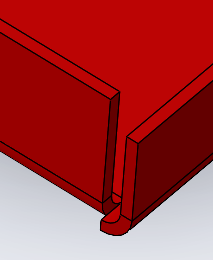
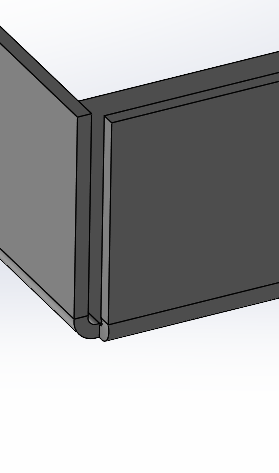
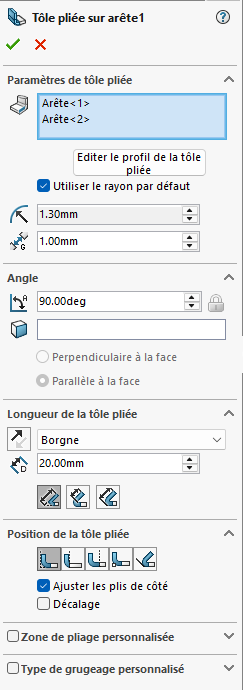
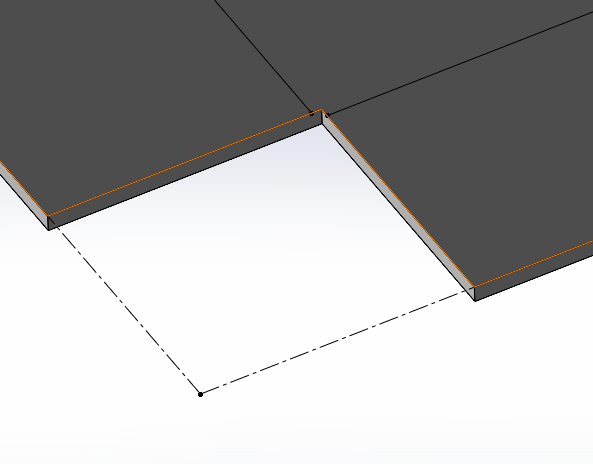
Concerning the first, it is for a bad unfolded (for a sheet metal part). On the two edges, from a corner of a flat, I make a 90° fold (with the addition of the closed corner function). Whether with or without a closed corner, the problem is always there.
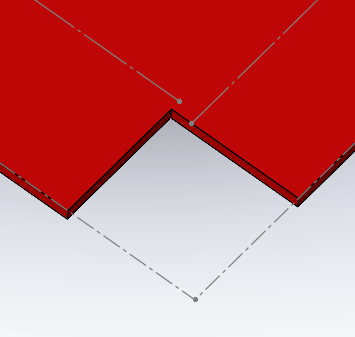
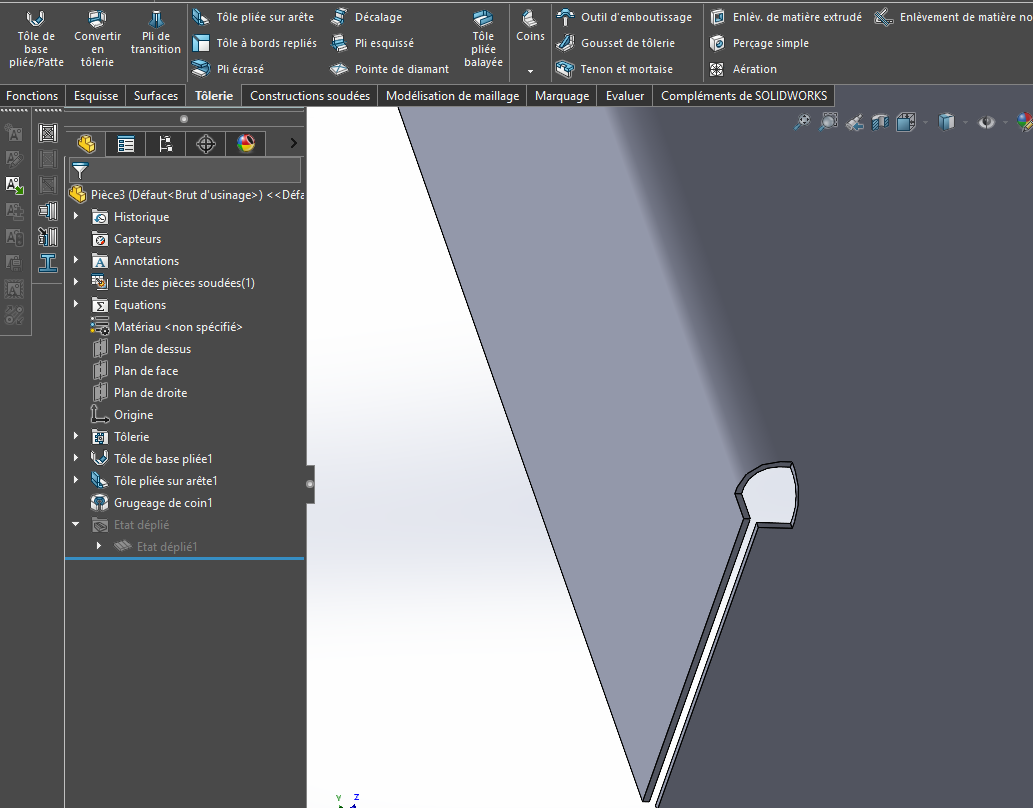
However, when I use the Unfold function, I get this: . It's a bad unfolded because it should have a corner notch that SolidWorks doesn't do automatically.
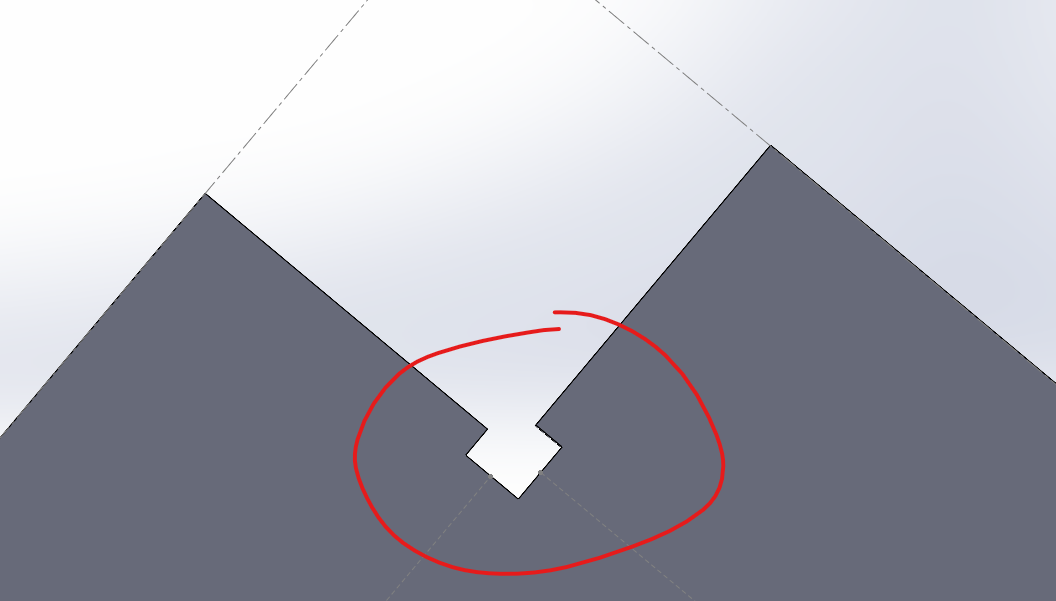
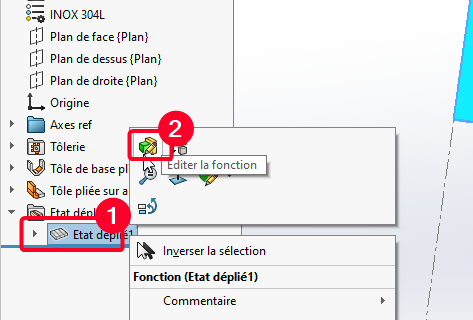
I have found a solution but I have to create a configuration, by adding on the FeatureManager, the Unfold function and I get:
Is it possible to have an option in SW to get the corner notch, obtained with the unfold function, with the unfolded function?
For the second, it happens (not always but often) when I make an assembly plan in A3. Once done and saved, as soon as I want to close it, SW freezes for 5 to 10 seconds and closes automatically even if I have other files open. Whether via the shortcut Ctrl+W or with the mouse, the same result. From what I've noticed, this only happens in A3 format and at the beginning of SW use, it never did. The PC is recent so I don't see where the problem comes from.
Finally, the third is to save a file, whether it is a part, assembly or plan. It happens from time to time that the Backup function no longer works, either via the shortcut Ctrl+S or the function. In this case, I have to restart SW for the function to work again. Again, I don't know where the problem comes from.
I hope that the screens of the first problem will be visible because when I write this, it only shows me text. If not, I would explain.
Yes, the world of SolidWorks is full of pitfalls. For the sheet metal function there is a notching function, except on the folds where it is automatically installed. But I don't use it often, others will be able to explain it to you better. I have already had feedback from a boilermaker on very particular shapes, the unfolded SolidWorks would not be good or realistic. Certainly factors (Factor or other table) that are not at the top by default. The removal of the sheets etc... may not be realistic, but I may be getting ahead of myself, but that's the feedback I was given.
For plans and plan fonts, it is advisable to redo it in the version you are using (SW2021), rather than using a basemap from an old version.
For your third problem, this has already happened to me. Do you have the latest SP xx patches? It's difficult to answer this kind of question, PCs are not all the same and neither are the sublayers, or even admin rights. Sometimes a reinstall can solve some problem.
Hello For point 1 can you put a screenshot of the folded part with the shaft or the bending options The vertical fold seems suspicious. Tear? When I have the same fold lines, this is what the piece looks like
I'm not using the bend notch, I'm creating another one from the notch function. I get something correct to the eye I bend both sides in the same ^me folding function
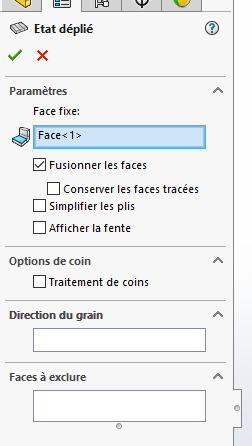
And in your unfolded options you have to check if simplified folds are active or not, this plays a lot on some folds:
And in my opinion Sw has never been great in terms of sheet metal even if there is improvement in the latest versions, it's far from perfect with the unfolded bugs that don't happen for a crossing of material or other...
Also show us how the 2 folds concerned by this notching are made (print, screen), this can impluence the notching.
Sorry for the late reply, I was pretty busy after posting my SW problems.
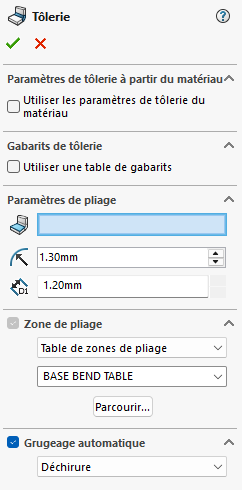
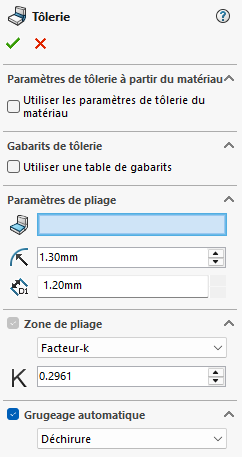
For notching, in the sheet metal function, by default, the bending area is an excel table (provided by SW, I think). But even if I put a k-factor instead, it doesn't change anything.
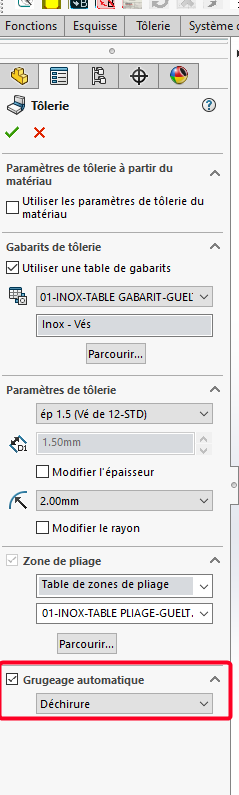
And I tried by checking and unchecking Automatic Chewing, Tear or Rectangular, same result. This only works if the bend is not on the entire edge. A minimum spacing on the end of the edge to apply the automatic notching but it's not this type of notching that causes me a problem but the one where the bend makes the entire edge.
For the plans, they are custom ones (copies from SW's default templates), and I had made them under (SW2017). When I got the 2021 version, I think I re-recorded them in 2021 but to be sure I'm going to do it again and see if it will fix this problem.
For the backup, indeed, the latest SP patches are not up to date but I think I can't do them because my employer doesn't necessarily want to pay the update. I have to see with him
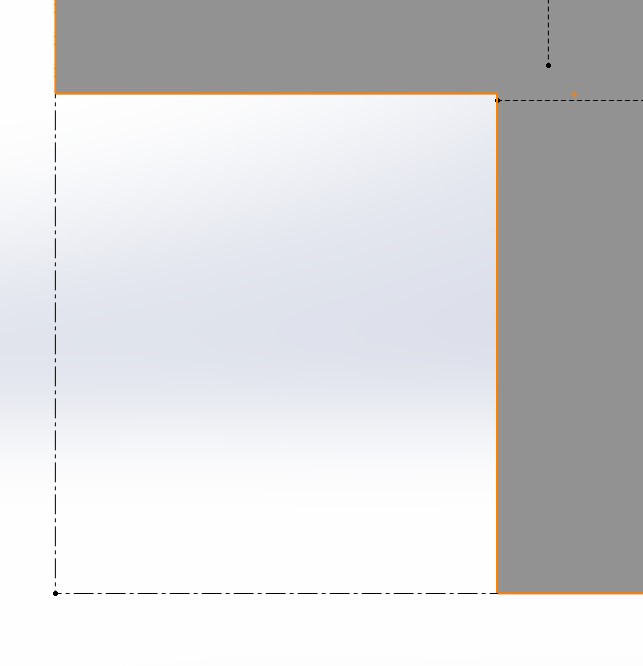 . It's a bad unfolded because it should have a corner notch that SolidWorks doesn't do automatically.