Hello, I'm going back to a problem of pre-populating MS body properties from libraries. We create mechanically welded PRTs using the MS bodies and their properties to make plans of each flow rate and bill of materials for purchases. These MS bodies are created in 3 ways: 1- Classical functions (extrusion, material removal, drilling) for laser-type flow rates. There can also be sheet metal functions for parts made by laser+bending 2- " Mechanically welded element" functions for all H, I, etc. They are made from the sldlfp files 3- Functions via the Design Library for functions grouped together in the library.
So we create the PRT in 3D and fill in the properties of the MS bodies with Smart Properties For the 1st case, we have to fill everything in each time. Normal, we create from " nothing "
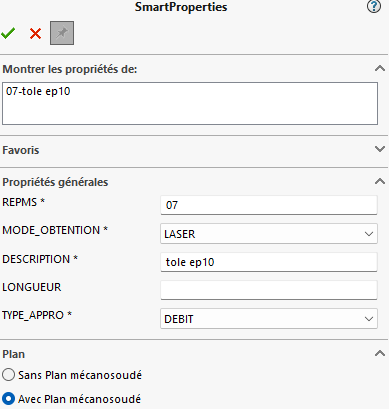
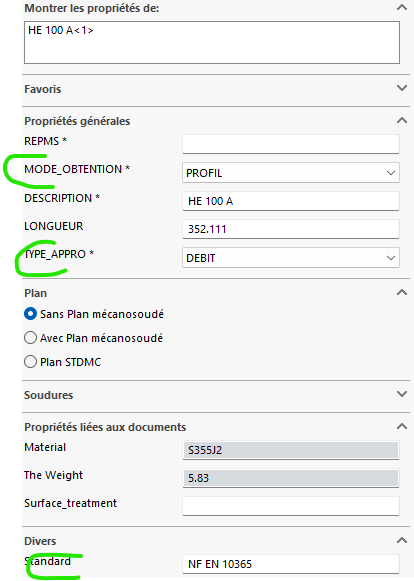
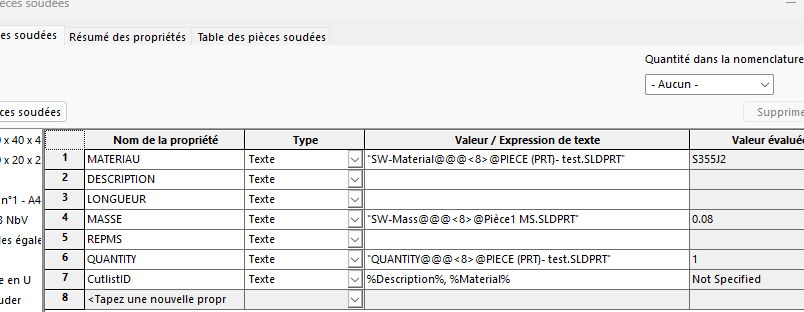
For the 2nd case, the configs of the sldlfp files contain properties that will be automatically found in the MS body, that's tip-top! ==> and via the Smart, we see this:
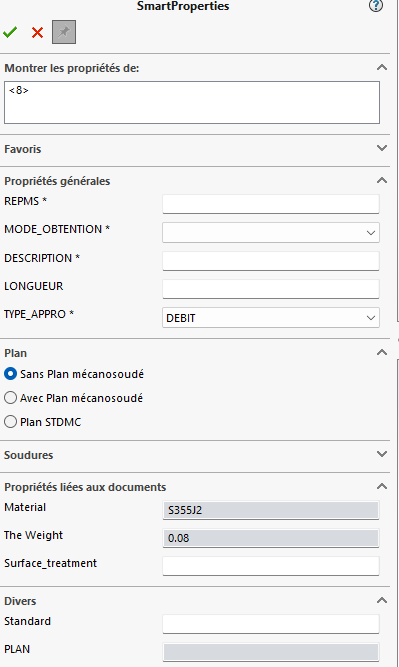
On the other hand, for the 3rd case, I can't bring up any property... ==> and it's empty, the fields are not created until the SMart has gone through
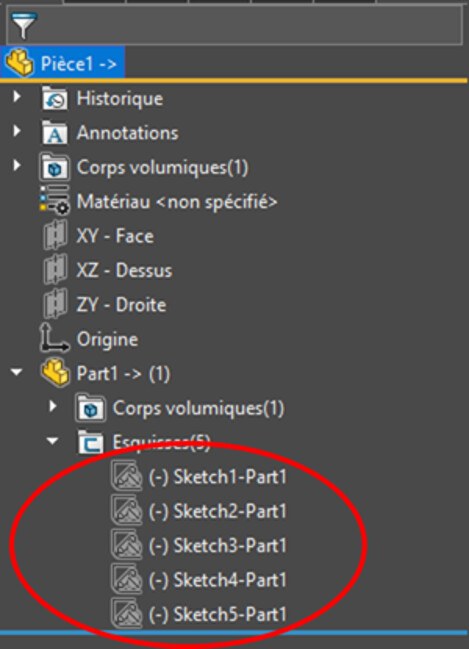
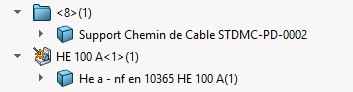
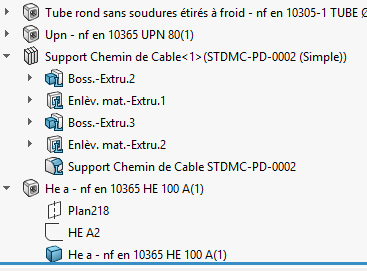
In the construction tree of the room, I have my MS bodies that are created from the corresponding functions
Hello; This seems to me to be a normal behavior of Smartproperties, it prefers to write properties rather than read them. And unless the properties are already included in your document templates (the properties, not the values) it is normal that, without launching the Smartproperties, they are not created in your Solidworks documents...
Be careful in the 2nd case Description (for the welded mechanic) in the 3rd DESCRIPTION (for the function) for Smartproperties it's not the same thing (And in the smartpropertie (DESCRIPTION). Wouldn't your problem come from there? Otherwise we don't see how you get the Description property of the mechanically welded in your DESCRIPTION property of the smart.
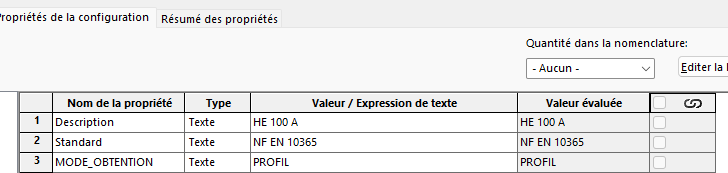
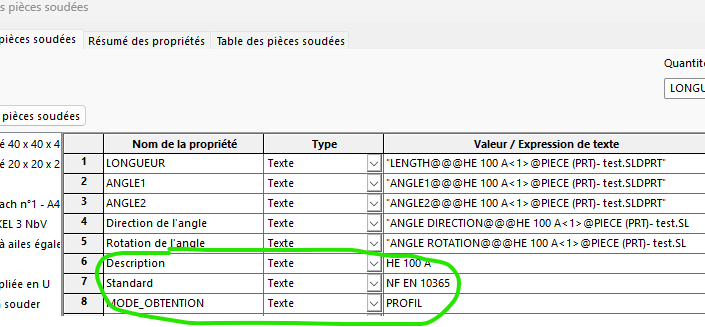
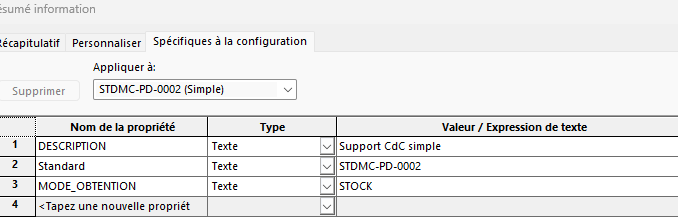
Hello, Thank you for your reactions I would like to point out that: In case 2, the sldlfp file that contains the sketch of the profiles has in its properties (linked to the config) the properties shown in the view: Description (HEA100), Standard (NF EN...), and MODE_OBTENTION. When using the " MS Element" function, the MS body that is created automatically contains the Description, Standard, and MODE_OBT.) and they are filled with the corresponding values. the Smart only rereads these values and you can enter the other values: REPMS, the choice if plan or not, etc
and SW doesn't differentiate between an uppercase or lowercase property name
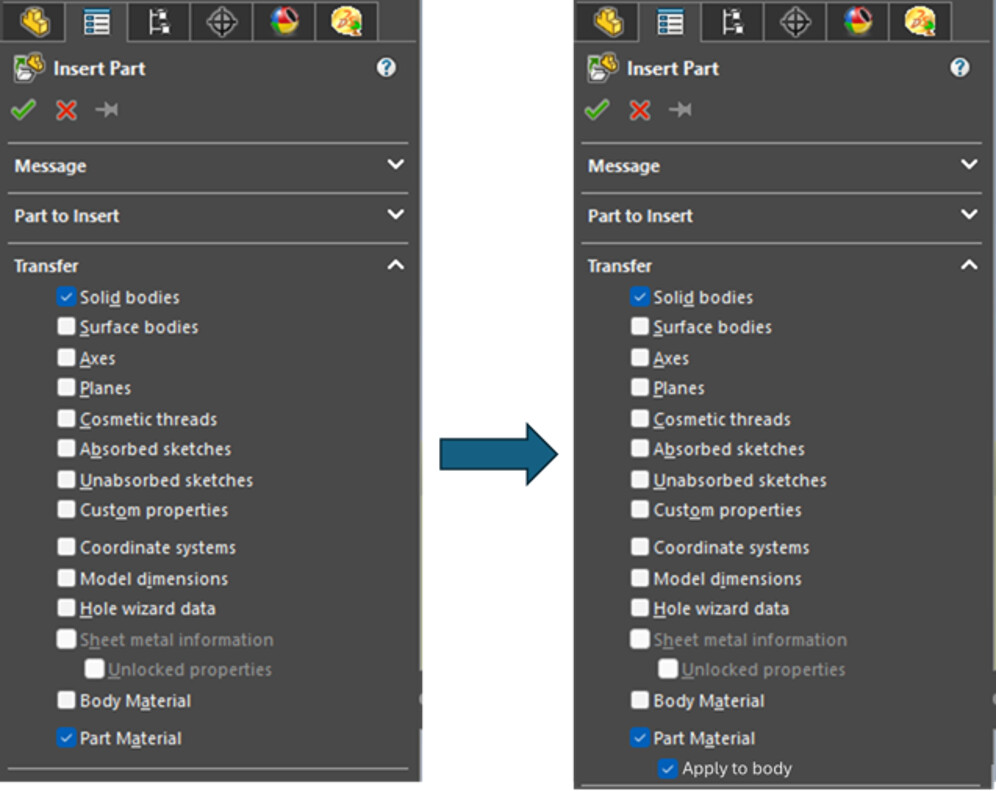
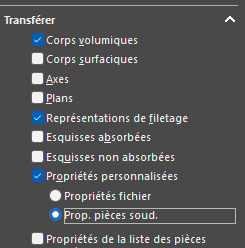
This is normal behavior: inserting a library function does not work in the same way as the mechanically welded element function in that it does not bring with it any of the properties of the file. The Mechanically Welded Element function will insert the properties of the file that defines the profile as a property of the welded element. This behavior is found in the Insert Part function where it is possible to choose, in the elements to be transferred, the custom properties, either as a personal property of the destination file, or as a property of the welded element:
Therefore, the only way to get what you want, is to manage for example your Cable Tray Support as a component, and insert it via the Insert Part function into your welded construction by choosing these transfer options.
This defect in library functions has been the subject of a request for improvement for many years.
Thank you for the feedback. I was hoping that I had missed something, but that's what I feared. Is there a possibility to put an extra piece to support the request?
Yes, of course. Create your account and connect to the SOLIDWORKS Enhancement Ideas public community on the Dassault Système 3DSwym platform: HERE Research your idea (or Enhancement Request, ER): You may not be the only one who has thought about it, so you need to check that it hasn't already been submitted.
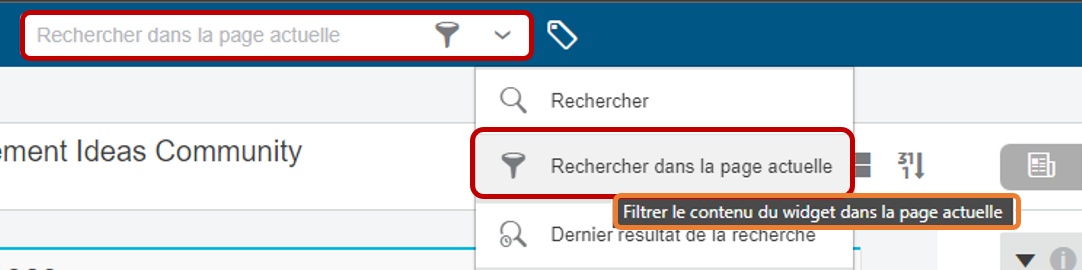
Use Current Page Search with English keywords. If you find it, you can vote for this idea by adding a " LIKE ".
If I can nevertheless allow myself to clarify 2-3 things about this behavior and the resulting request for improvement... and which has sparked virulent debates in some SWUGs. As I said, it is quite possible to retrieve the properties of a file as a property of a mechanically welded element via the Insert Part function. If this solution does not satisfy a large number of users, it is for the following reasons:
We generate an external reference... these famous links that are demonized by a majority (of which I am not one!)
This function is not sufficient in itself: it is often necessary to use additional functions upstream and/or downstream, if only to place the inserted part body in the desired location.
The reference is replaced when the document is opened, not from the Insert function's PropertyManager.
On the other hand, it has a significant advantage: the use cases. It is possible in a PDM to visualize the leads.
And we can reverse advantage and disadvantage for library functions! Advantages:
No external references created, then we copy the functions (although... you still have to be careful with the construction)
Stands on its own
As long as it is not dissolved, it is very easy to remove and replace it with another function.
Cons:
No importing properties
No visibility of the use cases.
So we are at a crossroads: Improve the part insertion function or improve the library functions.
Personally, I'm more in favor of an improvement in the part insert function (I have not developed a phobic neurosis against external references):
Make it possible to use the smart functions of one room when it is inserted into another.
Make it possible to modify the reference from the function's PropertyManager
To be able to recover the material of the part inserted at the level of the body in the derived part.
Make sure that the transferred sketches are completely defined
I wonder if it's not possible to retrieve the information from the mechanically welded if we " Decompose " the library function in the construction tree... (right-click on function => Decompose). I haven't tested it but it's worth a try, right?
Hello, Thank you for this clear and calm answer Indeed, without being extremist, I avoid external references. But an assembly, or a drawing, is necessarily a file with external references! So it's all about compromise. You have to put the cursor in the right place. The disadvantage I see in inserted parts is the versions: if you have to modify a library part, you modify everything underneath... So yes, the EMO can see the use cases, and we should have the elements to act accordingly. But giving the option to be able to transfer properties would meet certain demands, without penalizing other users.
Make sure that the transferred sketch is completely defined<
I talked about it in a topic, off-topic here Parts inserted in this way, and sketches in particular, which are completely constrained "or completely defined " in the derivative part during insertion, lose all stresses and dimensions. By the way (was it a bug??), if you use this sketch directly in an extrusion (which is not the case here) and when editing this function you can play with this sketch. It is no longer constrained! Pay special attention to this method.
Hello, I tried: we break down the library function into several basic functions, but we don't have any more properties in the bodies of the soldered parts list.

 function.