Hallo,
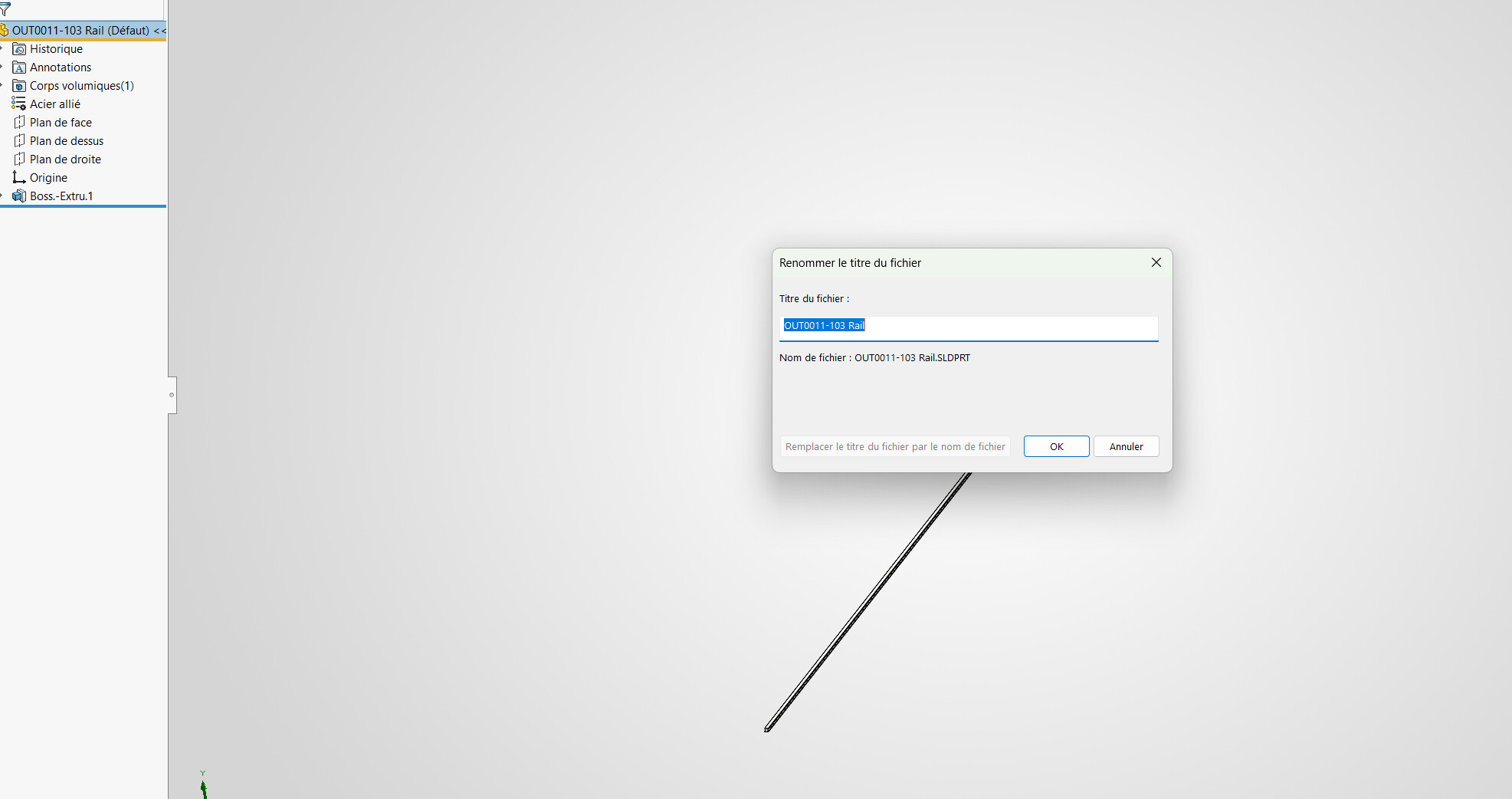
Beim Umbenennen des Dateititels aus 3D können wir die Fensterdatei nicht gleichzeitig umbenennen, daher ist das Gegenteil möglich.
Muss ich eine weitere Funktion durchlaufen oder ist das unmöglich? (Ich habe kein PDM)
Danke
Hallo,
Beim Umbenennen des Dateititels aus 3D können wir die Fensterdatei nicht gleichzeitig umbenennen, daher ist das Gegenteil möglich.
Muss ich eine weitere Funktion durchlaufen oder ist das unmöglich? (Ich habe kein PDM)
Danke
Hallo,
Das eine ist der Name, das andere der Titel, und die beiden sind nicht unbedingt miteinander verbunden:
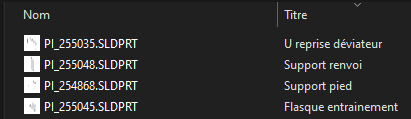
Per Makro kann der Titel bei Bedarf geändert werden, indem man den Dateinamen abruft oder die Datei speichert + den Titel umbenennt.
Hallo,
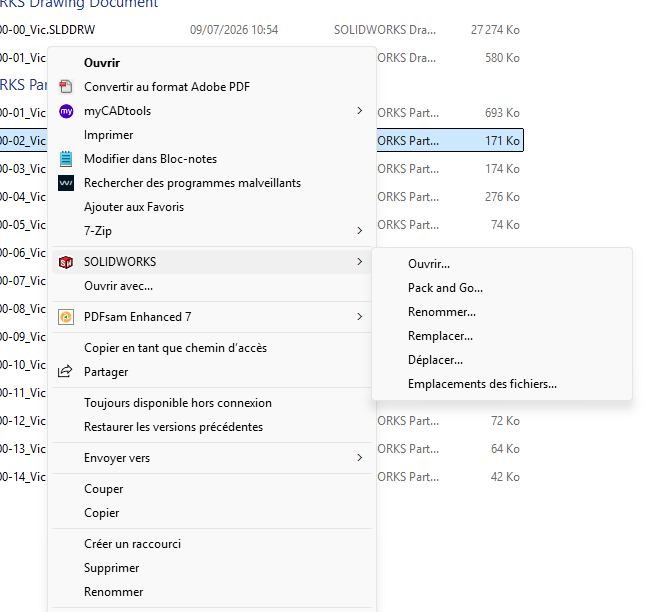
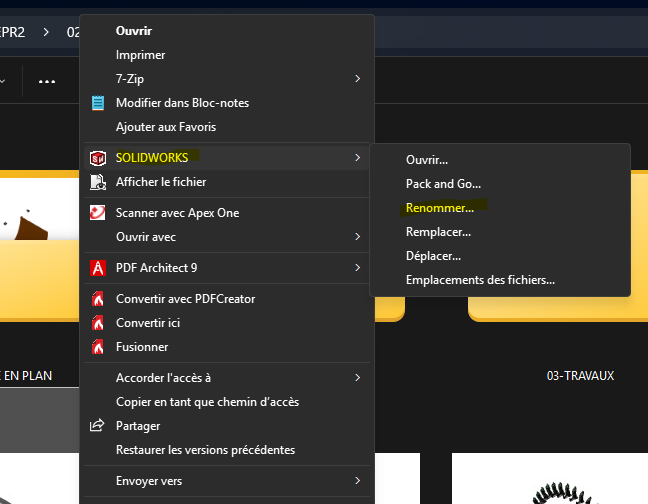
Ich verstehe nicht genau, was du machen willst, aber ich denke, du musst die SolidWorks File Utilities (ein Add-on, das installiert werden muss) durchgehen.
Rechtsklicke auf die Datei im Windows-Explo, dann SolidWorks-Funktionen (auf W11 " andere Optionen anzeigen")
Hallo,
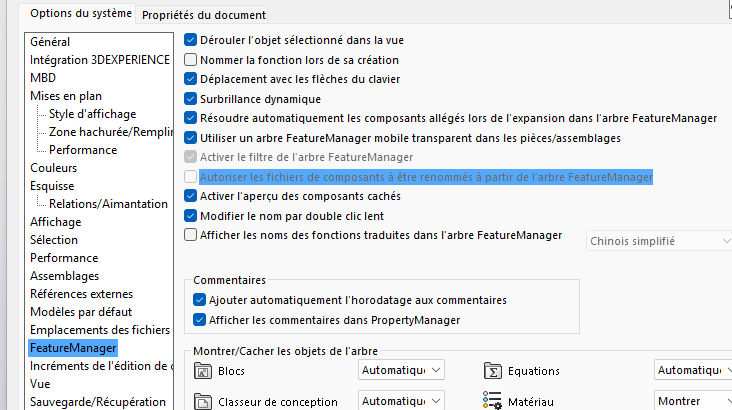
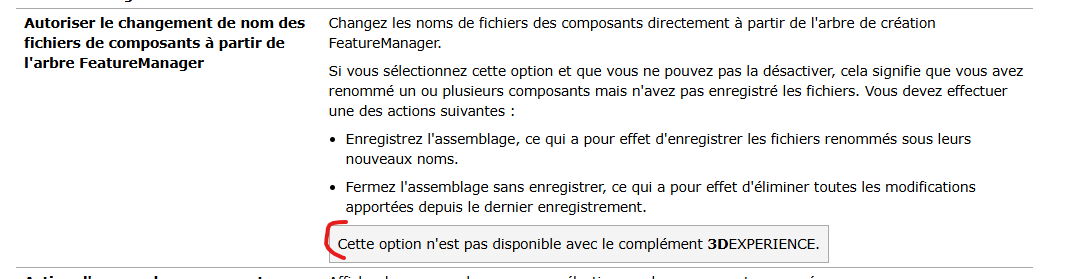
Wenn du in deinen Einstellungen erlaubst, dass der FeatureManager-Baum deine Dateien umbenennen kann,
du kannst sie in deinem Bau-Baum umbenennen, ohne den SolidWorks-Link zu verlieren, und nach der Umbenennung solltest du darauf achten, sie gut zu speichern
Und dann siehst du, dass im Windows-Explorer die Änderungen am Dateinamen und nicht am Titel geändert wurden.
Ansonsten tun Sie in Ihrem Windos-Dateiexplorer:
Es ist wichtig, diesem Weg zu folgen und nicht einfach umzubenennen, denn sonst bricht man die festen Bindungen
Hallo;
Das " Erlaubt Komponentendateien, umbenannt zu werden..." ist ein Magnet für Probleme bei geteilten Dateien, und man findet sich schnell mit vielen Dateien in Kopien wieder... mein Rat => So gut wie möglich zu vermeiden.
Die zweite Lösung (über die Solidworks-Tools aus dem Datei-Explorer) ist " cleaner ".
Du musst nur die Solidworks-Datei-Werkzeuge installiert haben (verfügbar in den Solidworks-Installationsdateien):
Beispiel für den Speicherort der ausführbaren Datei für die Installation:
C:%%USERNAME%%\Documents\SolidWorks Downloads\SOLIDWORKS 2022 SP04\SWFileUtilities
=> Setupe.exe
Eine letzte Methode ist möglich:
Mit den MyCadTool-Tools (Smartproperties oder Integration), solange die Eigenschaft " Title " als Variable identifiziert werden kann...
Das habe ich oben empfohlen.
Allerdings ist @Anthony_PITON meiner Meinung nach verschwunden, glaube ich.
Bezüglich,
Aber dann stelle ich mir eine Frage.
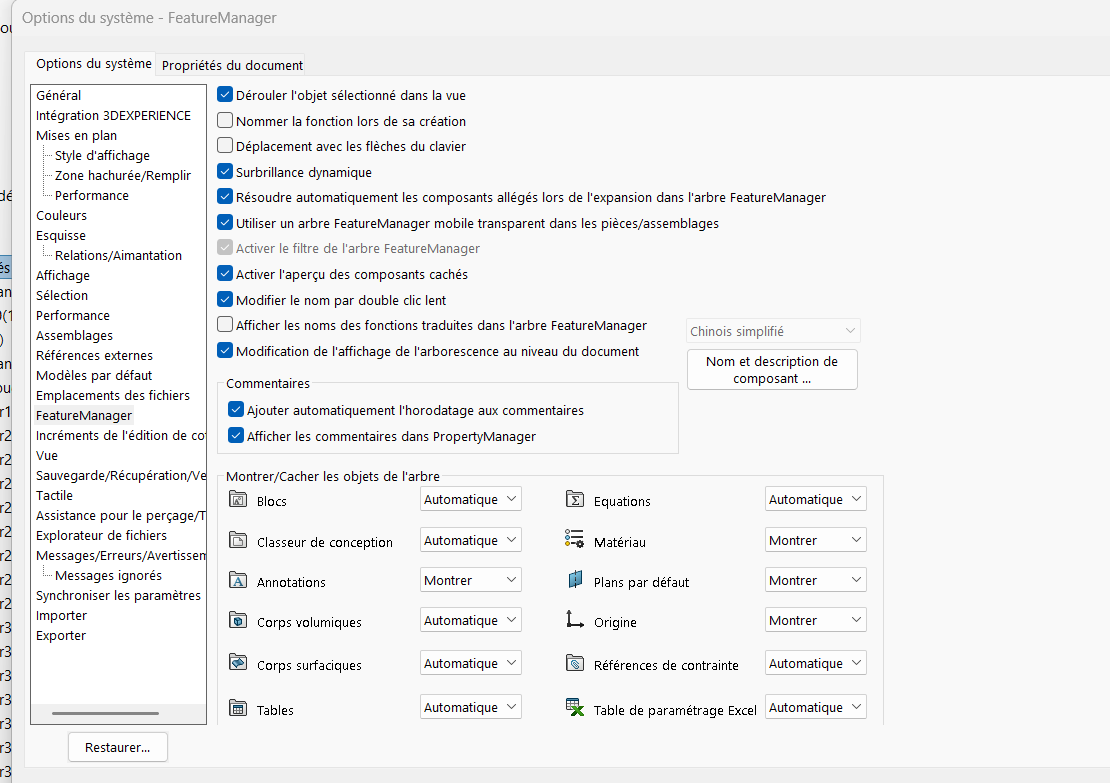
Warum hast du 3DExperience aktiviert, wenn es nicht benutzt wurde? Im ursprünglichen Beitrag steht, dass man kein PDM benutzt, daher erscheint mir 3DExperience nutzlos.
Wenn deine Dateien in 3DExperience gespeichert sind, gibt es wahrscheinlich Umbenennungsfunktionen, da es sich um nichts anderes als ein PLM/PDM handelt
Ich werde wahrscheinlich nach der Schlacht ankommen
Ich persönlich habe 3D-Erfahrung (so weit wie möglich) deaktiviert und habe Zugriff auf die Option in SW, die Dateien umzubenennen
Und ich habe die Möglichkeit, die SW-Dateien umzubenennen
Außerdem (in einer anderen Zeit)  musste man bei PDM SolidWorks schließen, um eine Datei per PDM umzubenennen, sodass die Verbindungen zwischen Teilen und Baugruppen erhalten bleiben.
Ich schätze, 3D-Erfahrung funktioniert genauso, es ist eine Frage der Dateirechte.
Tatsächlich kenne ich 3Dex nicht gut und ich glaube, ich benutze es nicht, weil ich meine Dateien lokal speichere. Ich bin der Einzige, der an SW arbeitet...
Danke, ich werde es mir anschauen!
Zusammenfassend 3D-Erfahrung:
3DEXPERIENCE ist eine Online-Kollaborationsplattform, die von Dassault Systèmes entwickelt wurde. Es verbindet Teams, Daten und Projekte. Es vereint 3D-Design-Software.
Deine Dateien sind also online auf Dassault-Servern.
Theoretisch sollte es aber irgendwann EPDM ersetzen, das ein CAD-Dateimanagement-Tool ist. Damit können wir Workflows durchführen (EPDM auf jeden Fall), automatisierten Drucken usw. Tatsächlich können alle zuvor besprochenen kleinen Werkzeuge sehen, wo dein Teil verwendet wird, Projekteigenschaften definieren, Baustücke verwalten usw.
Für PDM muss man die Dateien in SW immer für Umbenennungsaktionen schließen (im Grunde ist das die grundlegende Funktionsweise von Software, es sperrt geöffnete/aufgerufene Dateien, um die Stabilität von ASM oder DRW zu erhalten) und alle Anwendungsfälle müssen archiviert werden.
Danach ist es auch möglich, dass die Option Solidworks File Utilities während der Installation von SW nicht ausgewählt oder sogar standardmäßig ab dem Moment entfernt wurde, in dem 3DExperience während der Installation ausgewählt wird.
Ich persönlich habe es aus dem Admin-Image entfernt, um nicht genervt zu sein.