Hello,
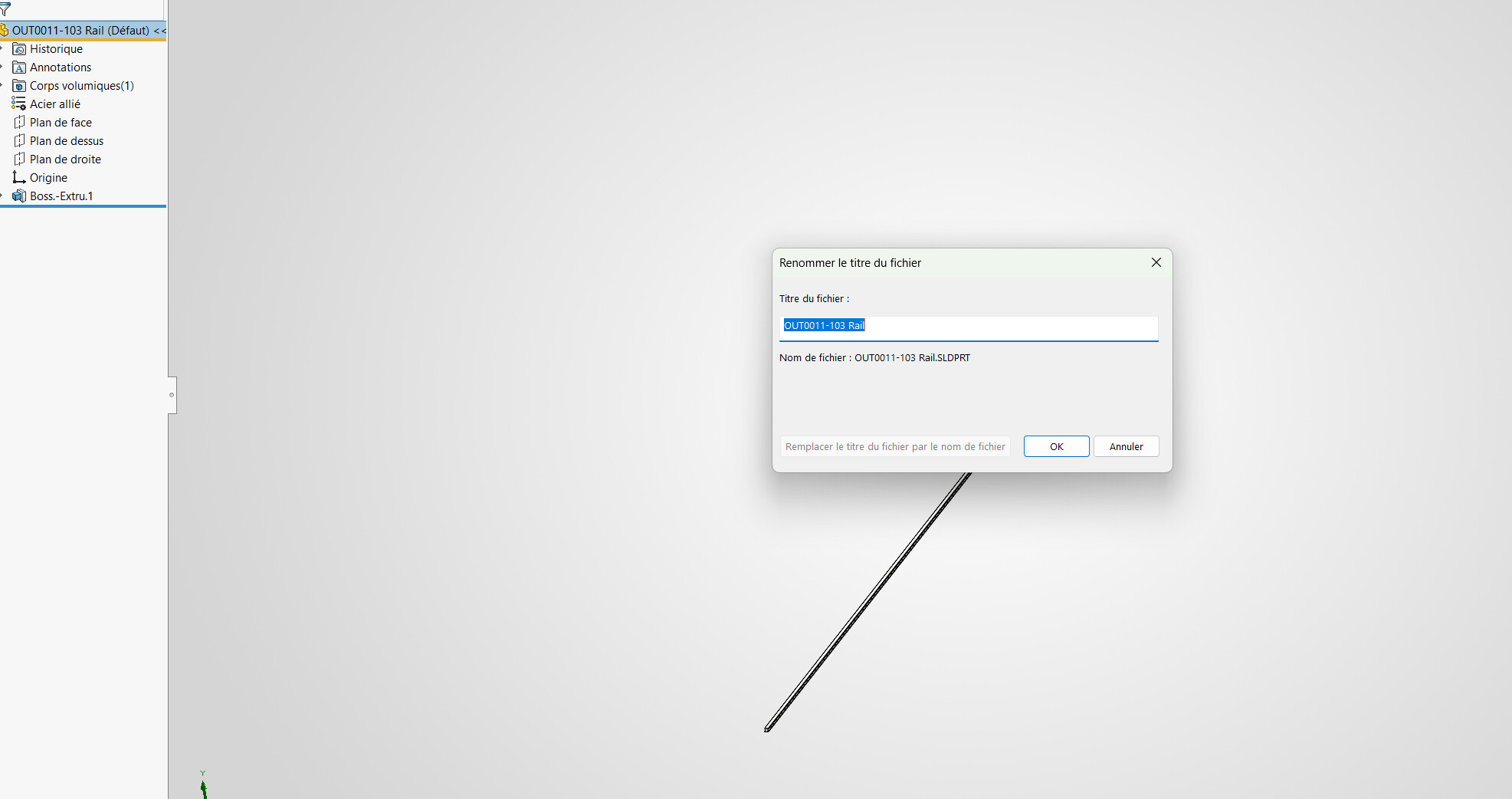
When renaming the file title from 3D, we can't rename the window file at the same time, so the reverse is possible.
Do I have to go through another function or is it impossible? (I don't have a PDM)
Thank you
Hello,
When renaming the file title from 3D, we can't rename the window file at the same time, so the reverse is possible.
Do I have to go through another function or is it impossible? (I don't have a PDM)
Thank you
Hello,
One is the name, the other is the title and the 2 are not necessarily related:
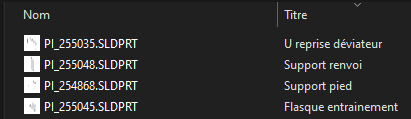
Via macro the title can be modified if necessary by retrieving the file name, or by saving the file + renaming of the title.
Hello,
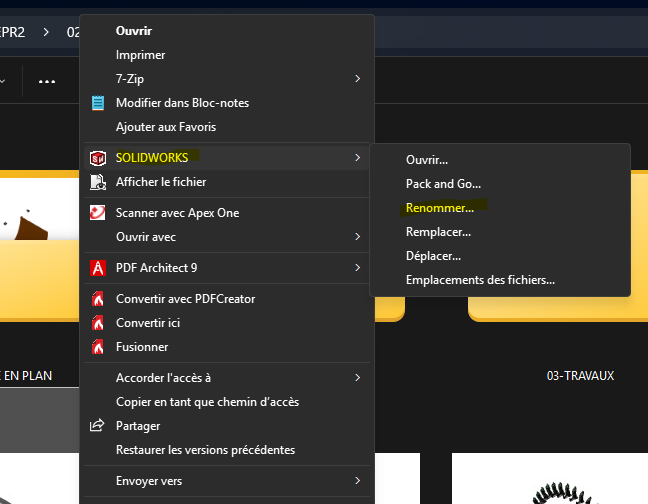
I don't understand exactly what you're trying to do, but I think you have to go through SolidWorks File Utilities (add-on that needs to be installed)
Right click on the file in the windows explo, then SolidWorks functions (on W11 do " show other options ")
Hello,
If in your settings you allow the featureManager tree to rename your files,
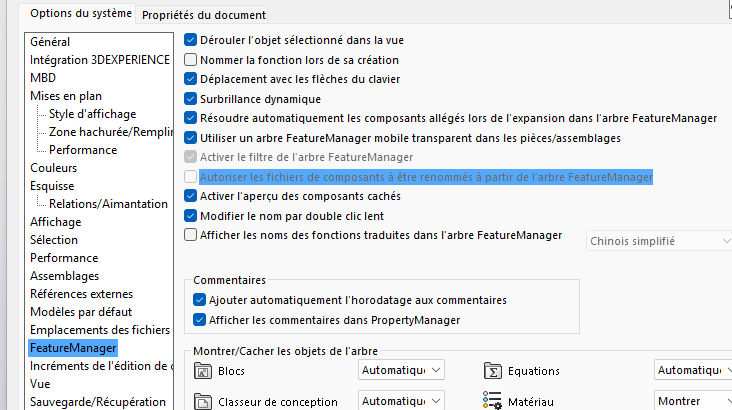
you can rename them in your construction tree without losing the SolidWorks link and after the renaming done take care to save it well
And then you'll see that in your windows explorer the changes to the file name and not the title will have been changed.
Otherwise in your windos file explorer you do:
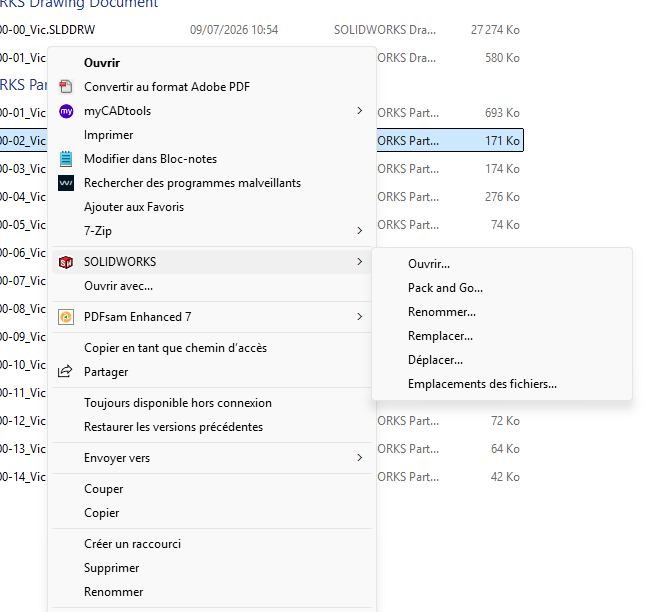
It's important to follow this path and not just rename because you'll break your solid ties
Hello;
The " allow component files to be renamed..." is a magnet for problems in case of shared files, and you quickly find yourself with a lot of files in copies... my advice => To be avoided as much as possible.
The second solution (via the Solidworks tools from the file explorer) is " cleaner ".
You just need to have installed the Solidworks File-utility tools (available in the Solidworks installation files):
Example of the location of the executable file for the installation:
C:%%USERNAME%%\Documents\SolidWorks Downloads\SOLIDWORKS 2022 SP04\SWFileUtilities
=> Setupe.exe
One last method is possible:
With the MyCadTool tools (Smartproperties or Integration) as long as the " Title " property can be identified as a variable...
Hello,
Obviously I don't have the option...
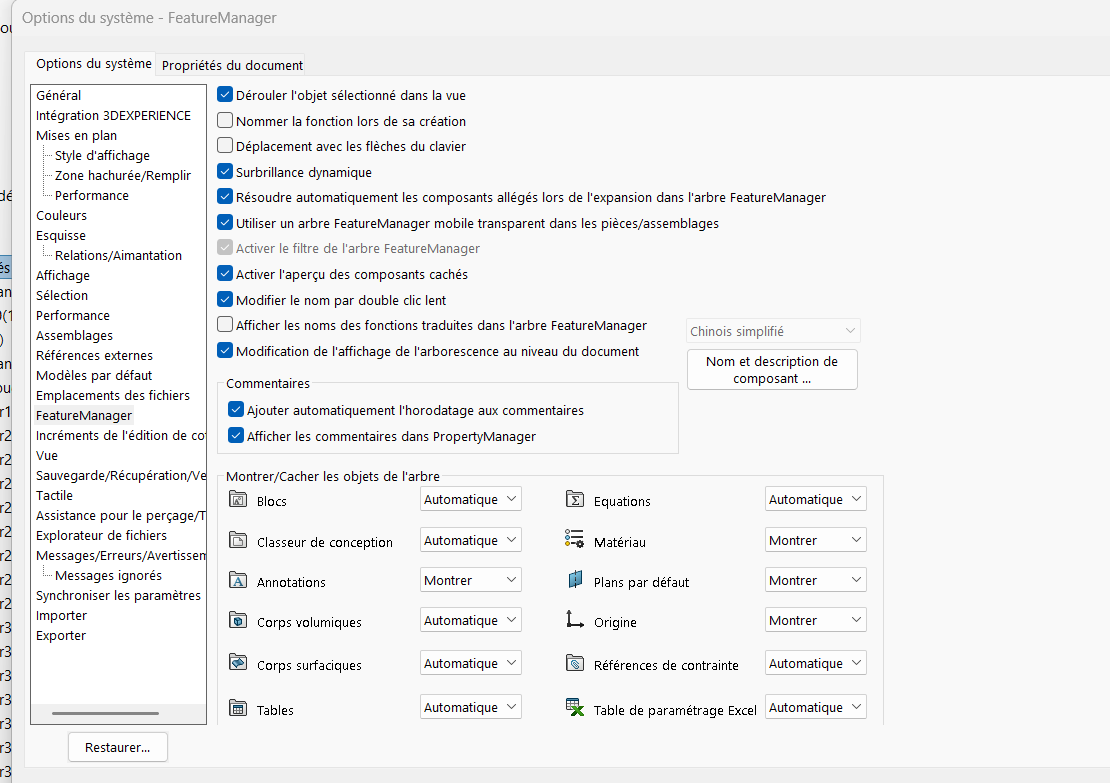
Hello,
Not available due to 3D Experience integration.
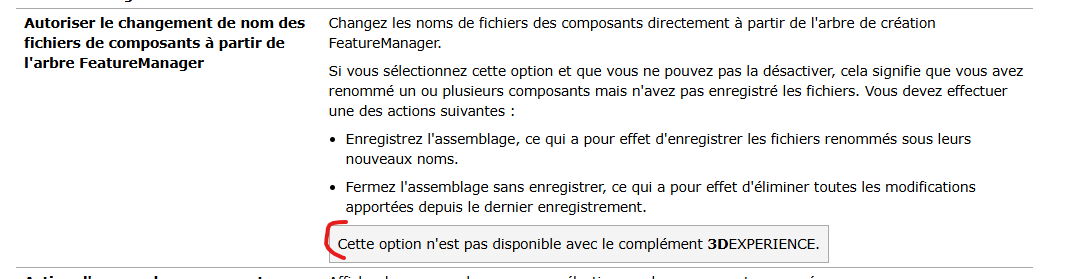
Re,
But then I ask myself a question.
Why did you activate 3DExperience if not used? In the original post it says that you don't use PDM so 3DExperience seems useless to me.
If your files are stored in 3DExperience, then there are probably renaming functions since it is nothing more or less than a PLM/PDM
I'll probably arrive after the battle
Personally I have disabled 3D experience (as much as possible), and I have access to the option in SW to rename the files
And I have the option to rename the SW files
Moreover (in another era  ) on PDM you had to close SolidWorks to rename a file via PDM so that it would keep the links between parts and assemblies.
I guess 3D exp works the same, it's a question of file rights.
In fact I don't know 3Dex well and I don't think I use it because I save my files locally. I'm the only one working on SW...
Thank you, I'll look into it!
3D experience to summarize:
3DEXPERIENCE is an online collaborative platform developed by Dassault Systèmes. It connects teams, data, and projects. It brings together 3D design software.
So your files are online on Dassault servers.
But in theory it should eventually replace EPDM which is a CAD file management tool. With which we can carry out workflows (EPDM for sure), automated printing, etc... In fact all the small tools discussed previously, see where your part is used, define project properties, manage bills of materials etc...
For PDM you always have to close the files in SW for rename actions (basically this is the basic way SW works, it locks open/called files to keep the stability of ASM or DRW) and all use cases must be archived.
After that, it is also possible that the Solidworks File Utilities option was not selected during the installation of SW or even removed by default from the moment 3DExperience is selected during the installation.
For my part, I removed it from the administrative image so as not to be annoyed by it.