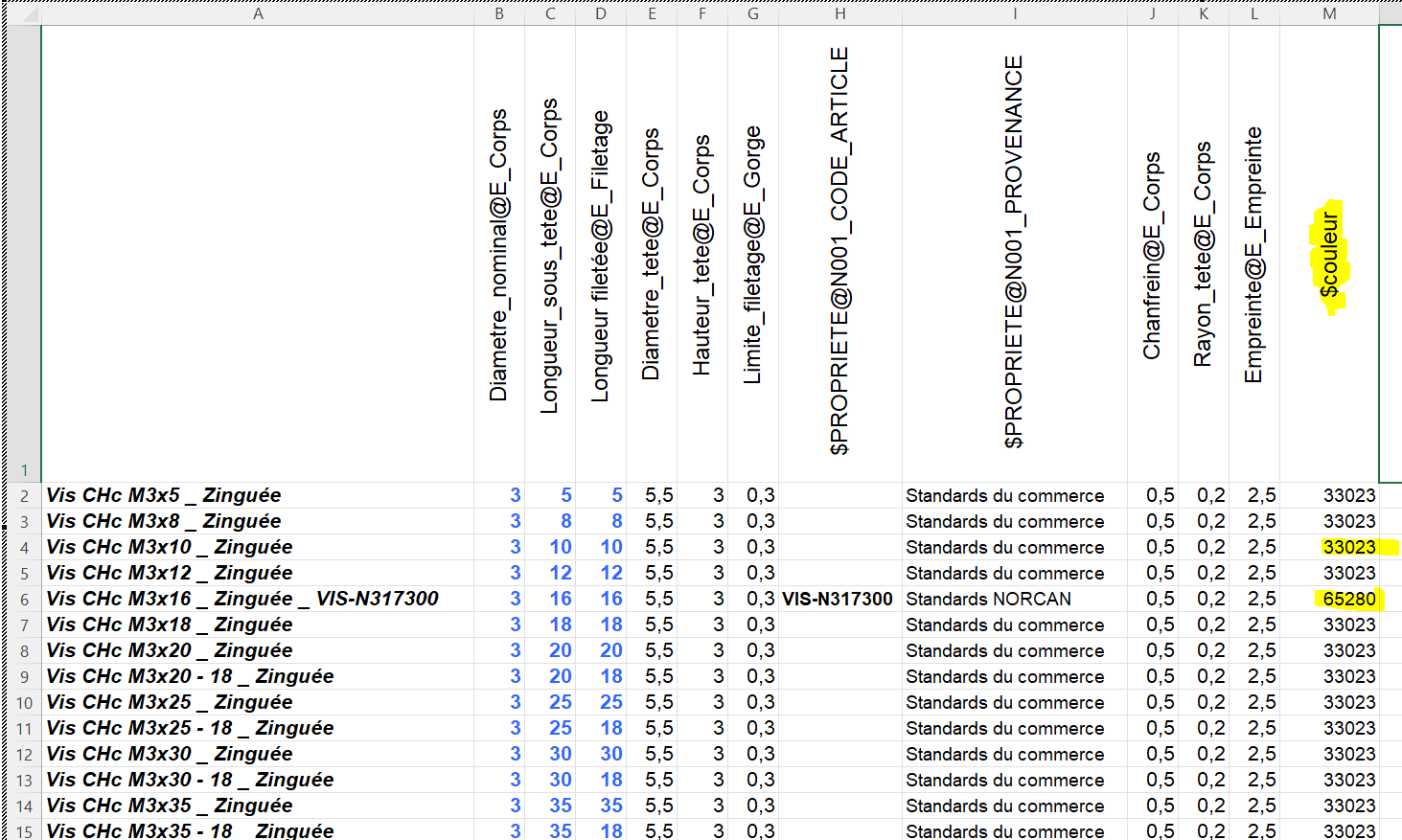
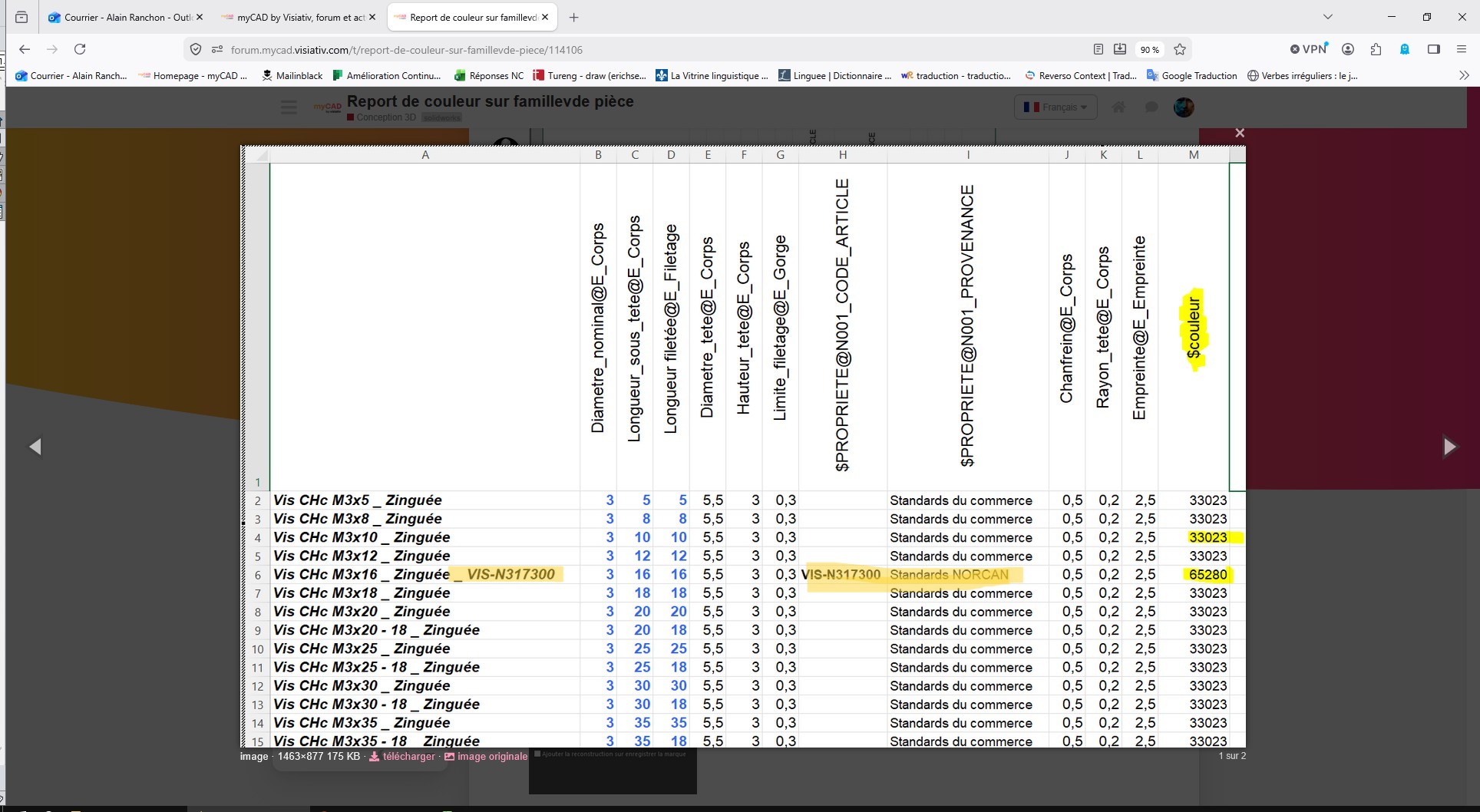
la ligne 6 est une autre référence et donc une autre couleur, mais la couleur ne suit pas en réalité dans SW
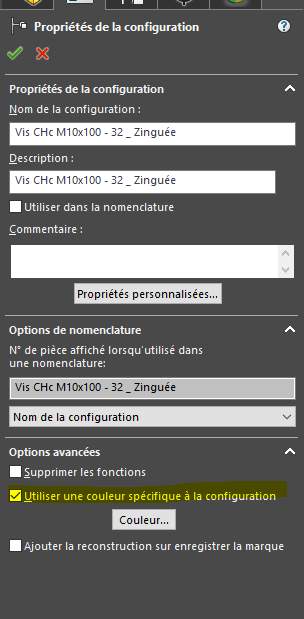
toutes mes configuration on la même couleur et ne change pas en fonction de ce que j’ai mis dans les configuration de la famille de pièce.
Et si tu fais le contraire, tu attribue les couleurs puis en auto tu fais la famille de pièce.
Et ensuite tu regarde si ta couleur est bien visible dans la famille de pièce et si tu peux la changer.
Test cette solution sur un autre cas pour voir si ça fonctionne et cela t’aideras éventuellement pour modifier ton assemblage. (Ou et comment attribuer la couleur)
@JungV .
Attention les couleurs pilotés ne sont pas du RGB, vous êtes peut au courant qu’il y a un calcul à faire pour obtenir la couleur souhaitée. Si la couleur qui apparait selon votre configuration n’est pas celle que vous avez choisi il se peut que la raison soit un mauvais code couleur.
Mais peut être le saviez-vous, perso je me suis fait avoir
 ).
).