My colleagues and I are faced with a problem. We have created a file of custom properties for the elements from a list of welded parts (sheet, mechanically welded profile etc...), it works very well except on one workstation. Version and SP identical to the others.
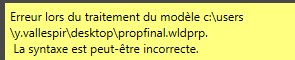
I am attaching the message displayed when you try to use it.
Why not share them from a server? This helps to avoid these kinds of problems... That said, I prefer @FRED78's remark, it's most likely a redirection problem from the Solidworks options:
more directly I think the path is incorrect (to check in the Windows explorer): c:\user\y.vallespir\desktop\propfinal.wldprp
=> Not well The " Point " of " y.vallespir "! (some software will not accept it...) And it is surprising to find a " desktop " directory there...
We also have duplicate properties. Normally when it is managed by the editor, there is no duplication possible, unless there is manipulation in the properties of the part or assembly. When there is a duplicate, SW does not display anything.
The case came to us via properties on the bodies of a part + the properties of the editor, so to check
Indeed the path of is not the same as on the other workstations yet in file location we have specified the path that the on mine, however I wonder if this does not have a correlation with the search paths, which by the way is impossible to delete.

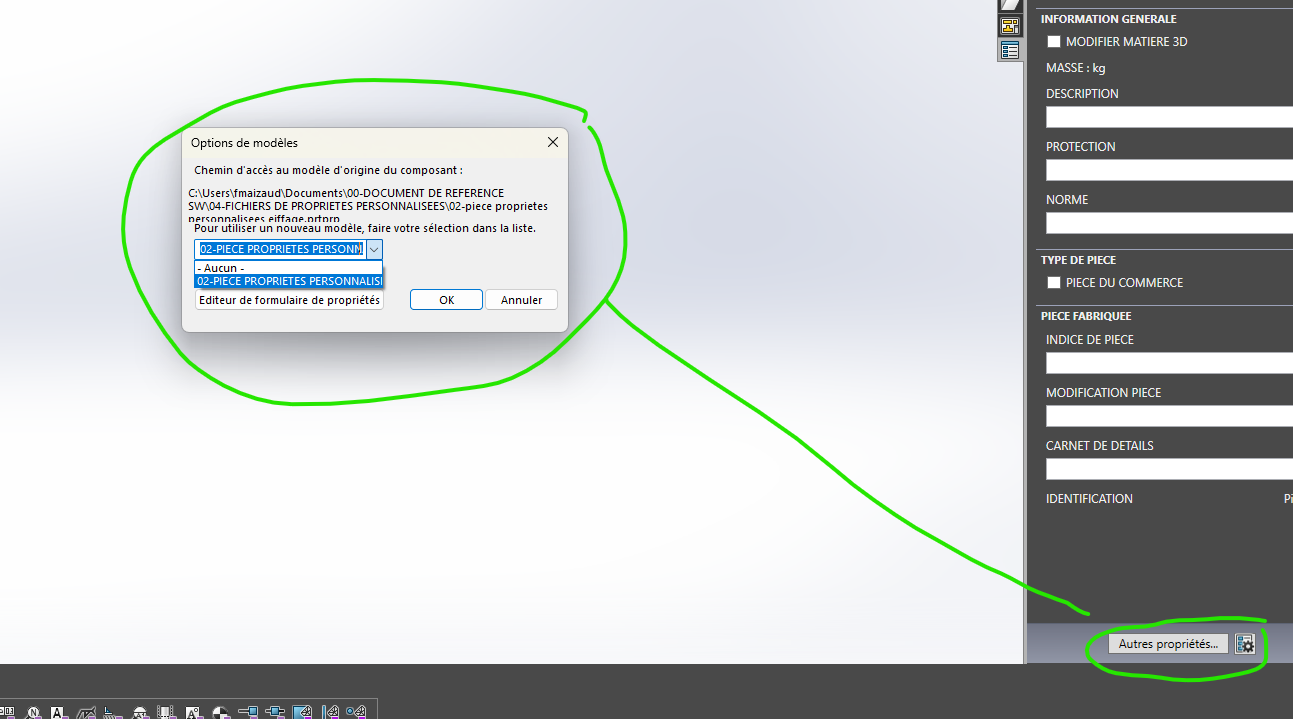 , that you are pointing to the correct properties file.