I have a problem with the convert to sheet metal function as soon as I activate solidworks crash. I'm on SW 2025 SP5.0 I tested it on my colleagues' workstations and it works very well so it doesn't come from the room. I tried with a simple piece like an L created in extruded bossing. I also restarted and shut down the pc, as well as a reinstallation of SW.
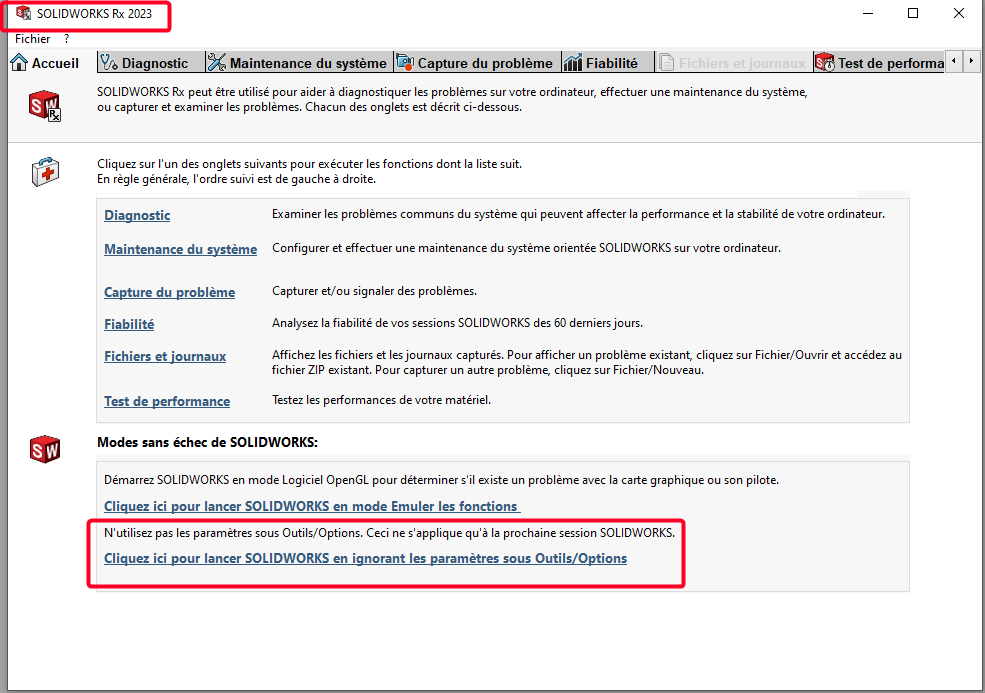
This will open Sw with a blank profile as at the installation for a session (then revert to the original profile). Then try to do the function of sheet metal work. If it works, it comes from your user profile in Sw (corrupted profile) If not, it's from your SW (installation to be reviewed?)
It will therefore be necessary to start either from a blank profile, or from a functional profile. (from a colleague) To keep your profile while starting from a new blank, you can rename the SW folder corresponding to your version to OLD in the registry editor. Computer\HKEY_CURRENT_USER\SOFTWARE\SolidWorks\SOLIDWORKS 2025 and you rename it to Computer\HKEY_CURRENT_USER\SOFTWARE\SolidWorks\OLD_SOLIDWORKS 2025 You restart SW and redo your profile