Bonjour,
J’utilise SW 2017.
Je désire imprimer une pièce en 2 couleurs. Pour cela il faut que je fasse 2 stl, une par couleur, comment je dois m’y prendre?
Merci
Diiity
En 3D il te faut 2 corps distinct ensuite tu exporte chaque corps.
Obligé d’avoir 2 fichier STL? Certain slicer il me semble permette d’autre méthode. (Sur ma Sidewinder x4 notamment avec Orca Slicer)
Donc, tu fais une pièce, et comment tu fais pour faire 2 corps dans la même pièce?
Bonjour,
Quel slicer utilisé? Sur BambuStudio par exemple il faut enregistrer en 3mf
Idemaker
Bonjour,
Ok donc à première vue il gère le 3mf en revanche SW2017 j’ai un doute.
Il faut regarder dans les formats d’exports, sinon peut être du step ou iges. Le but pour le slicer est d’avoir des faces sélectionnables (pas possible sur du stl)
Pas testé je suis au boulot mais selon l’Ai possible sur Orca Slicer de peindre une face (ou zone) pour changement de couleur même sur un stl.
Autre possibilité changement de couleur via M600 à une certaine hauteur de couche. (suivant prise en charge du M600 sur l’imprimante).
Tout dépend de ton imprimante de la méthode de changement de filament (automatique, 2 têtes…)
Pour faire 2 corps il faut soit concevoir différemment (pour ne pas fusionner 2 partie ou bien faire un léger enlèvement de matière pour séparer un volume en 2. Suivant le volume à séparer en 2 cela peut être plus ou moins compliqué.
Par contre ne semble plus utile si utilisation d’orcaslicer par exemple.
Ou sinon le plus simple est de couper le corps en 2 via la fonction « fractionner » en utilisant un plan que tu créés à la hauteur voulue
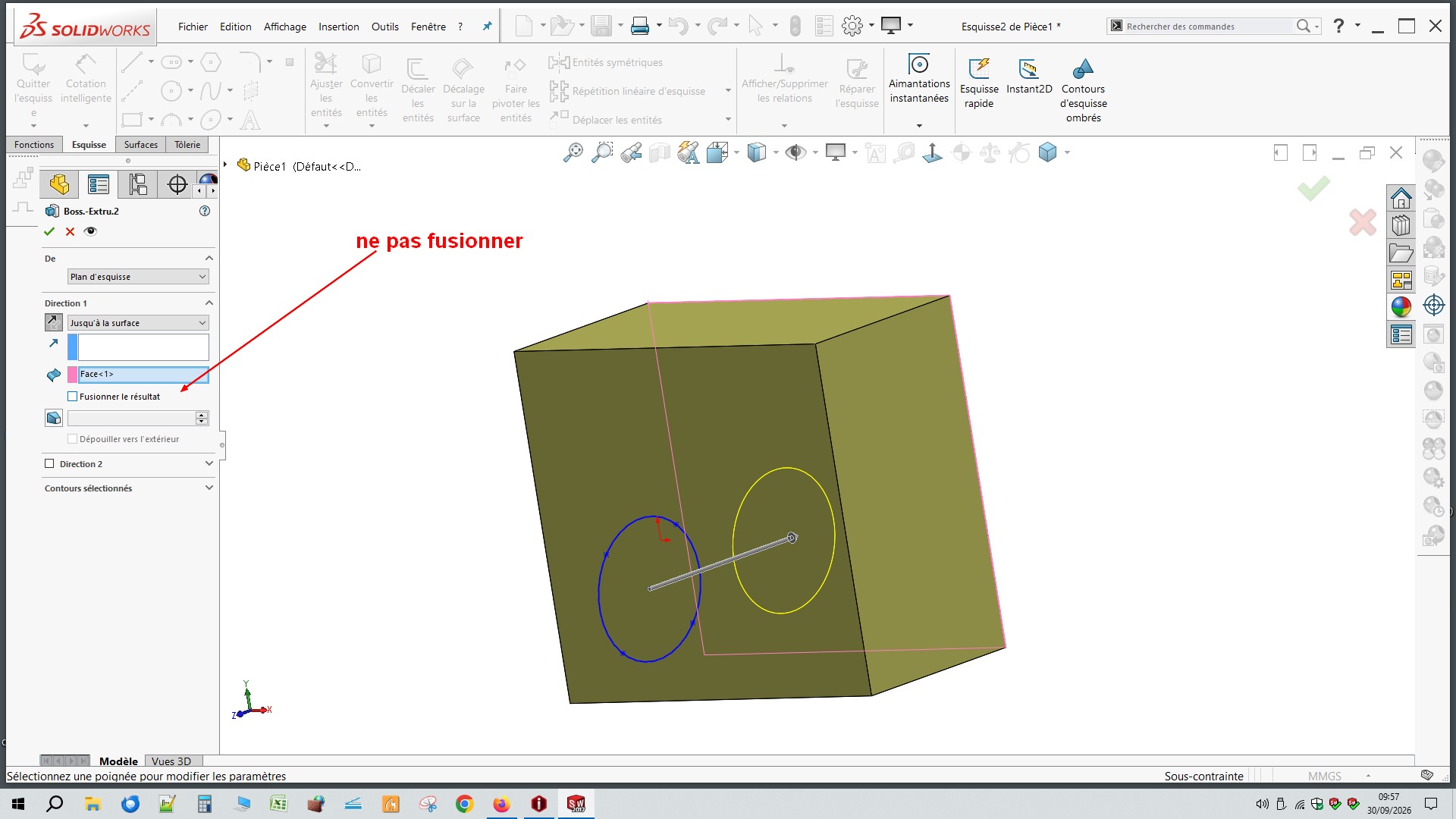
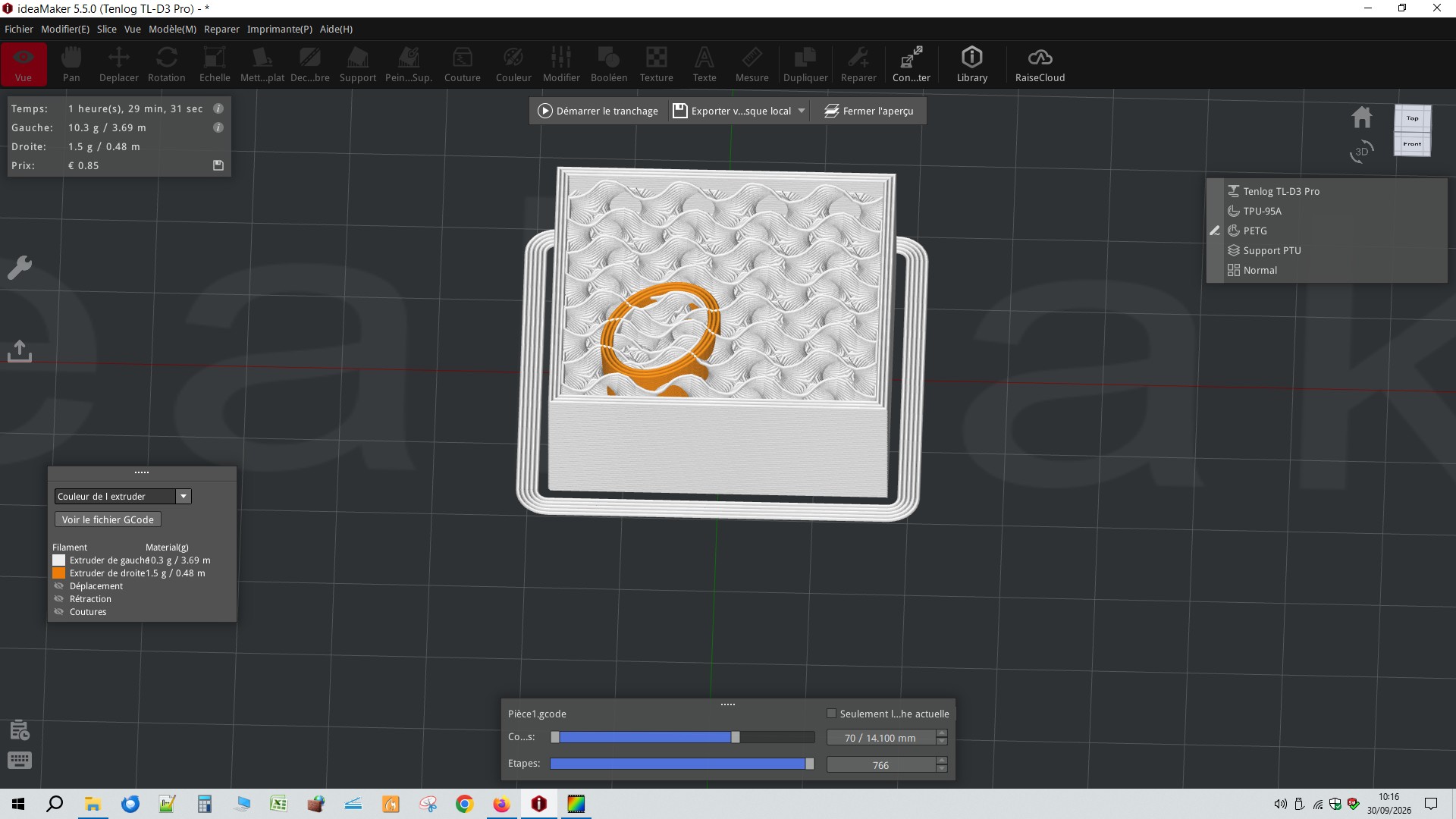
J’ai trouvé avec IA, il faut créer 2 corps dans une même pièce, une base, un cube par exemple puis extruder à l’interieur de cette base un second corps sans la fusionner, très important.
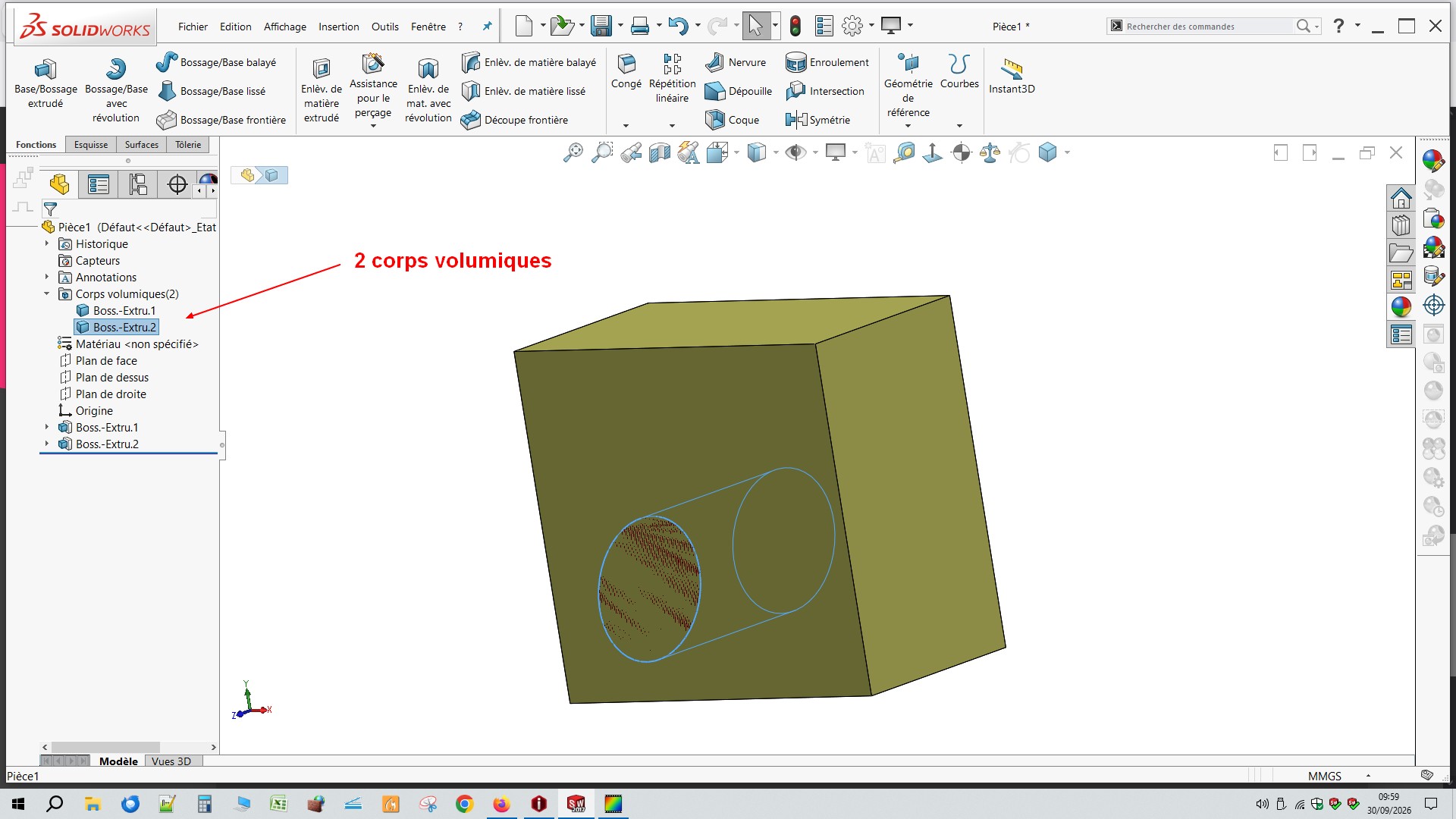
On se retrouve avec 2 corps volumiques.
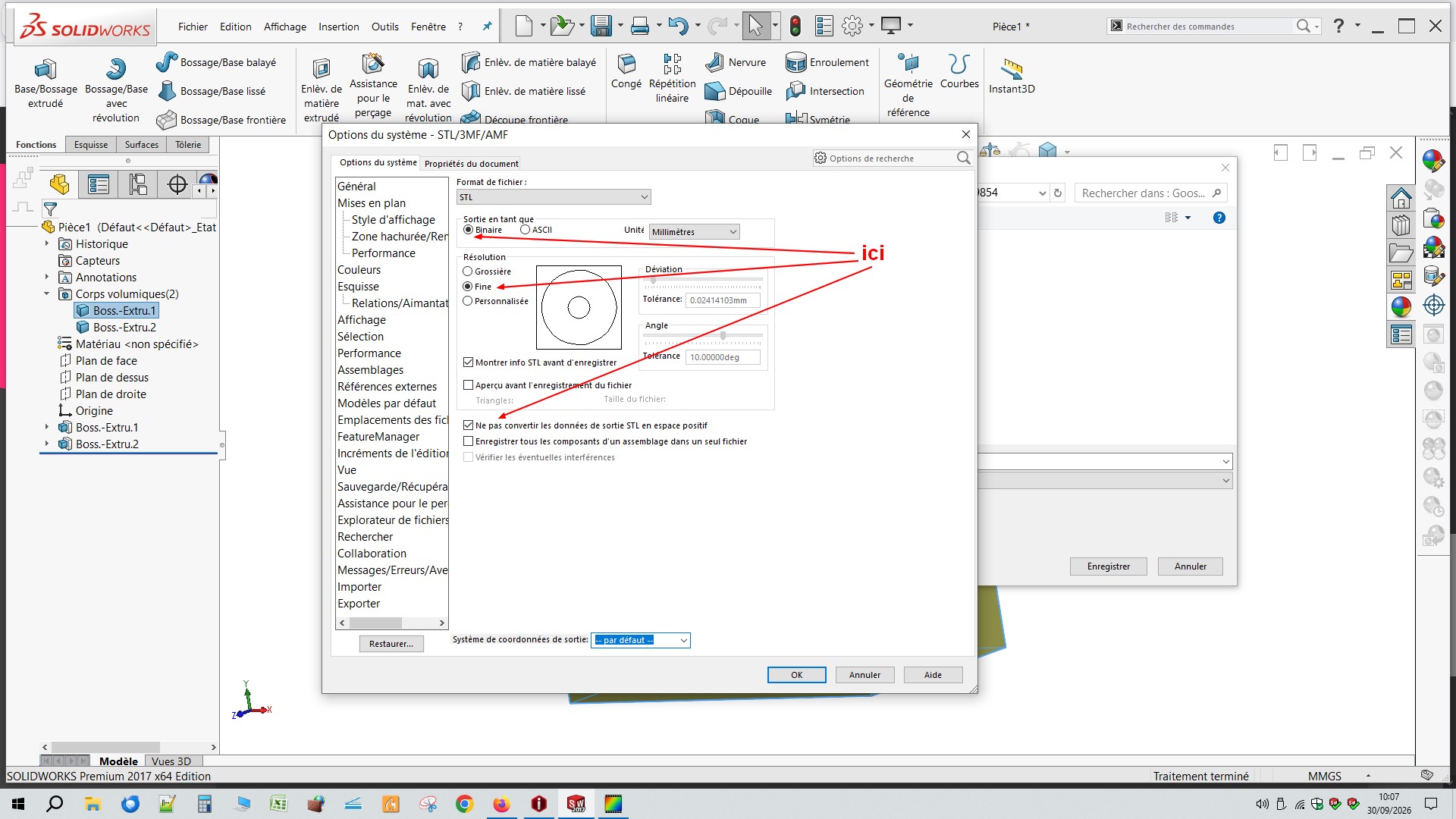
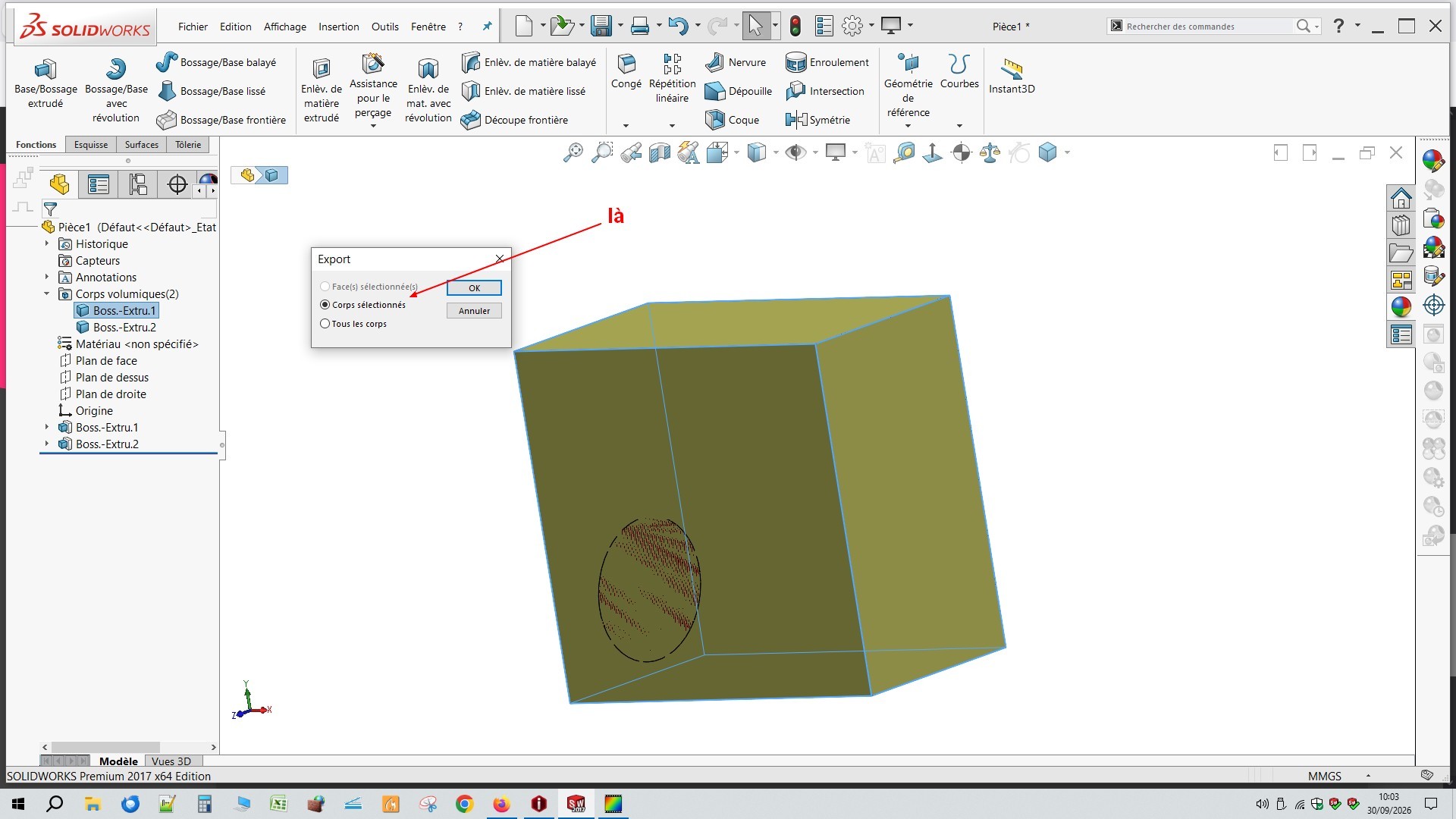
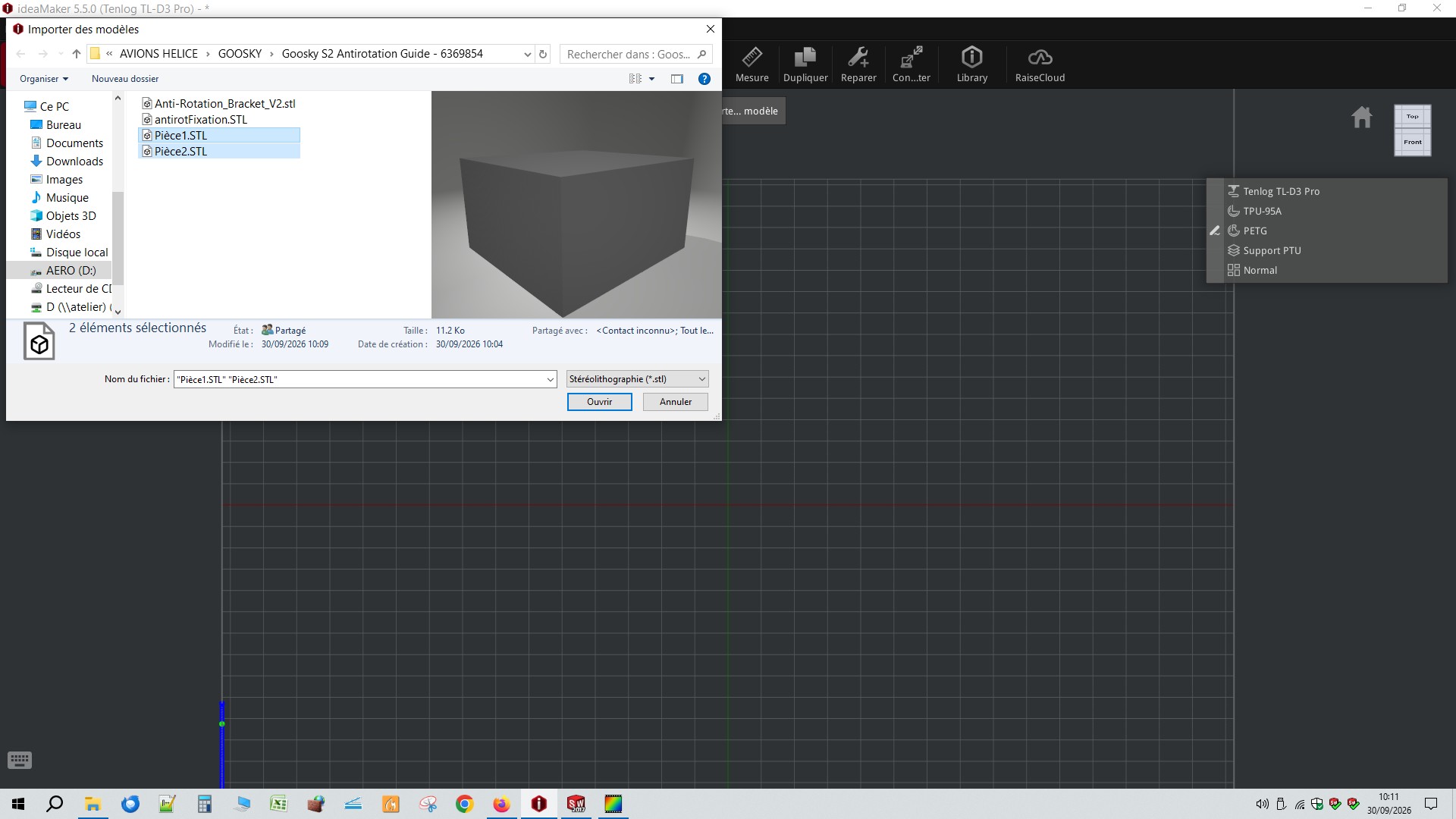
Ensuite, exporter en stl les 2 corps indépendamment, le cube en STL1 et la seconde extrusion en STL2, avec en option « ne pas convertir les données de sortie STL en espace positif », « binaire » et « fine » et dans le fenêtre « export » « corps sélectionné. »
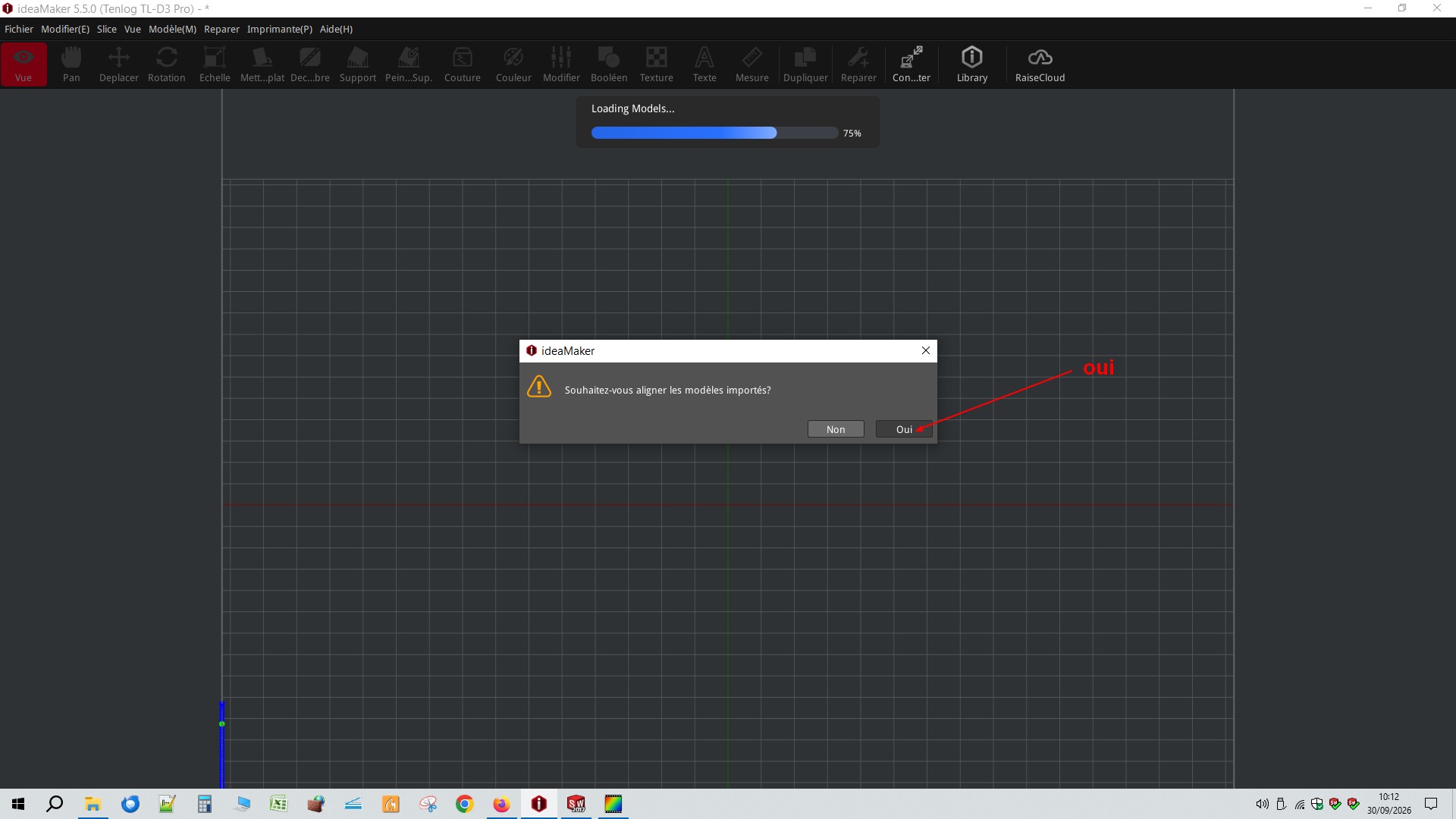
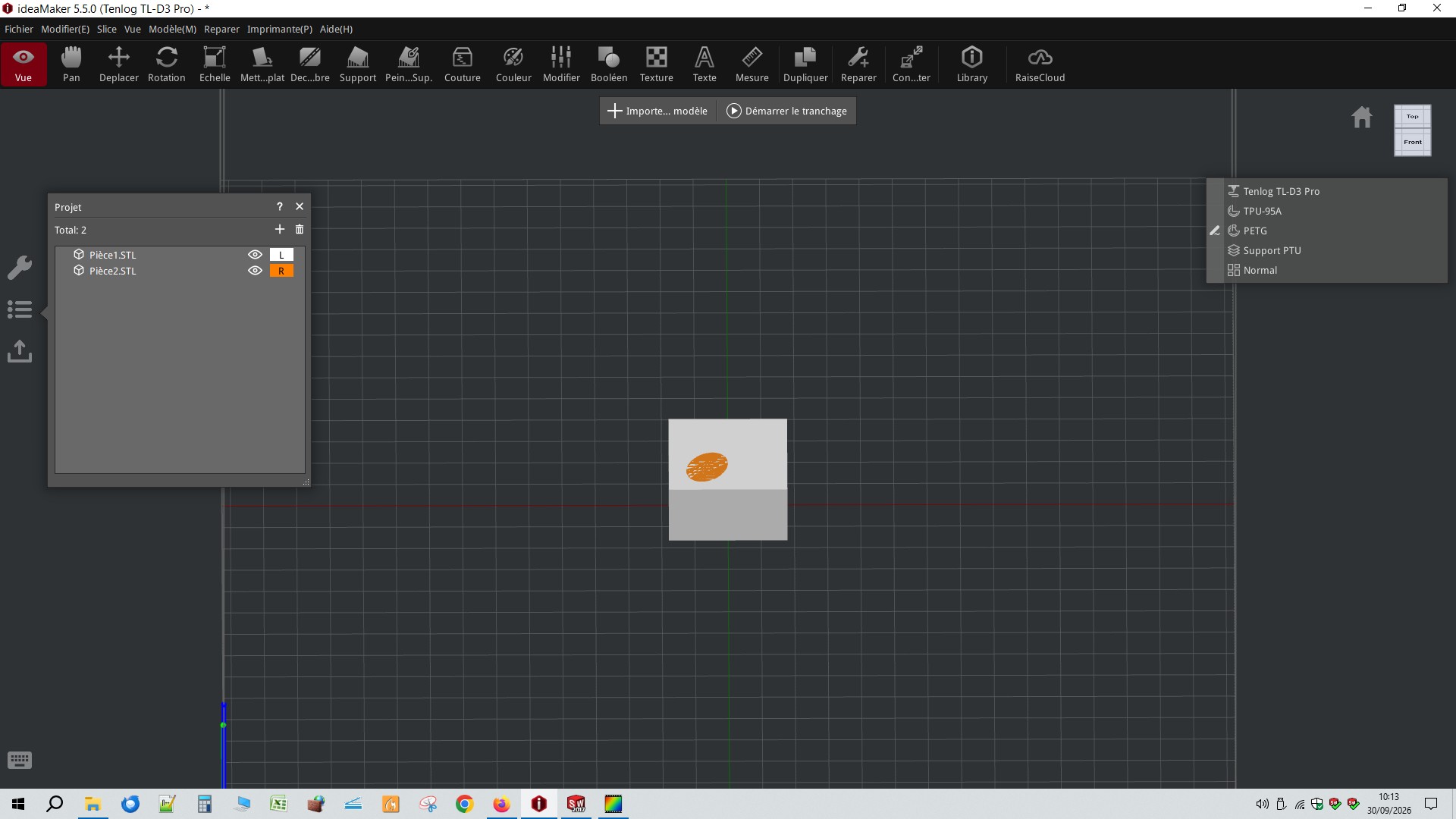
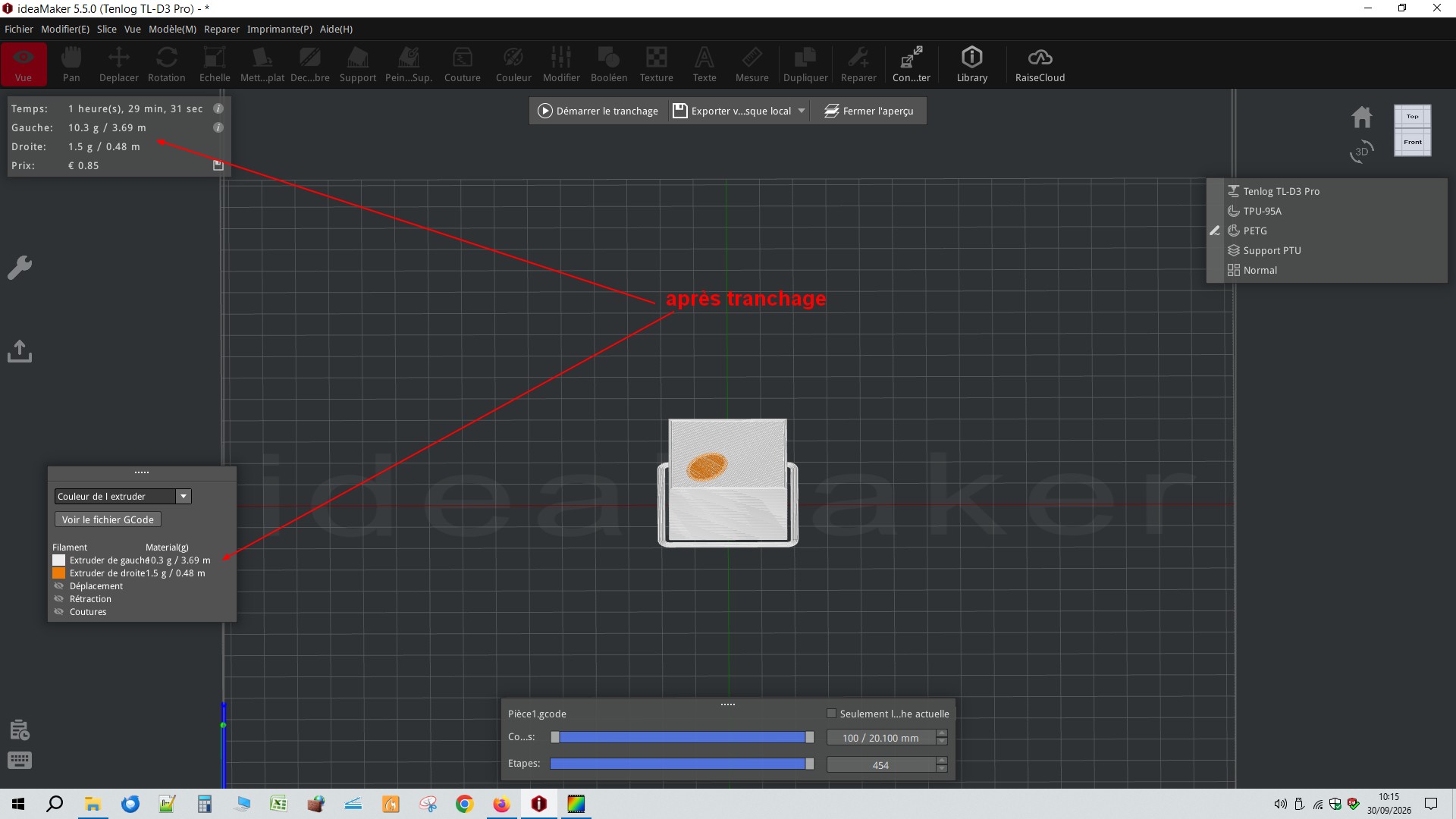
Dans ideamaker, importer les 2 stl puis après les avoir sélectionnés clique droit et « fusionner en un seul maillage » et attribuer à chaque stl l’extrudeur de la couleurs qui va bien.