Hello everyone,
I am currently experiencing a limitation on SolidWorks 2025 regarding geometric tolerances (tolerance frameworks / FTF).
Background:
In recent versions of SolidWorks, when creating a geometric tolerance:
-
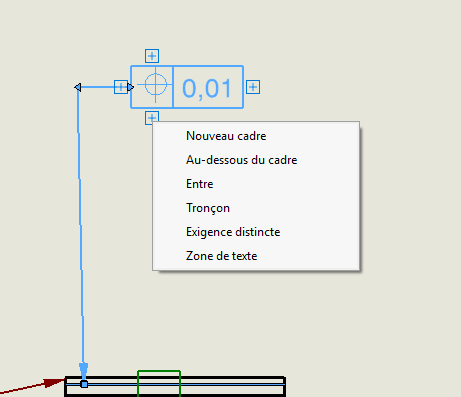
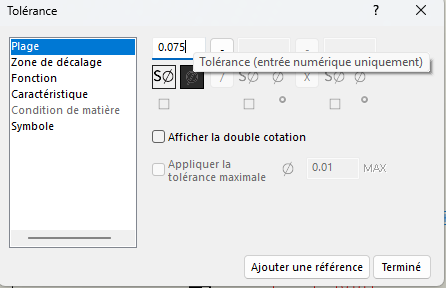
The tolerance field (2nd box) is strictly numeric
-
it is impossible to enter text
-
It is also impossible to leave the box empty
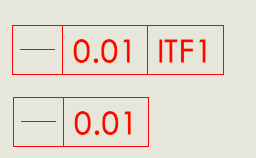
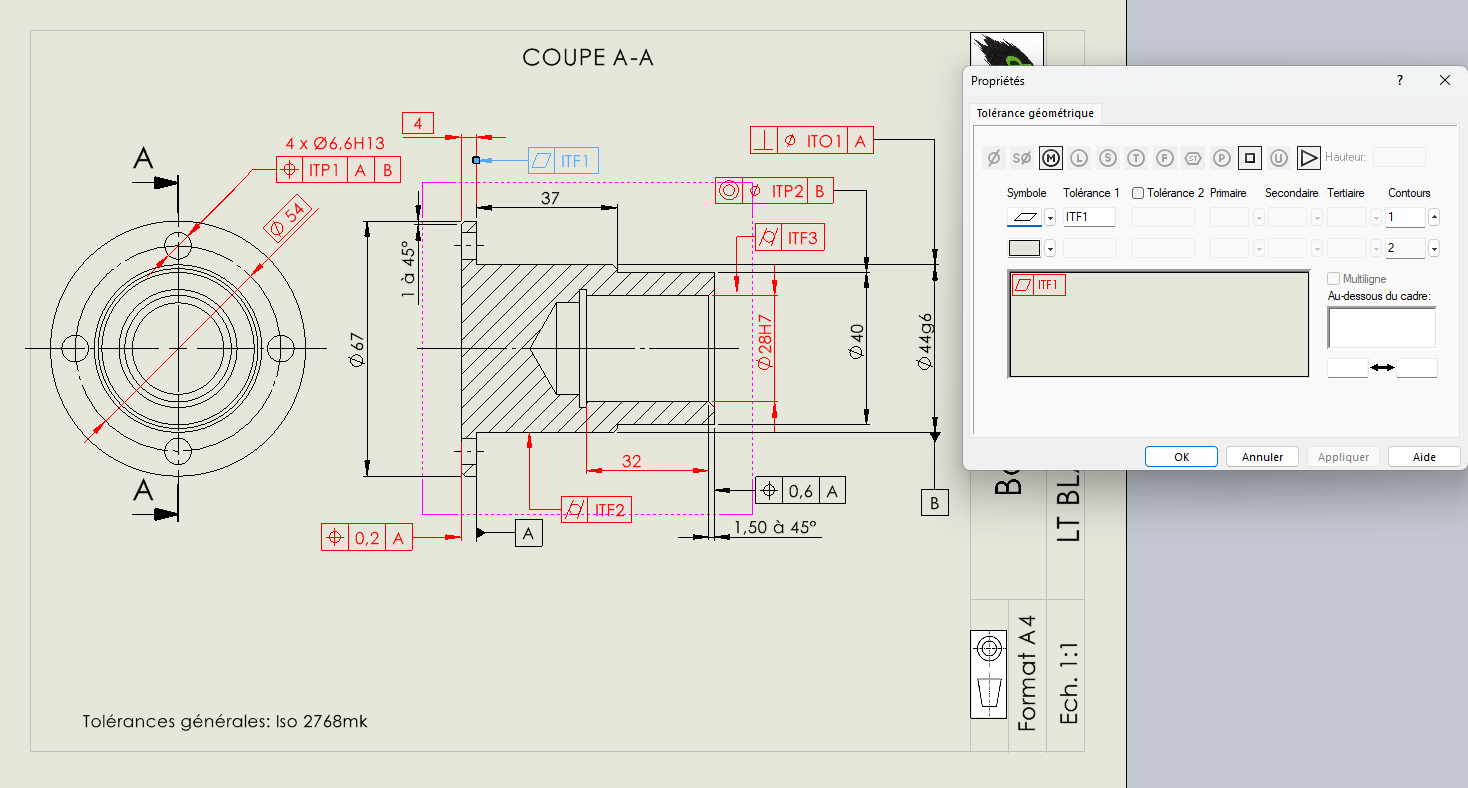
However, in some cases (especially in a BTS CPI pedagogical context), I need to indicate designations such as:
-
ITF1
-
IT01
-
etc.
This information is not numerical values, but specific indications.
What I found (very interesting):
After several tests:
-
I opened an old drawing (dating from around 2010)
-
This drawing contains tolerances with text (e.g. ITF1 directly in the frame)
-
By copying one of these tolerances into SolidWorks 2025:
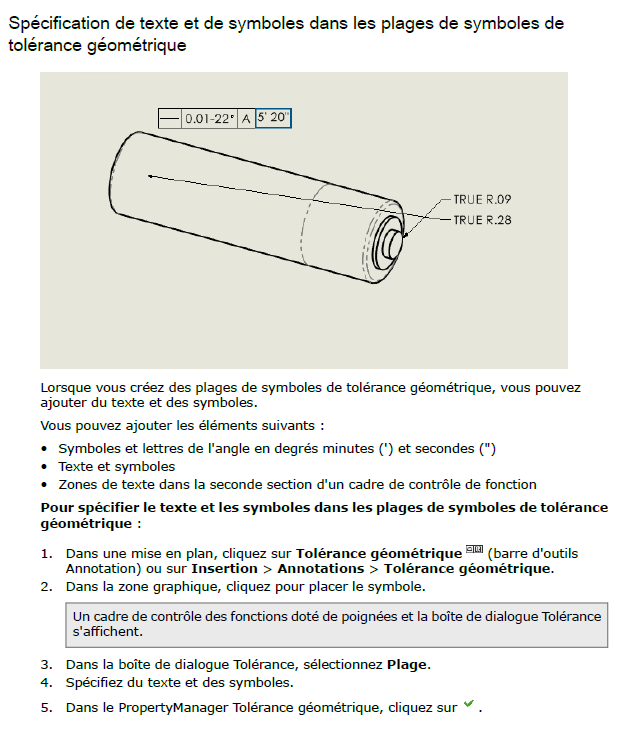
I access an old tolerance menu
and it is still possible to enter free text in the boxes
Problem:
-
This behavior seems to be a legacy mode (old system retained)
-
It is not possible to create this type of tolerance from scratch
-
The only current solution is:
-
Copy an old existing tolerance
-
then modify it
-
This operation is clearly impractical and unsustainable on a daily basis
My questions:
-
Is there an option to reactivate the old behavior?
-
Is this change (post SW 2021) voluntary and definitive?
-
Is there a specific method for integrating this type of information into a tolerance framework?
-
Can I force the use of the old tolerance editor?
Illustrations:
I enclose:
-
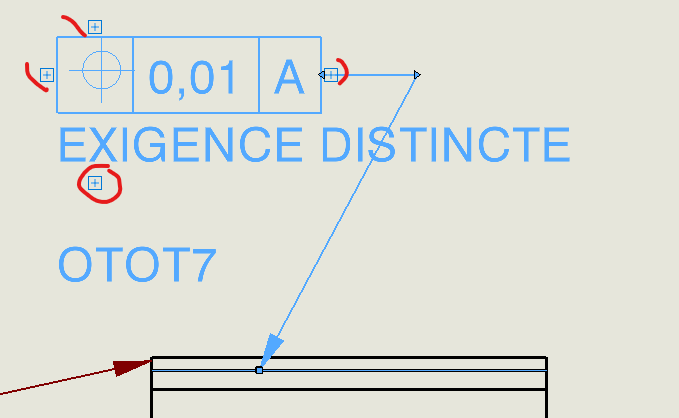
An example of what I want to achieve
-
the current menu (SW 2025)
-
the old menu accessible via copy
Old drawing and menu:
New menu:
Objective:
Be able to integrate designations such as " ITF1 " directly into the tolerance framework, without going through workarounds (external notes, text overlay, etc.).
Thank you in advance for your feedback