Hello, I made tapped holes in an assembly, but in the drawing it only appears the smooth hole without representation of the tapping...
If I import the " thread representation" annotations in the front view, it's good they appear, but they don't follow in the cross-sectional views, nor in the different views (right, left...)…
Can you help me???
1 Like
You have to go through " Model object" and then check the box " thread representation " and select all the views concerned.
It has been common for many years on SolidWorks, thread representations do not automatically import to the drawing from an assembly.
2 Likes
OK, thank you very much...
That's when it works more or less normally...
Thread annotations are one of the most buggy/random functions of SW.
3 Likes
Otherwise, don't hesitate to " shake " the threading function in the 3d: redo an edit or even a modification of the 3D to force SW to recreate the annotation.
Sometimes it allows you to finally see the annotation appear on the 2D.
2 Likes
Thank you...
The thread performance actually with us also beug
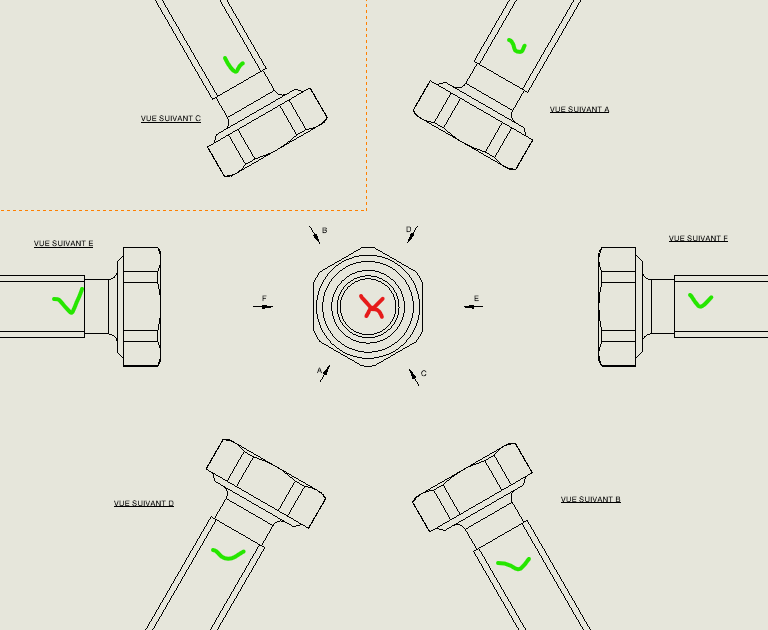
You can see it in one of the views that is not always the same
To solve this problem, which is not always easy
The views here are all in high quality, but my disappointed " today " view doesn't show the threading
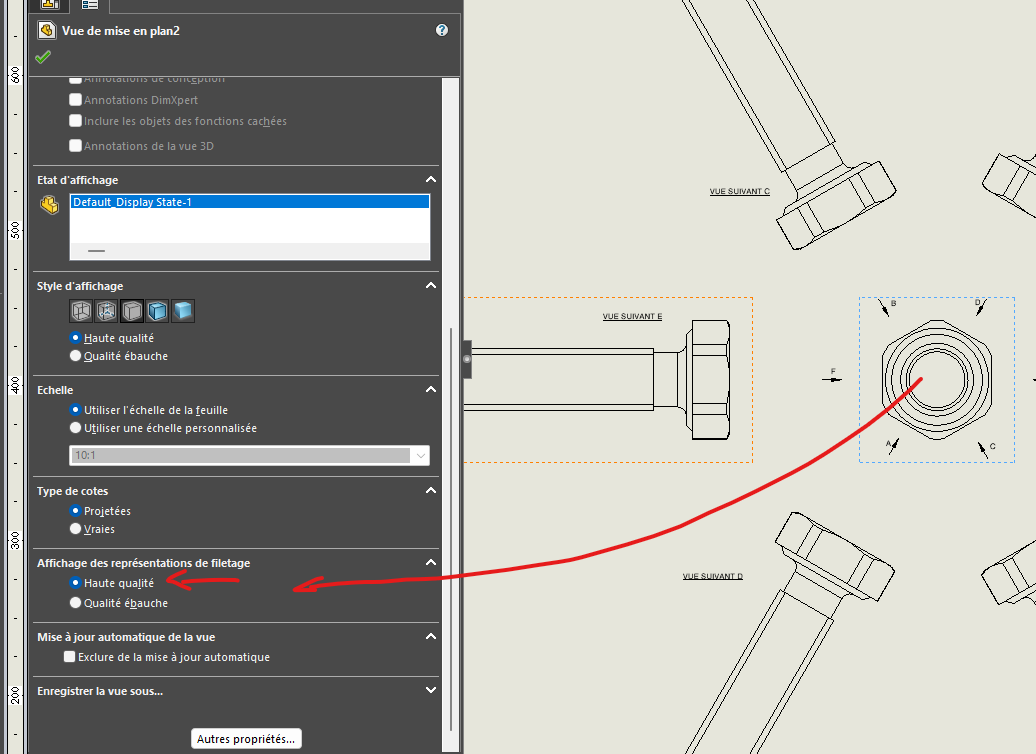
If I switch the view to low quality, the thread line comes back after the type, I can't change it.
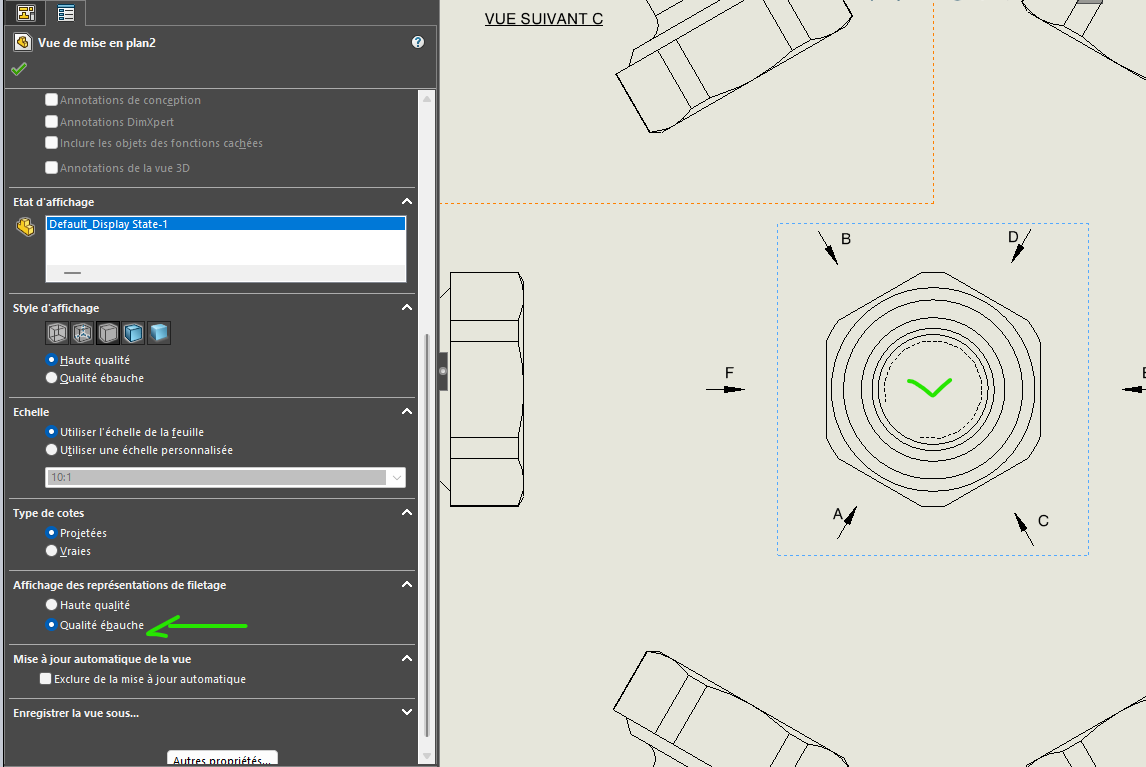
Also, in all the mep that we do, the thickness of the thread stroke is thick instead of thin. A lesser evil, we can see, which is not always easy