Bonjour,
J’ai deux questions:
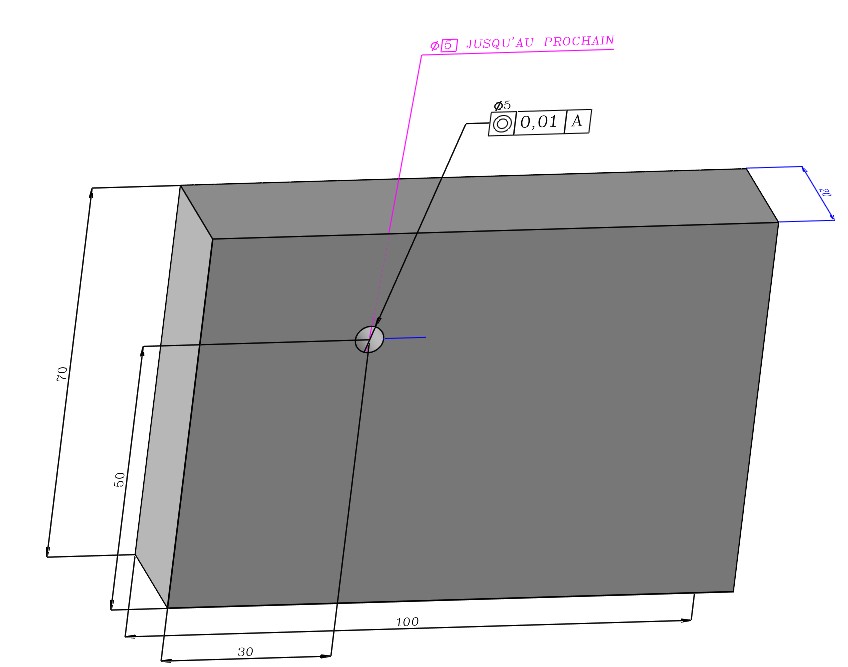
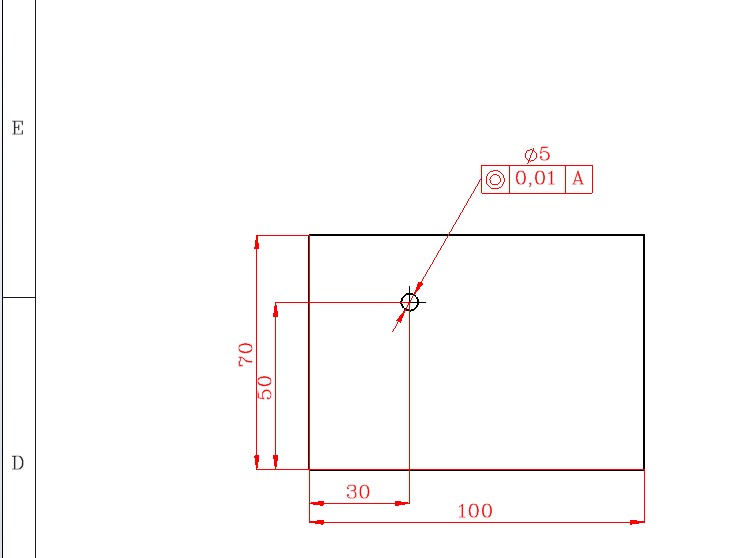
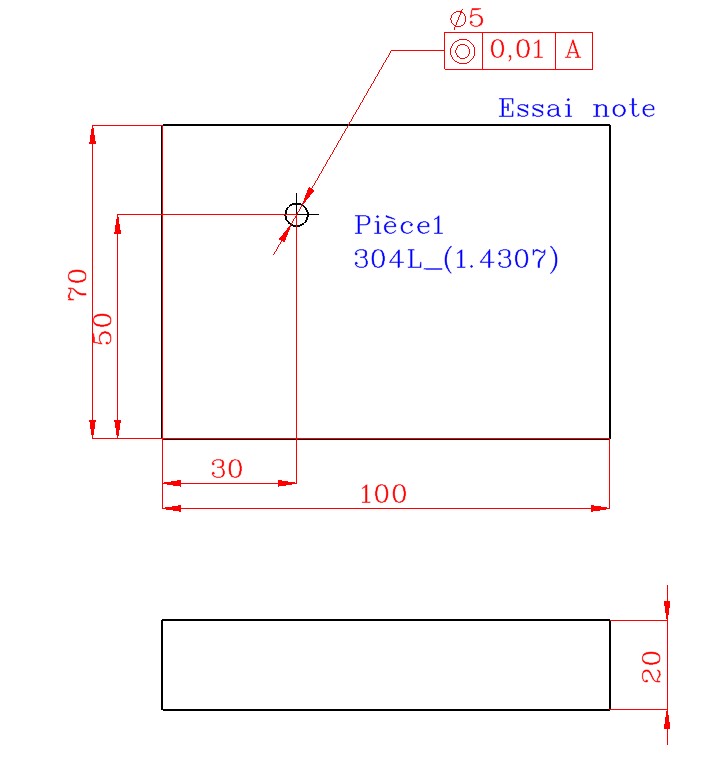
Comment insérer des tolérances géométriques dans le 3D , le symbole de centrage et les retrouver dans la mise en plan ? (avec solidworks)
Ceci est il possible avec toute les annotations ?
Merci.
Bonjour,
J’ai deux questions:
Comment insérer des tolérances géométriques dans le 3D , le symbole de centrage et les retrouver dans la mise en plan ? (avec solidworks)
Ceci est il possible avec toute les annotations ?
Merci.
Bonjour et bienvenus xavier_gasdeblay_1,
Effectivement cela est possible, je le découvre maintenant.
J’ai fais cet essai avec SW2022SP4, je pense que cela est réalisable dans d’autres version.
=>
J’ai simplement rajouté de la cotation directement dans le 3D, je réalise ma MEP en enserrant en automatique la cotation qui vient du 3D, par contre je recherche avec les annotations… A suivre
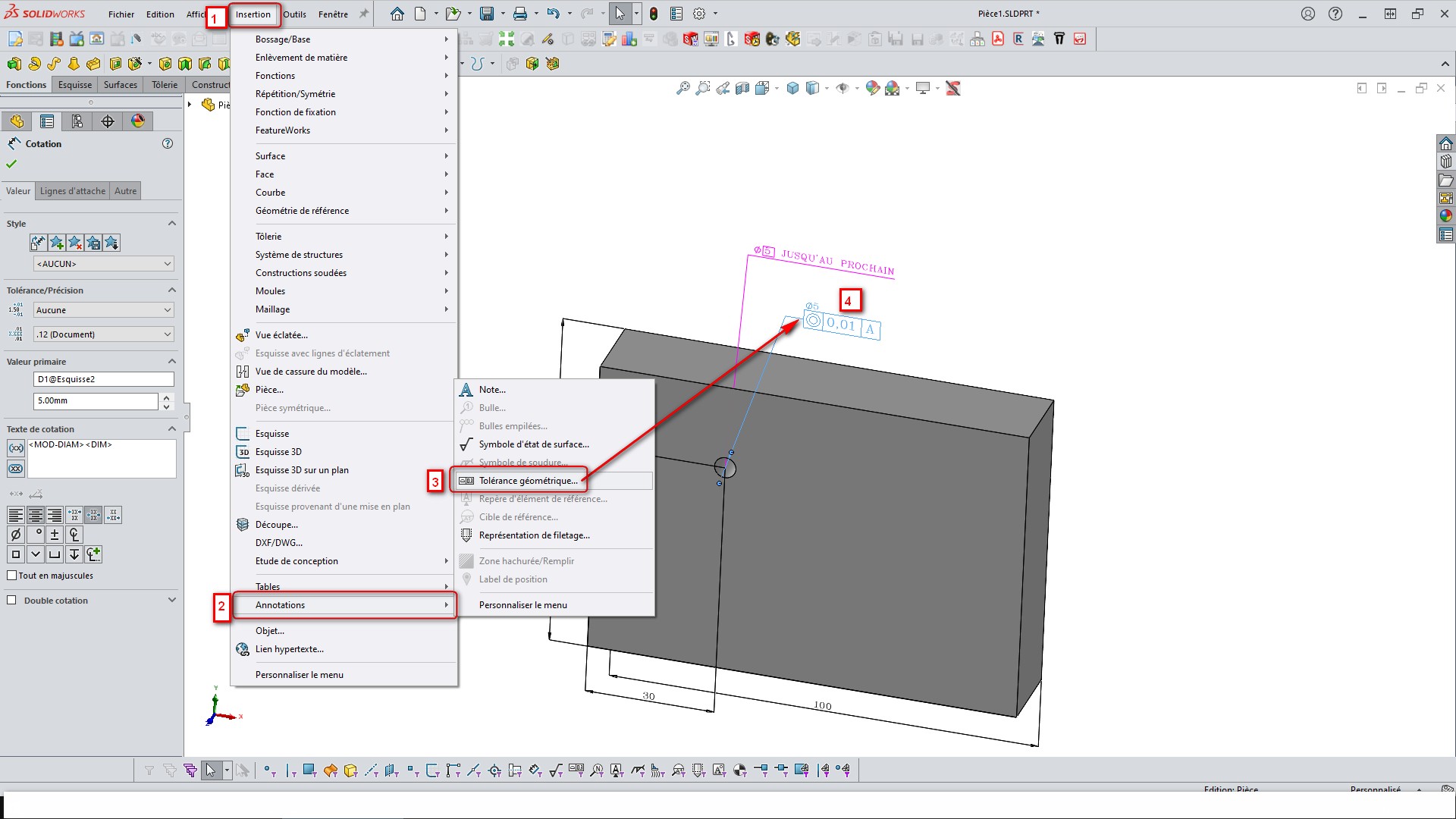
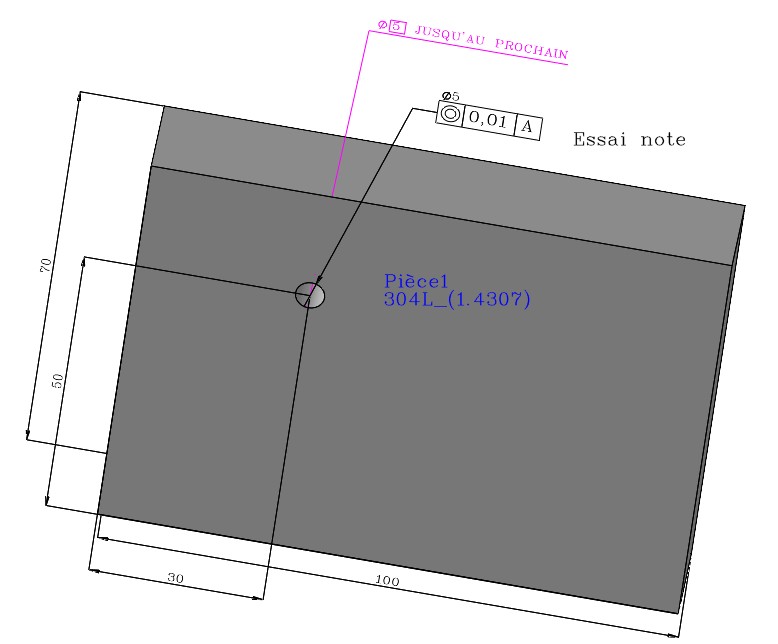
En réponse à @Silver_Surfer , Voici en images qui explique un peu comment c’est possible : =>
@+.
AR.
Salut Silver_Surfer,
J’ai simplement rajouté de la cotation directement dans le 3D, je réalise ma MEP en enserrant en automatique la cotation qui vient du 3D, par contre je recherche avec les annotations…
Merci Silver_Surfer @+.
AR.
Bonjour;
Pour les annotations 3D:
Et pour les récupérer dans les mises en plan:
Donc, en gros, tout vas dépendre du choix de la vue d’annotation dans le 3D…
… et des choix réalisés dans l’importation des objets du modèle:
Comme me l’a fais remarqué un collègue, non je ne radote pas , non je ne radote pas, non je ne radote pas , … Quoi ? Ah oui… en tout cas pas encore.
Le nouvel emplacement des aides en lignes de Solidworks ne facilite pas leur lecture à partir de leur liens…ils se ressemblent tous maintenant…
Merci pour vos réponses