Hello,
On Solidworks Composer, when I want to do an exploded view, it's not the parts that are exploded but all the bodies.
If I want to make an exploded view of a bolt assembly, I have the screw head that separates from the screw body. Example below:
Current Result:
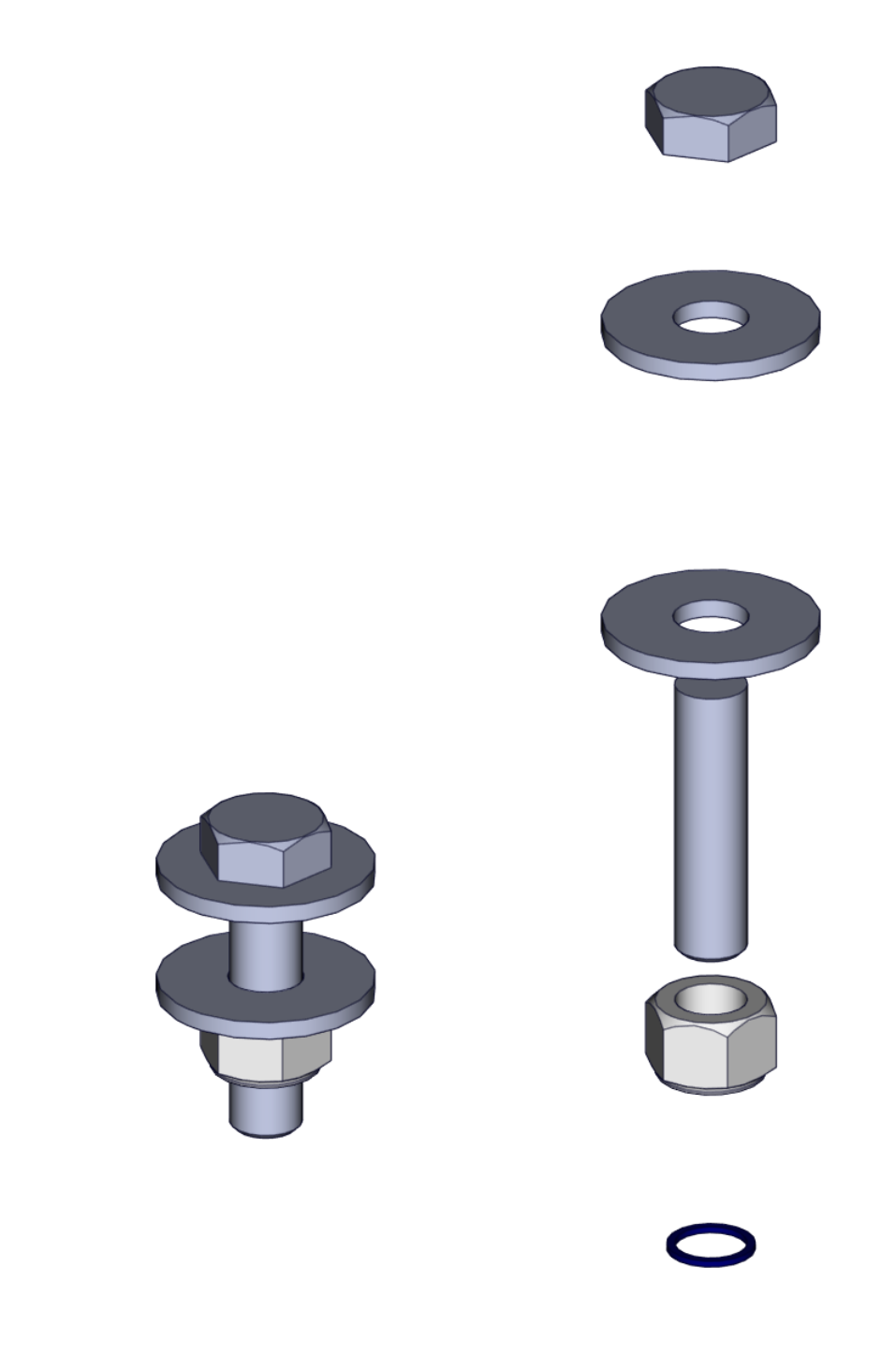
Expected result:
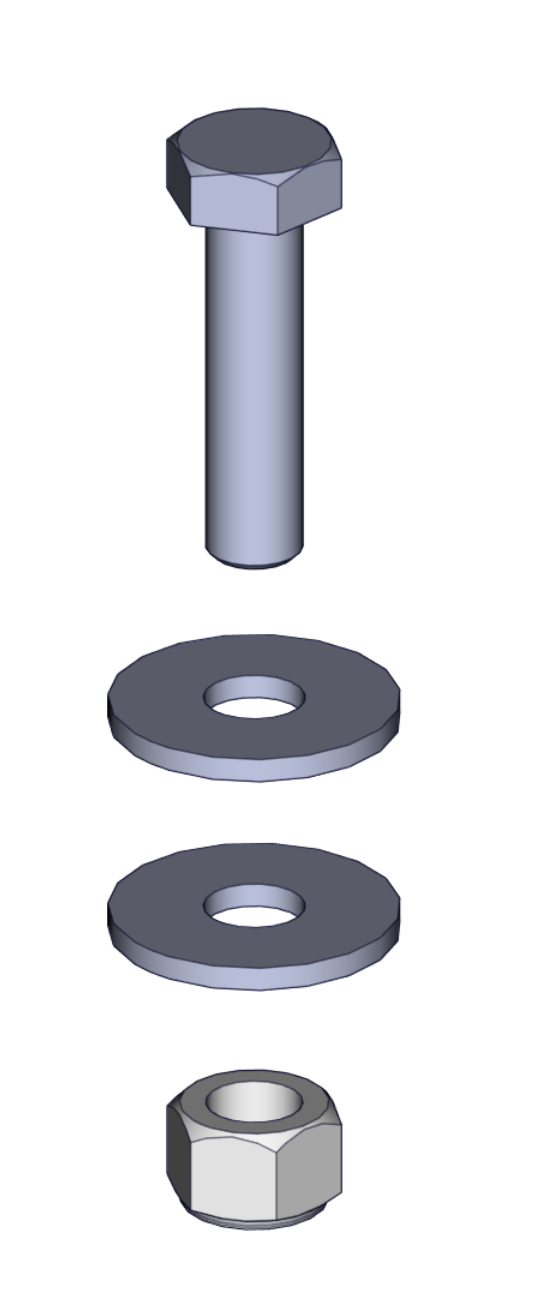
Does anyone have a solution? Knowing that I have this problem for the welded mechanical parts as well.
Respectfully
Hello;
I don't really know Composer" but the solution I can propose would be to merge (Combine) the bodies in Solidworks.
Another solution would be to create your exploded files in Solidworks and import them into Composer.
Personal note: I find it extremely strange to have created your screws in multi-body, is there a particular reason for choosing this solution?
2 Likes
Thank you for your feedback.
Combining all bodies is not the right solution because the parts will be manufactured and if I combine my bodies, my list of welded parts will be reduced to one part.
For your question about the screws, it's screws that I got elsewhere.
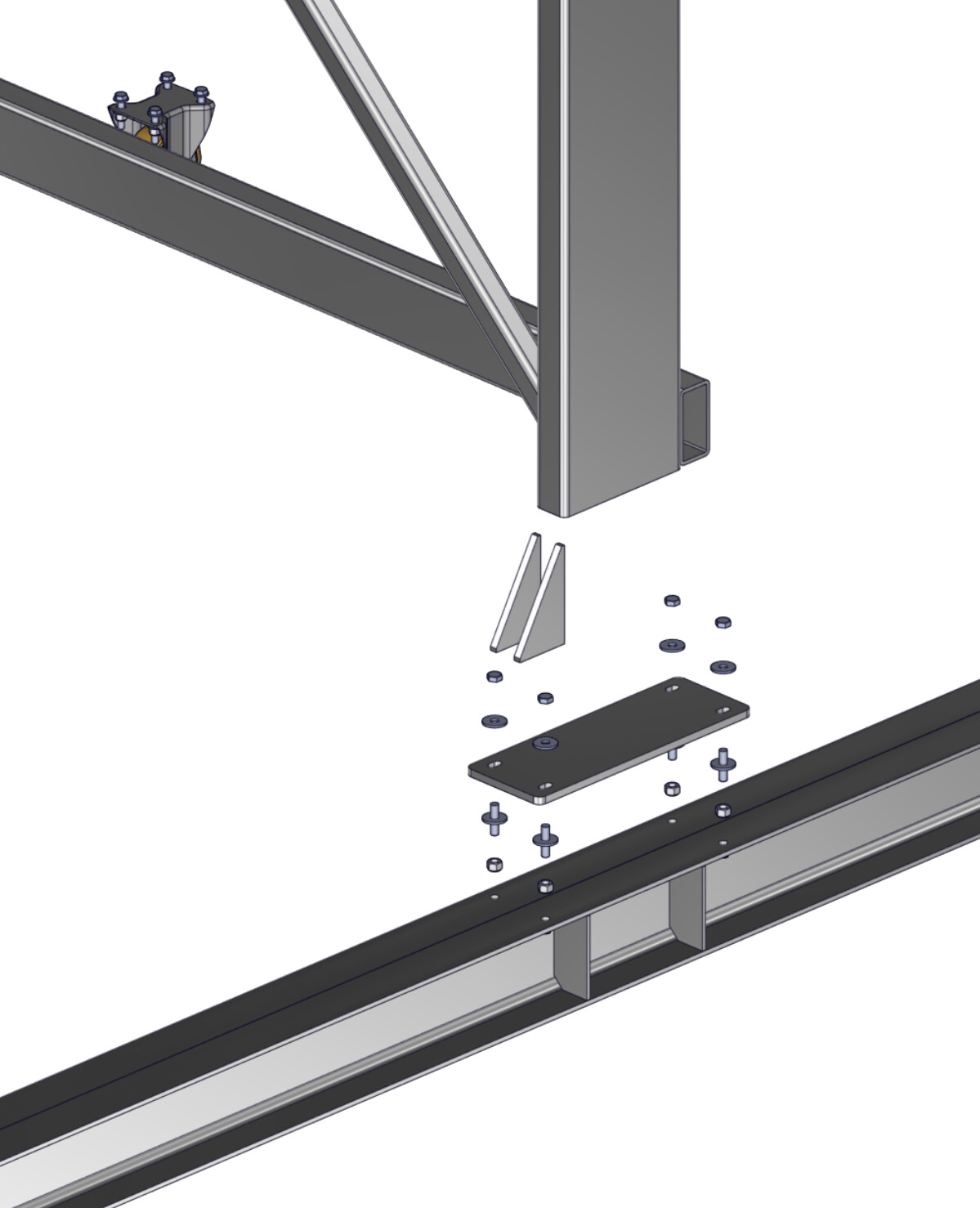
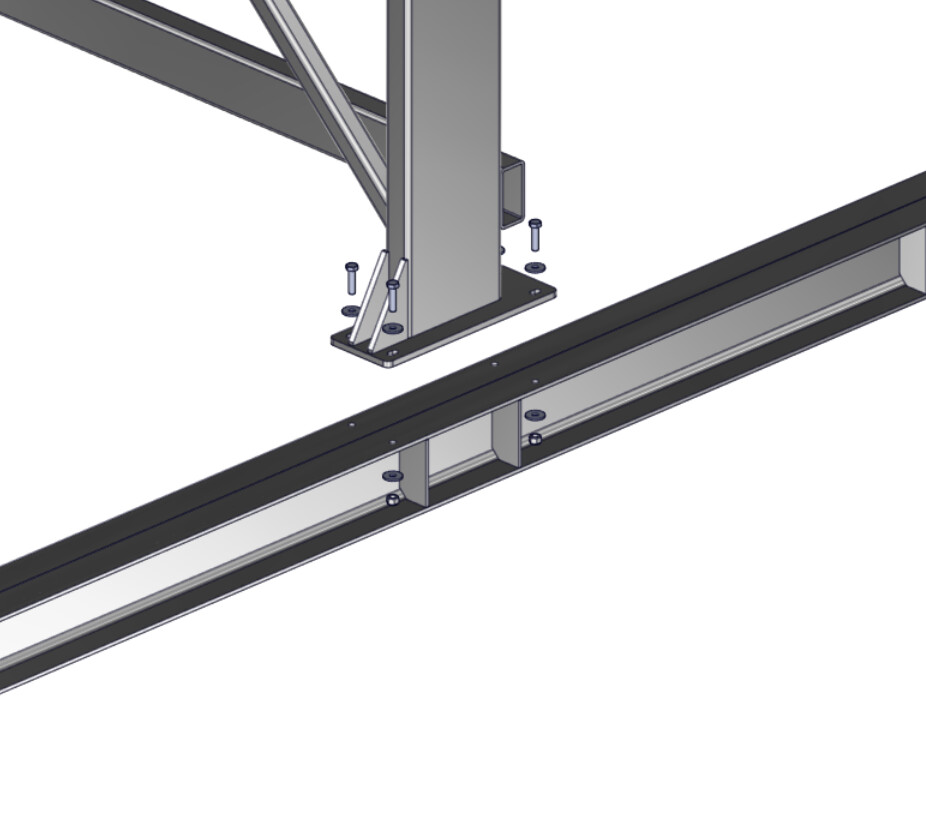
Below is another illustration of my problem with mechanically welded parts:
Current Result:
Expected result:
It seems that you can play with the import settings:

See: Merge the file into one actor per share
But this method is likely to have the opposite effect than desired on the mechanically welded.
I just found the solution.
It's simply imported, you had to check a box to merge all the bodies into parts.