BOM Quantity Bug

Hello

I am having a problem with my automatic bills of materials, when I generate it I end up with false quantities, and no can (example: for a real quantity of 8 pieces it shows me 458 871) I think it is related to the repetitions but I am not sure

Has anyone ever encountered this problem and if so, is there a solution?

Hello and welcome Antoine_PHILIBERT,
Indeed there is a big problem there.

  1. So check if there will be parts in deleted or hidden state, i.e. hidden it counts them, in deleted state no...
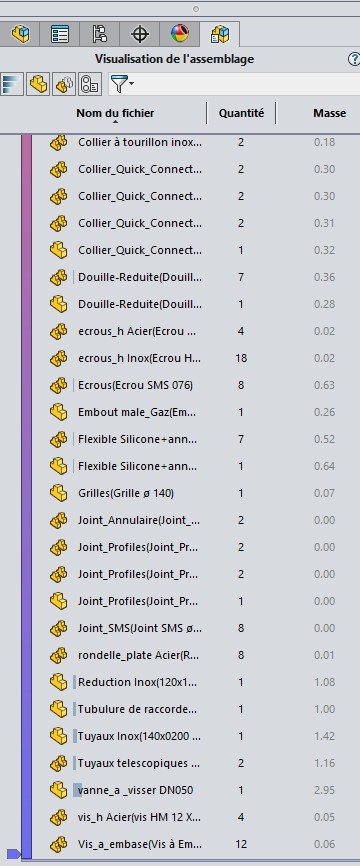
  2. Otherwise you go to " insert " + " Evaluate " + " Visualization of the assembly " and there you will discover exactly the actual quantity of your assembly.

Watch this video, hoping it will explain a little in detail what I'm telling you =>https://www.youtube.com/watch?v=yDII7xlpV48
Here are the details of my assembly (SW2022SP4)=>
2025-11-13_141353

Good luck.

@+.

AR.

1 Like

To start with, how do you generate your nomenclature? (Automatic bills of materials?)
From an MEP, an assembly, via solidorks (what options?) via a utility, a macro?
Thank you for detailing your way of proceeding to answer your request more precisely.

1 Like

Thank you for following your method, it shows me the right quantity. I could at least correct them by hand thanks to that.

Simply since I was shot. inserting tables > > BOM, the Qty column is there by default

What are your export options?
image

Is the qty on the plan good? (and therefore error during export) Or qty error on the MEP as well?

2 Likes

No, the qty is bad as soon as the name is created on the MEP:
image

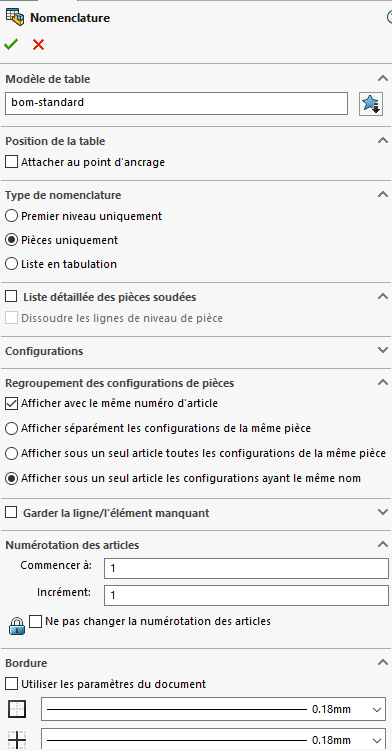
and here are my options for creation:
image

Do you have any hidden rooms (see @A_R )?
Do you have in your main assembly (the one of the nomenclature) sub-assemblies that would include this part again (Qty error)
Your BOM options are not for a 1st level, do you want a complete BOM of your assembly A (with everything it includes, including the details of all the parts of the subassemblies included in your assembly A?)
Any configurations in your assembly?
Are the quantities always wrong or just in this assembly?
A possible example to share?

1 Like

Hello Atoine_PHILIBERT,

I will also add this comment=>Nomenclature 3d quantity moves
Maybe it's a bug in progress... Let's see, if it corresponds to your version.
Where to see this=>Insert part qty in drawing
@+.
AR.

Hello

I agree with @sbadenis
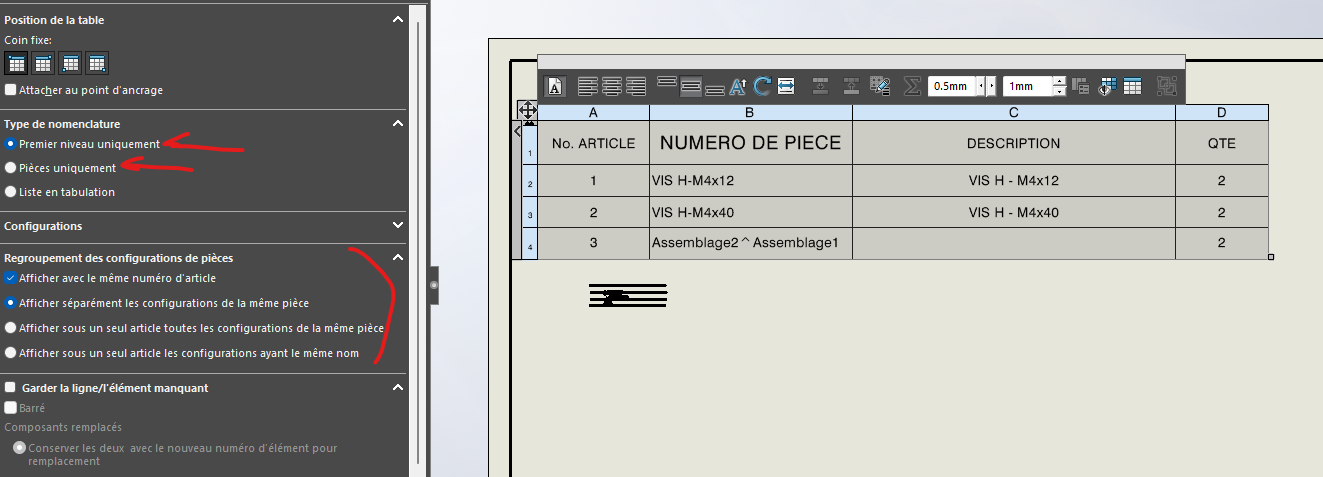
Several things to consider in your assemblies impacting your nomenclatures. I'm skipping the configurations, apparently you've set up your nomenclature well. But you have to see more in your nomenclature configuration if you are at the first level or if you have selected only the parts.

Hiding a part = doesn't remove it from the nomenclature, it's just graphic.
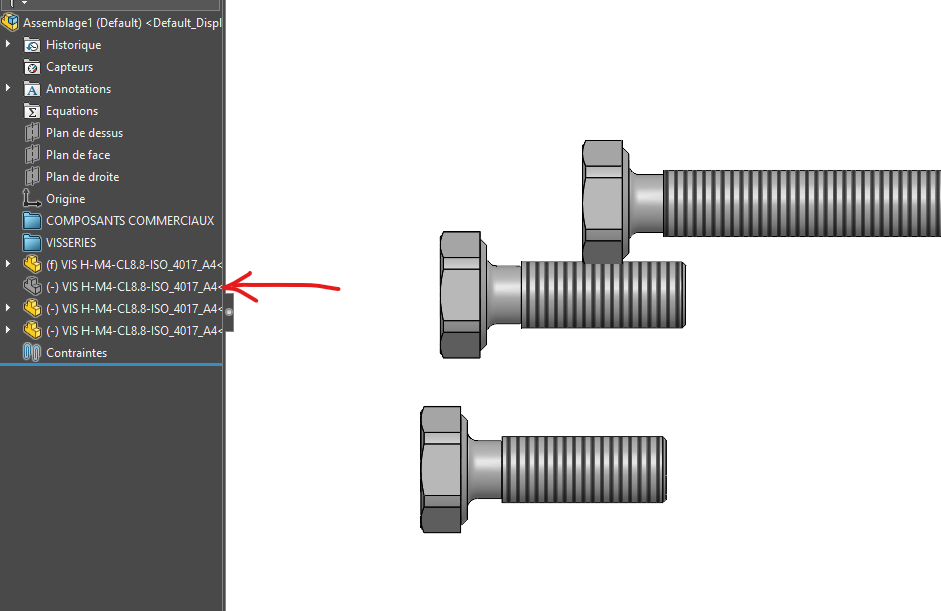
image
image

Deletion status = the part is deleted in your assembly temporarily (if configured), it is subtracted from your BOM
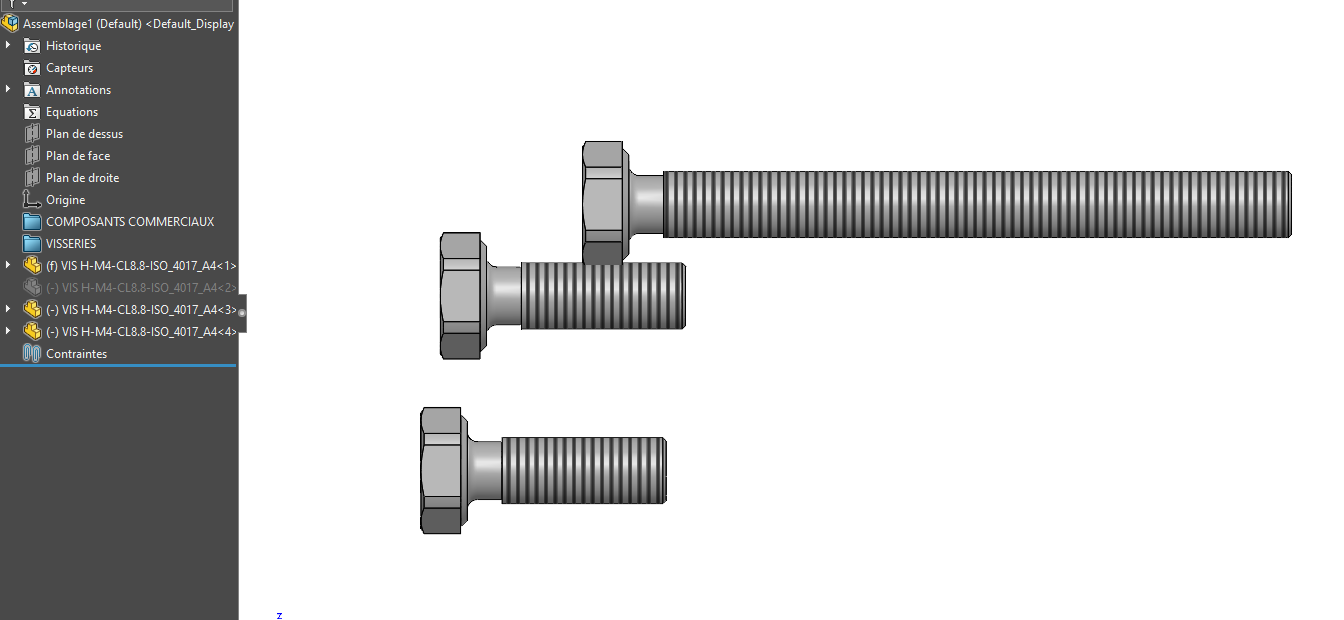
image
image

Exclude from the BOM directly via the assembly (This implies that only for this assembly and only it and in this configuration (unless you tell it in the drop-down menu next to it). If this part is used elsewhere, it will belong to a different nomenclature
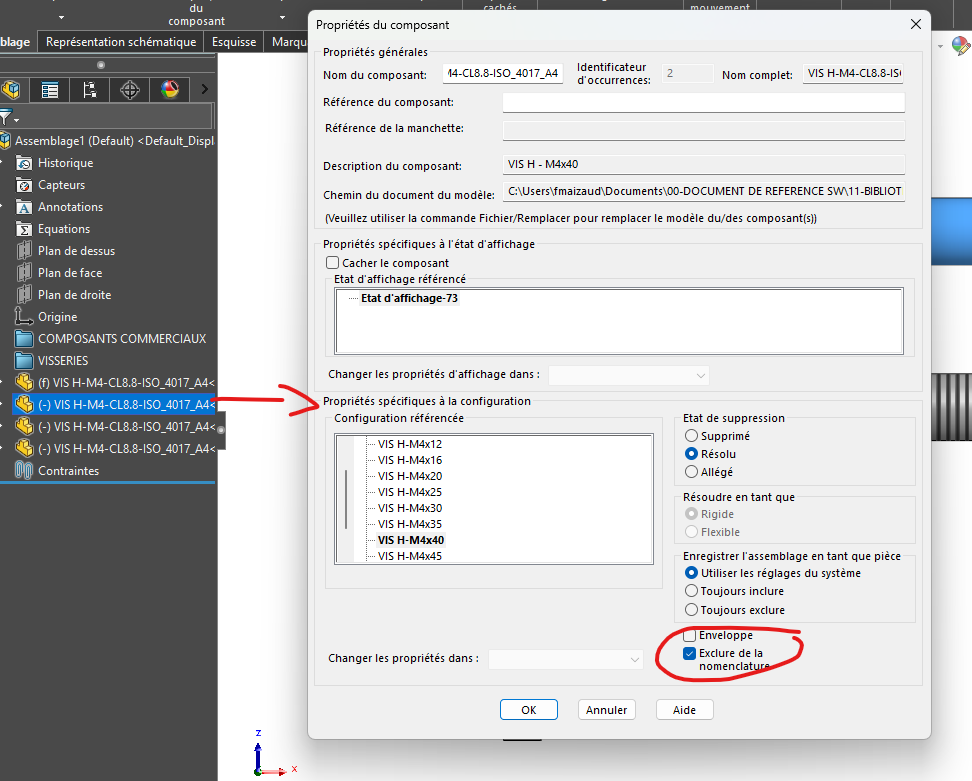
image
Be careful not to apply the exclusion directly in the default configuration of your room
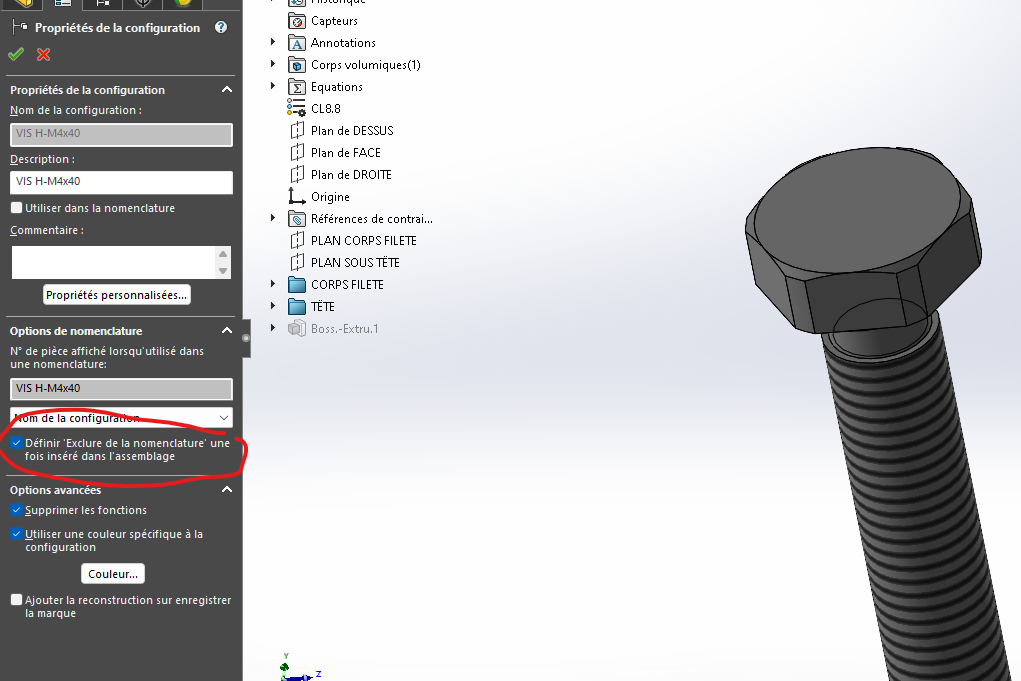
image

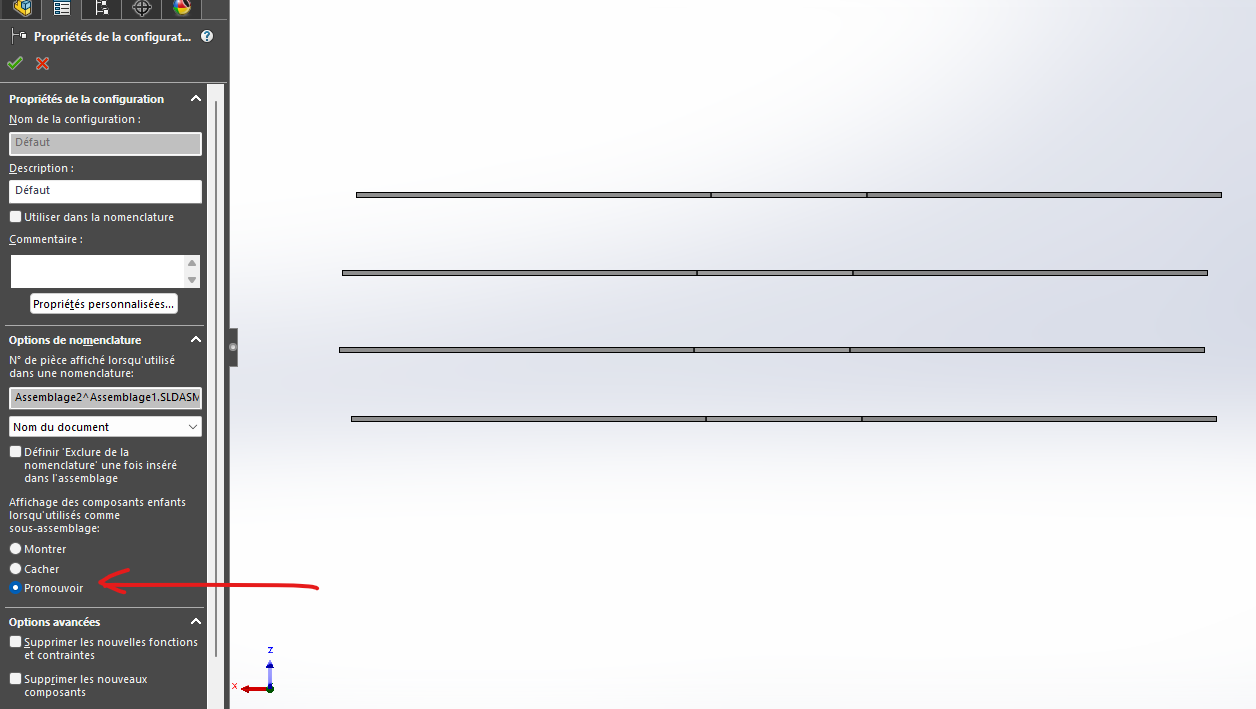
Promote Assembly = This indicates that the subassembly no longer exists, but the parts in it move up one level. If your BOM is set to the 1st level only, you will see the parts of your promoted sub-assembly in your BOM

Unpromoted case of sub-assembly (see below). Graphically my parts are still visible in my main assembly, but my BOM shows the sub-assembly as a part.
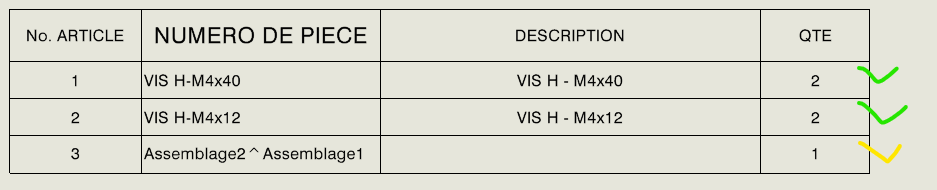
image

Cases under assembly promoted
image

The assembly has disappeared but what it contains has been reassembled on the 1st level
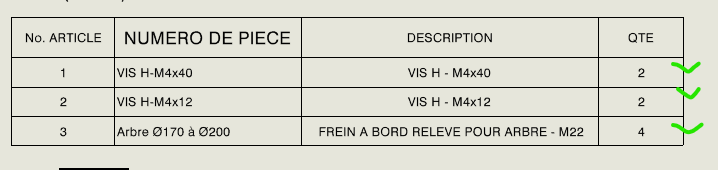
image

Hide in the subassembly configuration. Hides child components in a BOM, even if they are displayed in BOM Type. Subassembly appears as a single item in the BOM, whether you're at the top level or part only.
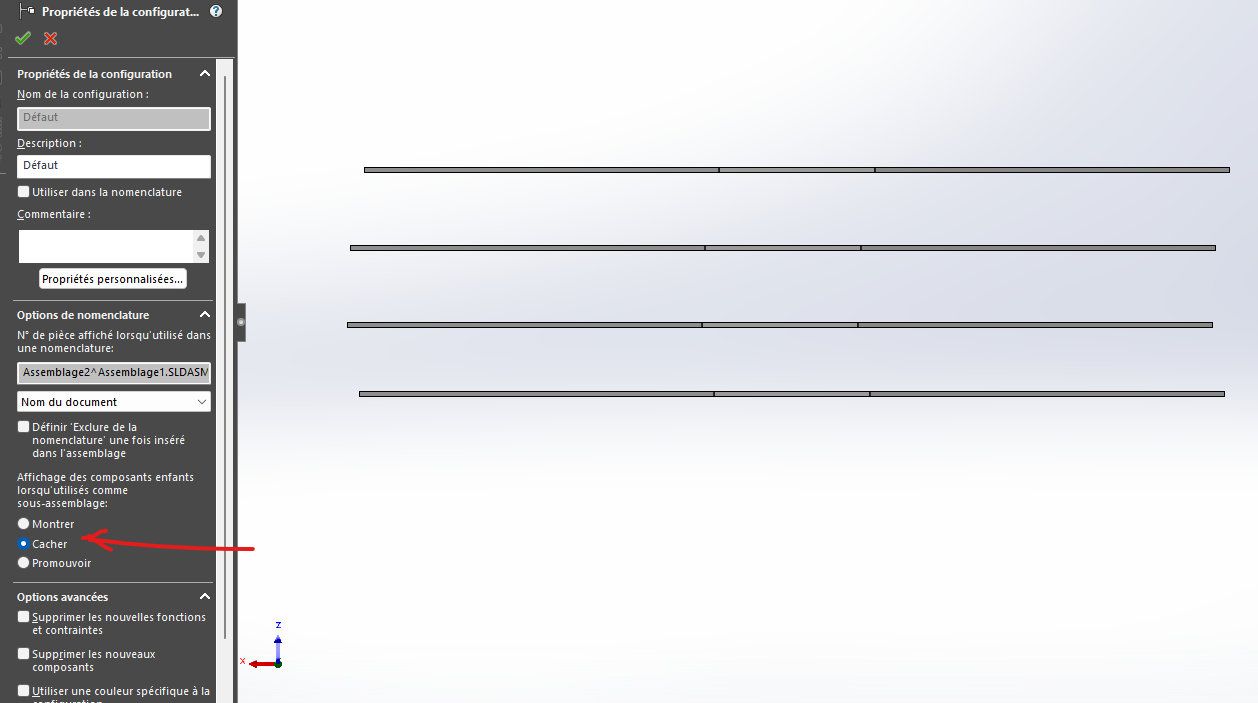
image

image

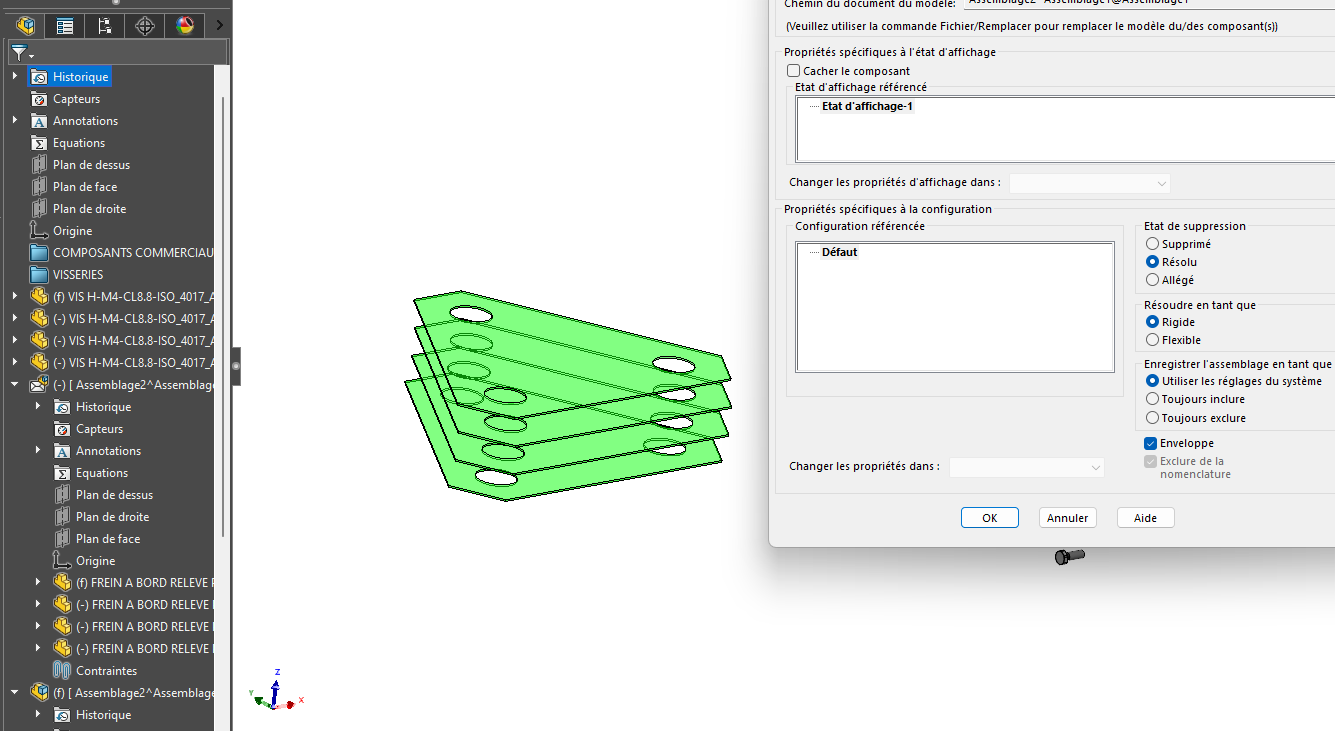
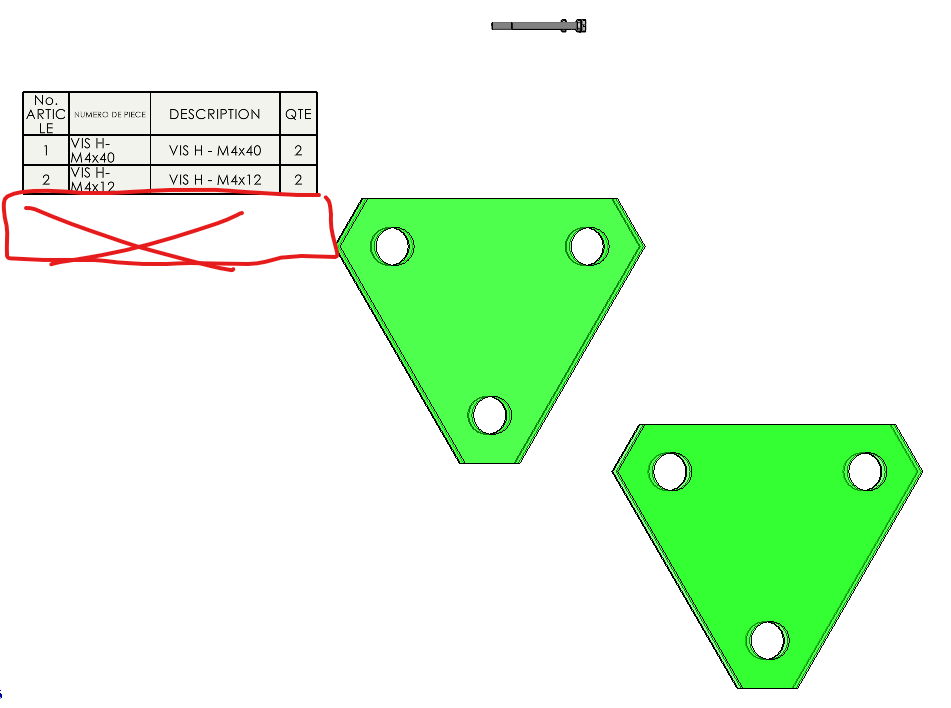
Envelope= This option allows you to create environments for example, and allows you to quickly exclude unwanted elements from the BOM. they appear green/transparent.
image
image

Last thing, create a column with the quantity property to see if the BOM is not wobbly.

Personally, I recommend using a method, and you stick to it, because modeling can influence your nomenclature.

If all the explanations to find what influences your nomenclature have not been useful to you, they will be useful to others perhaps.

@+
4 Likes

@sbadenis

Be careful when you say hide, in the assembly or in the configuration it can be confusing.

@Antoine_PHILIBERT

Wouldn't you have associated in the nomenclature several configurations that would have parts or whose cumulation would give large quantities?

2 Likes

Check the BOM QTY setting in the model for which QTY is not showing correctly.

5 Likes

No hidden parts, no subassemblies, some of my parts contain configurations but it also affects a part that there are none

I have a lot of linear repetition

I have this bug all the time even on other assemblies (it always concerns the same parts)

Try to implement a bill of materials provided with SolidWorks (the basic one) to see if it comes from a problem on your models?

I guess you can't provide the model?
As said before , @Deepak_Gupta, check the quantity parameter.

I've had this problem before (or the same kind), but often it comes from me, when it's not the case a restart and a good update fixes the problem. Often the next day
I create another bet does not hover and test that it does come from her!! and I'm also creating one in 3D, just to correct the problem directly.

Checks the " initial" quantities of the components without the Repeats ... It is not impossible that components may be selected by mistake on other repeats...
Also beware of repetitions driven by sketches, often the original component is also repeated...

1 Like

This happened to me recently on bolts, I selected the bolt and the nut :sweat_smile:, I took three pellets to find.

I just tried with a new assembly in which I call only one piece, no repetition nothing at all and here is the quantity it shows me

FYI
When I use the " assembly visualization" function, the quantities are good

image

Hello;
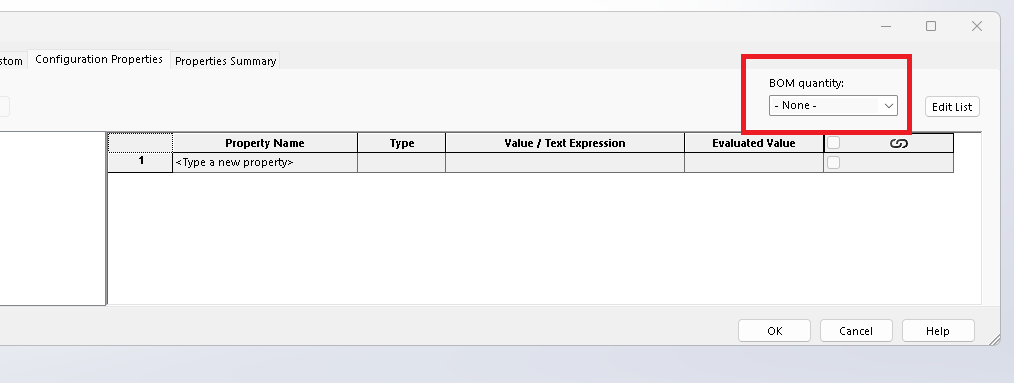
Be careful when using the QTE parameter in properties:
image
Depending on the type of component, it oscillates between real quantities, linear meters (for mechanically welded ones) etc... in short, it's not necessarily stable.
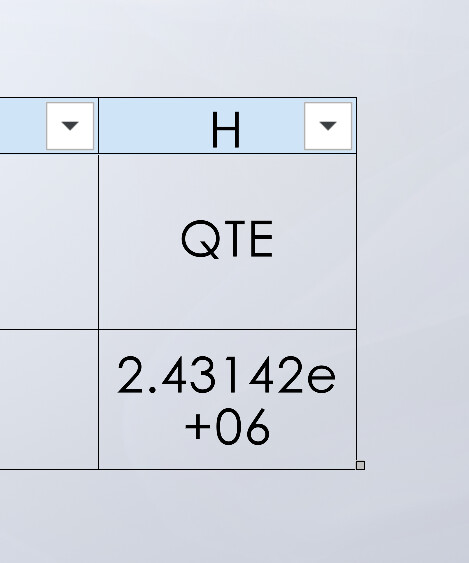
image
That's probably what gives you exuberant values like QTE=2.431e+06 ...

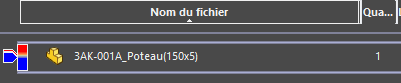
Normally when creating a new BOM table (see the default tables proposed by Solidworks), the " Quantity " column is already present (unrelated to QTE above, unless this parameter has been " forced " on a component) In this case the Quantity displayed are those found in " Assembly Visualization ".
image

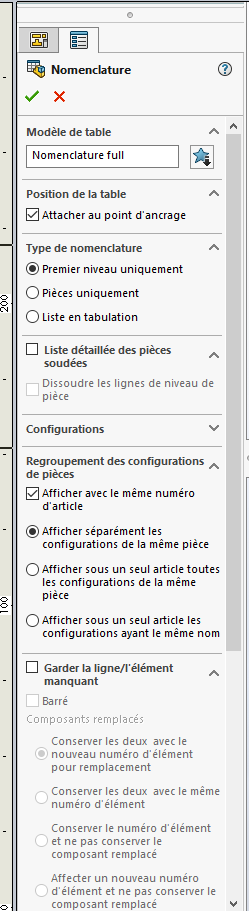
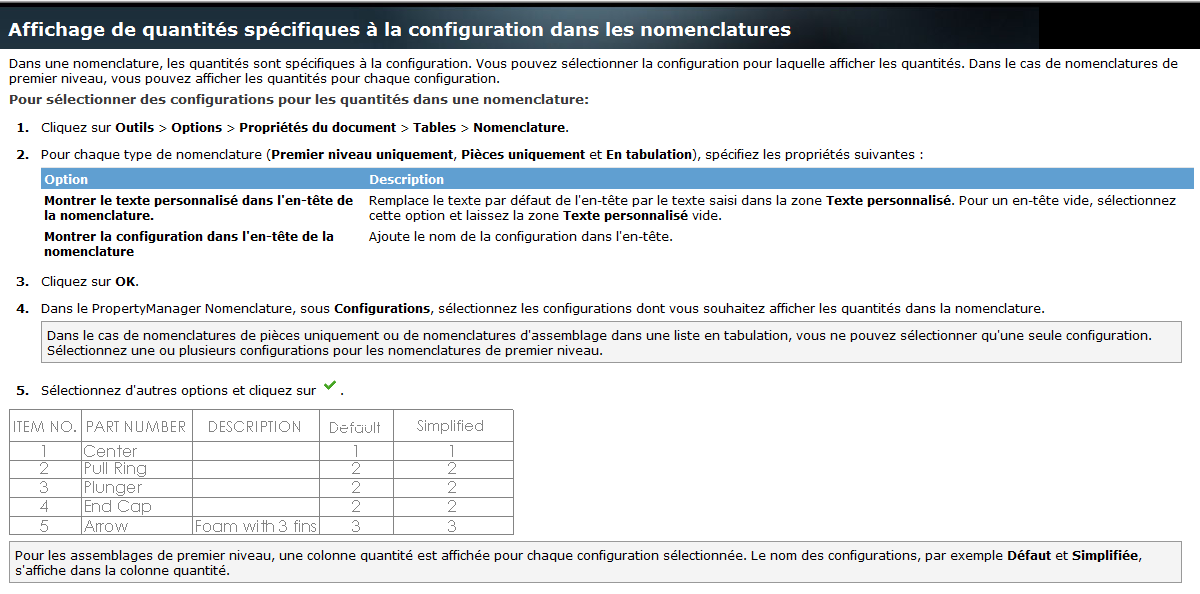
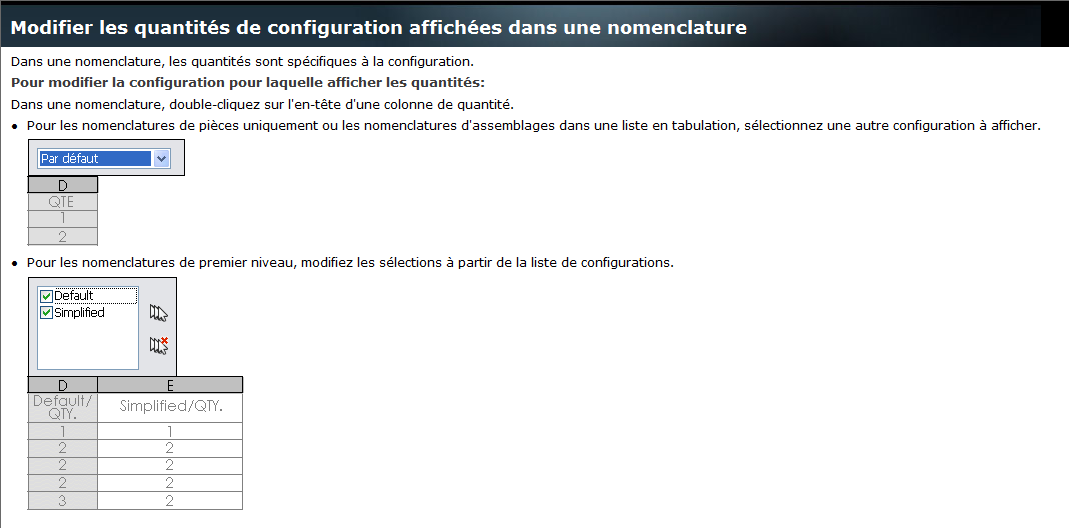
However, you must pay attention to the configurations and the grouping mode:
image
image

Sorry for the screenshots of the Solidworks help, they are the ones of the local help, Solidworks seems to be trying to reunify/rebuild their online help (web) but it's not very perfect...

In addition:

1 Like

Thank you all for your help I finally solved my problem there must have been a bug in my configuration properties because by deleting them and recreating them (identically) the quantities were corrected and I no longer have this problem

2 Likes