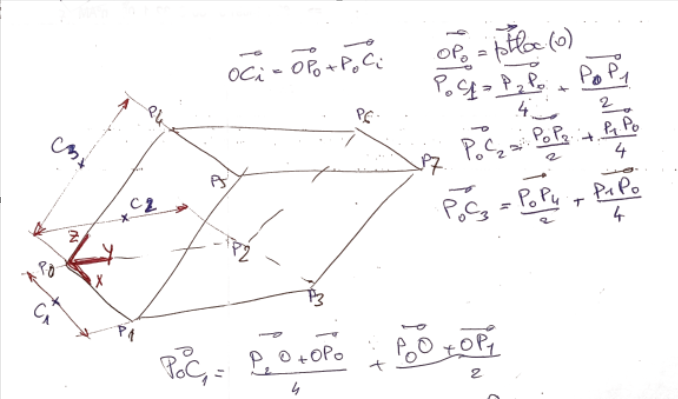
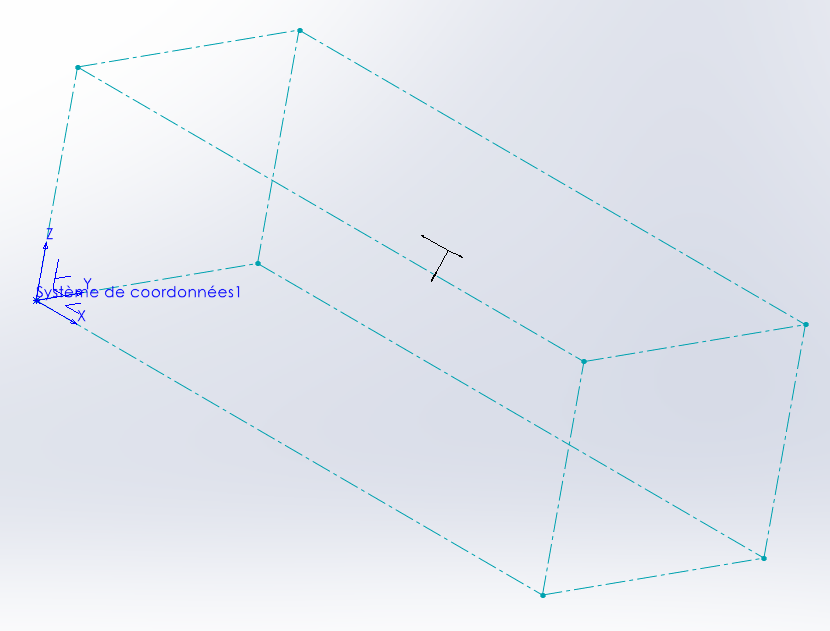
Bah !
Coter manuellement, autant le faire sans passer par la macro, après tout il ne s’agit que de trois dimensions à ajouter sur un cube.
Naïvement je pensait pouvoir les ajouter facilement directement dans le code de la macro, mais soit je m’y prend très mal (c’est fort possible), soit ajouter de la cotation dans une esquisse 3D via les API n’est pas si simple que cela.
Pourtant le code de @m_blt donne toutes les informations nécessaire (voir plus).
=> J’ai le Nom des points
=> J’ai le Nom de l’esquisse
=> J’ai le nom du repére
et j’ai même des distances des 3 coordonnées X,Yet Z…
Et avec tout ceci … ben j’y arrive pô… 

Bonjour @Maclane ,
Désolé de cette réponse tardive…
Pas simple effectivement de coter une esquisse 3D dans une macro.
La prise de tête, c’est de définir précisément la position de la cote. On se contente en général de laisser faire SW, et ensuite on retouche « à la main ».
Dans la macro du « cube de visualisation », c’est la fonction Sub TraceBox(ptLoc() As MathVector) qui trace la boite. Je lui ai ajouté quelques lignes :
- pour placer au mieux les trois cotes de longueur des arêtes de la boite issues du point origine P0.
- pour appliquer une contrainte « Fixe » aux huit sommets de la boite, de façon à figer l’esquisse.
- pour créer des points de référence aux sommets de la boite, utiles en mode debug pour identifier ces sommets. Partie de code à mettre en commentaire en mode standard.
Le résultat :
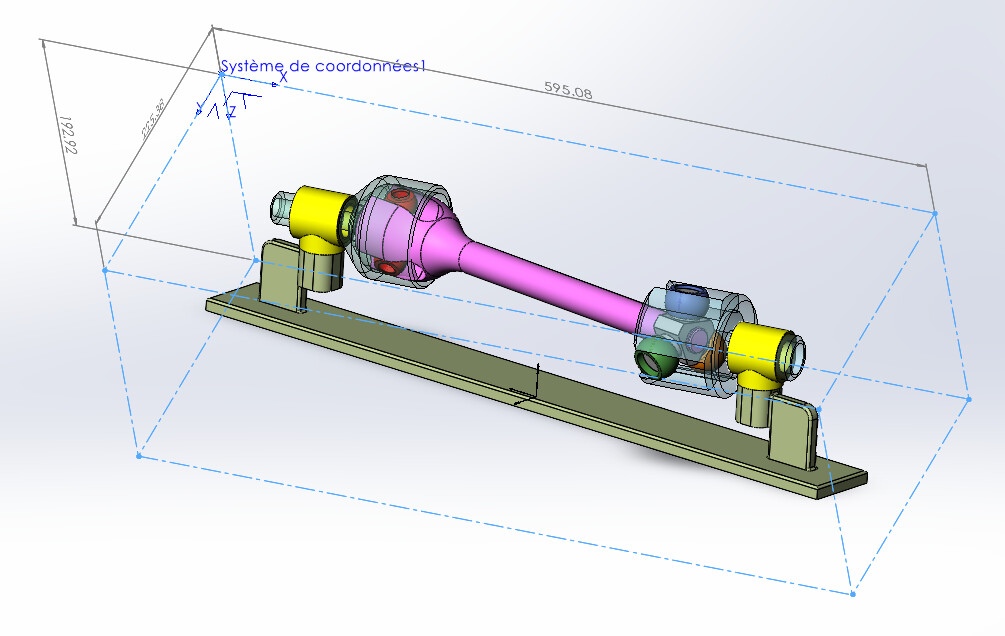
Il suffit en principe  de remplacer la fonction TraceBox d’origine par celle ci-dessous.
Sub TraceBox(ptLoc() As MathVector)

        Dim swFeat          As Feature
        Dim swRefPt         As RefPoint
        Dim swFeatMgr       As FeatureManager
        Dim matProps(8)     As Double
        Dim skSegment(11)   As SketchSegment
        Dim swSketch        As Sketch
        Dim posCote(2)      As Double
        Dim noPt            As Long
        Dim boolStatus      As Boolean
        Dim vRefPoint       As Variant
        Dim bInputDimPref   As Boolean
        Dim swDisplayDim    As DisplayDimension
        Dim i               As Long

    swModel.SketchManager.Insert3DSketch True
    swModel.SketchManager.AddToDB = True

    Set skSegment(0) = traceLigne(ptLoc, 0, 1)
    Set skSegment(1) = traceLigne(ptLoc, 0, 2)
    Set skSegment(2) = traceLigne(ptLoc, 2, 3)
    Set skSegment(3) = traceLigne(ptLoc, 1, 3)

    Set skSegment(4) = traceLigne(ptLoc, 4, 5)
    Set skSegment(5) = traceLigne(ptLoc, 4, 6)
    Set skSegment(6) = traceLigne(ptLoc, 6, 7)
    Set skSegment(7) = traceLigne(ptLoc, 5, 7)

    Set skSegment(8) = traceLigne(ptLoc, 0, 4)
    Set skSegment(9) = traceLigne(ptLoc, 1, 5)
    Set skSegment(10) = traceLigne(ptLoc, 3, 7)
    Set skSegment(11) = traceLigne(ptLoc, 2, 6)

    ' Contrainte "Fixe" des sommets de la boite
    For noPt = LBound(ptLoc) To UBound(ptLoc)
        boolStatus = swModel.Extension.SelectByID2("", "SKETCHPOINT", ptLoc(noPt).ArrayData(0), ptLoc(noPt).ArrayData(1), ptLoc(noPt).ArrayData(2), False, 0, Nothing, 0)
        If boolStatus Then
            swModel.SketchAddConstraints "sgFIXED"      ' Sommet fixé
        End If
    Next noPt

    ' Cotation des arêtes de la boite
    bInputDimPref = swApp.GetUserPreferenceToggle(swUserPreferenceToggle_e.swInputDimValOnCreate)
    swApp.SetUserPreferenceToggle swUserPreferenceToggle_e.swInputDimValOnCreate, False

    ' Cote de l'arête / X
    swModel.ClearSelection2 True
    For i = 0 To 2
        posCote(i) = ptLoc(0).ArrayData(i) * 3 / 4 + ptLoc(1).ArrayData(i) / 2 - ptLoc(4).ArrayData(i) / 4
    Next i
'    swModel.SketchManager.CreatePoint posCote(0), posCote(1), posCote(2)
    skSegment(8).Select4 False, Nothing
    skSegment(9).Select4 True, Nothing
    Set swDisplayDim = swModel.AddDimension2(posCote(0), posCote(1), posCote(2))

    ' Cote de l'arête / Y
    swModel.ClearSelection2 True
    For i = 0 To 2
        posCote(i) = ptLoc(0).ArrayData(i) * 3 / 4 + ptLoc(2).ArrayData(i) / 2 - ptLoc(4).ArrayData(i) / 4
    Next i
'    swModel.SketchManager.CreatePoint posCote(0), posCote(1), posCote(2)
    skSegment(8).Select4 False, Nothing
    skSegment(11).Select4 True, Nothing
    Set swDisplayDim = swModel.AddDimension2(posCote(0), posCote(1), posCote(2))

    ' Cote de l'arête / Z
    swModel.ClearSelection2 True
    For i = 0 To 2
        posCote(i) = ptLoc(0).ArrayData(i) * 3 / 4 + ptLoc(4).ArrayData(i) / 2 - ptLoc(1).ArrayData(i) / 4
    Next i
'    swModel.SketchManager.CreatePoint posCote(0), posCote(1), posCote(2)
    skSegment(0).Select4 False, Nothing
    skSegment(4).Select4 True, Nothing
    Set swDisplayDim = swModel.AddDimension2(posCote(0), posCote(1), posCote(2))

    swApp.SetUserPreferenceToggle swUserPreferenceToggle_e.swInputDimValOnCreate, bInputDimPref
    swModel.ClearSelection2 True

    ' Réactualiser l'affichage
    swModel.ClearSelection2 True
    swModel.GraphicsRedraw2

    Set swSketch = swModel.SketchManager.ActiveSketch
    swModel.SketchManager.AddToDB = False
    swModel.SketchManager.Insert3DSketch True


'''    ' Création de points de référence aux sommets de la boite
'''    Set swFeatMgr = swModel.FeatureManager
'''    For noPt = LBound(ptLoc) To UBound(ptLoc)
'''        boolStatus = swModel.Extension.SelectByID2("", "EXTSKETCHPOINT", ptLoc(noPt).ArrayData(0), ptLoc(noPt).ArrayData(1), ptLoc(noPt).ArrayData(2), False, 0, Nothing, 0)
'''        If boolStatus Then
'''            vRefPoint = swFeatMgr.InsertReferencePoint(swRefPointSketchPoint, 0, 0.01, 1)       ' Création d'un point de référence
'''            Set swFeat = vRefPoint(0)
'''            swFeat.Name = "Pt" & CStr(noPt)
'''        End If
'''    Next noPt


    Set swFeat = swModel.FeatureByPositionReverse(0)
    matProps(0) = 0#: matProps(1) = 162# / 255#: matProps(2) = 175# / 255#     'Couleur turquoise
    matProps(3) = 1: matProps(4) = 1: matProps(5) = 0.5
    matProps(6) = 0.4: matProps(7) = 0: matProps(8) = 0
    swFeat.SetMaterialPropertyValues2 matProps, swThisConfiguration, Empty
    UserForm1.Show
    swModel.ForceRebuild3 True
    swModel.ClearSelection2 (True)

    swModel.Extension.SelectByID2 "", "EXTSKETCHPOINT", ptLoc(0).ArrayData(0), ptLoc(0).ArrayData(1), ptLoc(0).ArrayData(2), False, 1, Nothing, 0
    swModel.Extension.SelectByID2 skSegment(0).GetName & "@" & swSketch.Name, "EXTSKETCHSEGMENT", 0#, 0#, 0#, True, 2, Nothing, 0
    swModel.Extension.SelectByID2 skSegment(1).GetName & "@" & swSketch.Name, "EXTSKETCHSEGMENT", 0#, 0#, 0#, True, 4, Nothing, 0
    swModel.FeatureManager.InsertCoordinateSystem False, False, False

End Sub
1 « J'aime »
Arrrgggghhhhh !
=> fixer les points … !!! FIXER LES POINTS !!!
… pfff , mais bon sang, je savais bien que j’étais sur la bonne voie. 
bon j’avais aussi oublié le:
swApp.SetUserPreferenceToggle swUserPreferenceToggle_e.swInputDimValOnCreate, False
alors cela marchait beaucoup moins bien forcément.
Merci @m_blt et chapeau bas.
(pas si simple la cotation par macro hein ?  )
)
1 « J'aime »