j’ai une macro pour insérer rapidement des annotations dans un plan, il me manque la position comme un glisser déposer, ce que je ne trouve pas donc je cherche la position X Y comme dans la barre des tâches solidworks
Sub Note()
Dim swApp As Object
Dim Part As Object
Dim myModelView As Object
Dim myBlockDefinition As Object
Dim myAnnotation As Object
Dim URL_0 As String
Dim URL_1 As String
Dim choix As String


Set swApp = Application.SldWorks
Set Part = swApp.ActiveDoc
Set myModelView = Part.ActiveView

URL_0 = "C:\Users\xxx\"

choix = InputBox("1 : Découpe_insert_hex.SLDBLK" & vbCrLf & _
                 "2 : Gousset.sldnotestl" & vbCrLf & _
                 "3 : Soudure.SLDBLK" & vbCrLf & vbCrLf & _
                 "Entrez le numéro du bloc à insérer", "Choix du bloc")

Select Case choix
    Case "1": URL_1 = URL_0 & "Découpe_insert_hex.SLDBLK"
              Echelle = 1
    Case "2": URL_1 = URL_0 & "Gousset.sldnotestl"
              Echelle = 1
    Case "3": URL_1 = URL_0 & "Soudure.SLDBLK"
              Echelle = 0.05
    Case Else: Exit Sub
End Select

If choix = 2 Then
Set myAnnotation = Part.Extension.InsertAnnotationFavorite(URL_1, X_cd, Y_cd, 0)
Else
Set myBlockDefinition = Part.SketchManager.MakeSketchBlockFromFile(Nothing, URL_1, False, Echelle, 0)
End If

End Sub
je veux capturer dans un plan la position du curseur au clique
par exemple j’ai un userform2 que je pensais utiliser en non modal, cliquer sur la feuille, visualiser les position X et Y, valider et me servir des coordonnées
Private Sub CommandButton1_Click()
'OK

Call Note
End Sub

Private Sub TextBox1_Change()
'X
End Sub

Private Sub TextBox2_Change()
'Y
End Sub
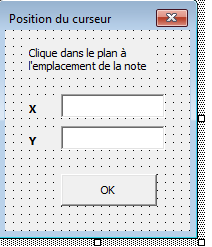
je n’arrives pas à trouver le code
Pour une note j’ai ce bout de code:
Public X                        As Double
Public Y                        As Double
Public str                      As String
       posX = width - posX
        posY = height - posY
        insertionNote swModel, posX, posY, str
A voir si applicable pour un bloc.
je veux capturer la position du clic souris, je ne vois pas comment faire avec ce code
Bonjour;
Probablement une piste ici:
1 « J'aime »
ça ne correspond pas c’est pour une pièce et moi je cherche pour un plan
Arg, ce n’est pas si simple…mais je pense que j’y suis presque:
Dans un module :
Option Explicit

' Déclaration des variables globales
Dim swApp As SldWorks.SldWorks                ' Application SolidWorks
Dim swModel As SldWorks.ModelDoc2             ' Document actif (feuille de mise en plan)
Dim modelView As SldWorks.modelView           ' Vue modèle dans SolidWorks
Dim swMouse As SwMouseEventHandler            ' Gestionnaire d'événement souris personnalisé

' Macro principale à lancer depuis l'éditeur VBA de SolidWorks
Sub main()
    Set swApp = Application.SldWorks
    Set swModel = swApp.ActiveDoc

    If swModel Is Nothing Then
        MsgBox "Aucun document actif. Ouvrez une mise en plan."
        Exit Sub
    End If

    Set modelView = swModel.IGetFirstModelView()

    If modelView Is Nothing Then
        MsgBox "Pas de vue disponible dans le document actif."
        Exit Sub
    End If

    Set swMouse = New SwMouseEventHandler
    swMouse.Init modelView, swApp

    ' Ne pas utiliser MsgBox ici pour éviter de bloquer l'exécution
    swApp.SendMsgToUser "Écoute des clics activée. Cliquez dans la mise en plan."

    ' Laisser la macro ouverte pour que les événements soient capturés
End Sub
et dans un module de classe nommé « SwMouseEventHandler »:
' Initialisation : affecte la vue, l'application et récupère l'objet souris
Public Sub Init(mv As SldWorks.modelView, sw As SldWorks.SldWorks)
    Set pModelView = mv
    Set pSwApp = sw

    ' Récupération de l'objet souris lié à la vue modèle
    Set pMouse = pModelView.GetMouse()
End Sub

' Gestionnaire d'événement appelé à chaque clic gauche de souris
Private Function pMouse_MouseLBtnDownNotify(ByVal ix As Long, ByVal iy As Long, ByVal wParam As Long) As Long
    ' Affiche les coordonnées brutes du clic reçues
    pSwApp.SendMsgToUser "Clic détecté - Coordonnées écran brutes: x=" & ix & ", y=" & iy
    Dim mt As SldWorks.MathTransform      ' Transformation inverse de la vue
    Dim pt As SldWorks.MathPoint          ' Point mathématique initial
    Dim coords(2) As Double               ' Tableau 3D pour coordonnées écran
    Dim newCoor As Variant                ' Tableau contenant coordonnées transformées

    ' Obtention de la transformation inverse de la vue (écran -> coordonnées modèle)
    Set mt = pModelView.Transform.IInverse()

    ' Préparation du tableau avec coordonnées écran du clic (x, y, 0)
    coords(0) = ix
    coords(1) = iy
    coords(2) = 0

    ' Création d'un point mathématique dans le système écran
    Set pt = pSwApp.GetMathUtility.CreatePoint(coords)

    ' Transformation des coordonnées écran en coordonnées modèle (locales)
    Set pt = pt.IMultiplyTransform(mt)

    ' Récupération du tableau des coordonnées transformées
    newCoor = pt.ArrayData

    ' Indiquer que l'événement a été traité
    pMouse_MouseLBtnDownNotify = 1
End Function
En théorie on touche presque au but.
Salut
ca ne fonctionne pas chez moi, il ne surveille pas le clique,il doit manquer quelque chose
Des messages d’erreur ?
le module de classe à-t’il été bien renommé ?’ (SwMouseEventHandler)
Parce que chez moi cela fonctionne pas trop mal…
1 « J'aime »
peut etre une reference a activer, ca ne fonctionne pas chez moi, SW2025
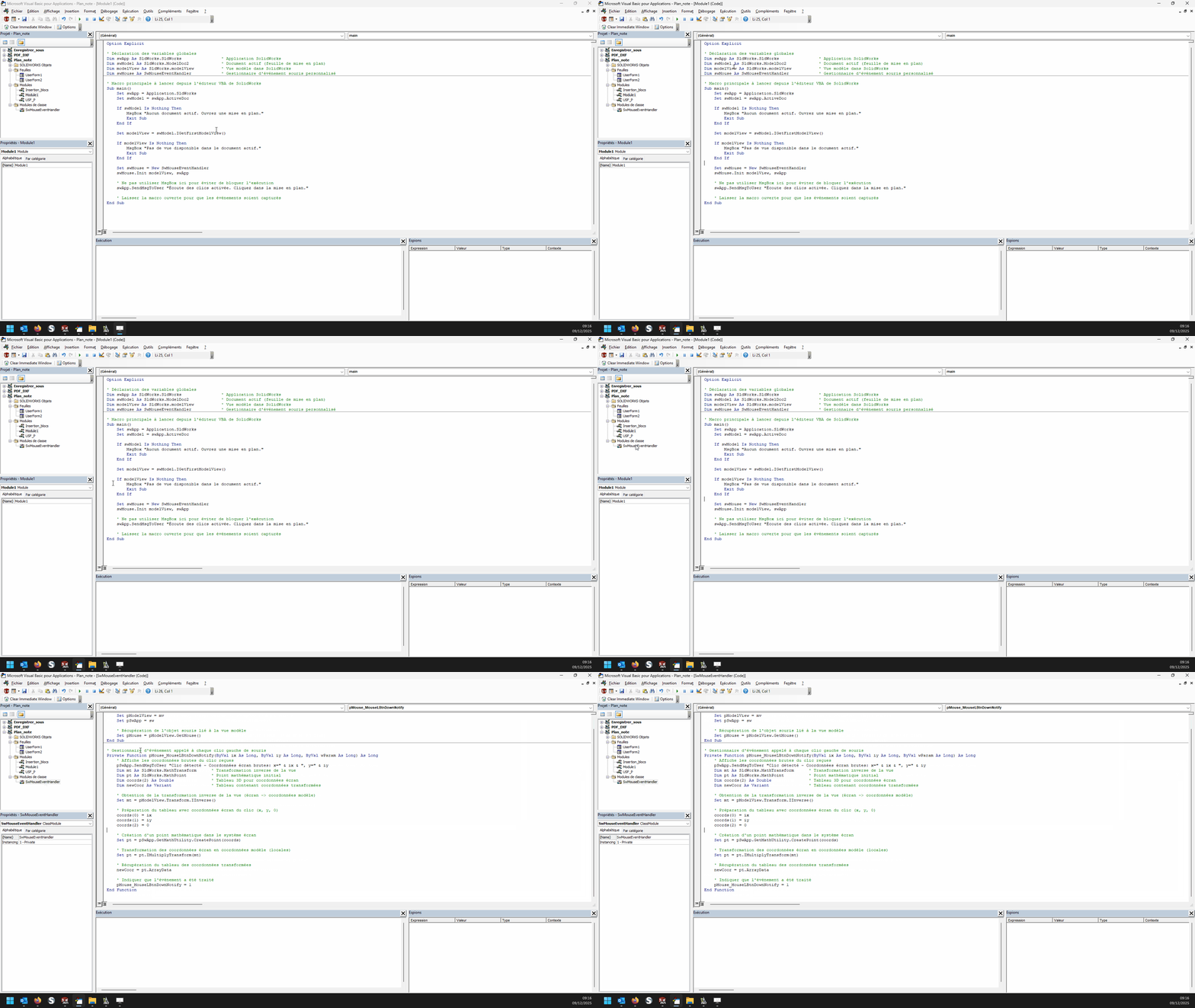
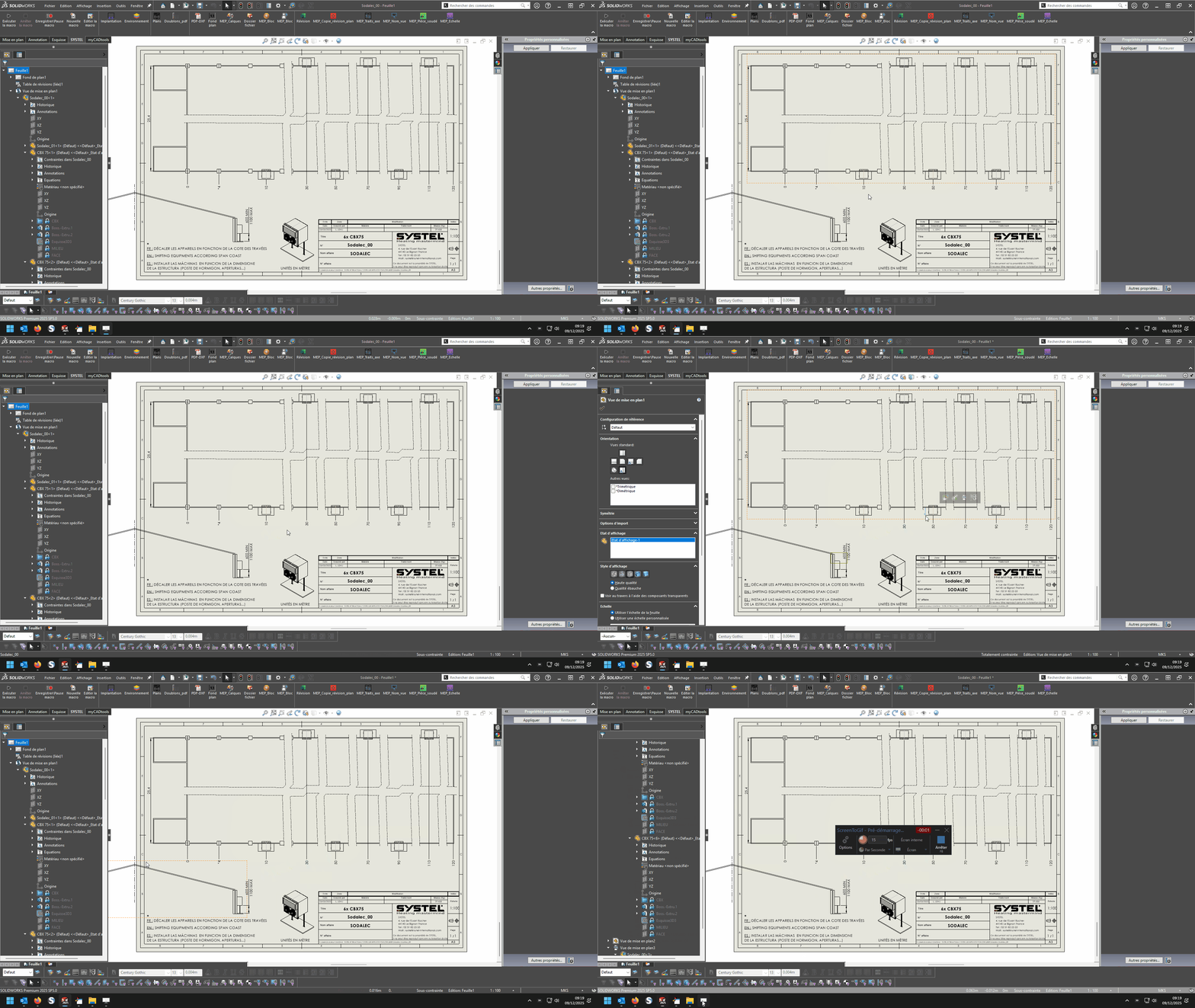
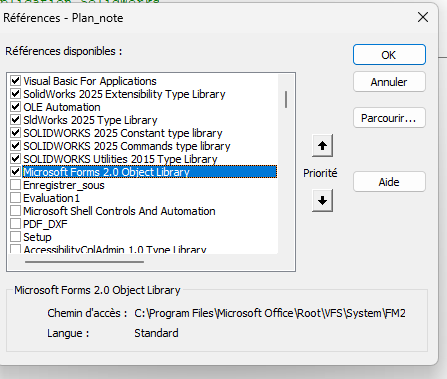
Non pas de référence particulières à activer ( du moins rien qui ne sorte de l’ordinaire): (Solidworks 2022)
00_test_Get mouse coordinate.swp (47,5 Ko)
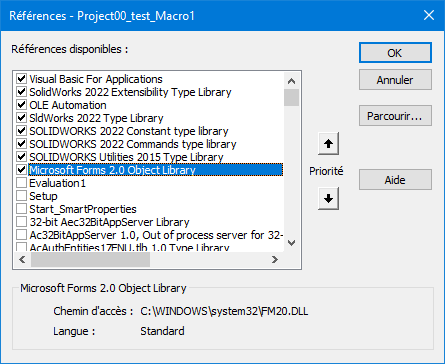
Attention, c’est une macro basée sur un « event listener », le mode pas à pas dans l’éditeur ne doit pas pouvoir fonctionner.
1 « J'aime »
je suis perplexe j’ai fait copier coller, ça ne fonctionne pas
Essaye la macro en mode autonome, dans un premier temps (sans essayer de l’associer avec tes macro existantes…) J’ai joint le fichier *.swp dans mon message précédent. Il y a peut-être des « events » parasites entre tes macro et la mienne , vas savoir. 
il y a toujours un probleme de coordonnées qui ne sont pas celles de solidworks
… Super ! Tu n’as jamais parlé de coordonnées relatives à Solidworks…
quand je place mes blocs il faut bien que ca arrive dans le plan et pas en dehors
Bonjour,
Il y a tout ce qu’il faut pour le faire dans les exemples de Maclane mais au lieu de passer par MouseLBtnDownNotify il faut passer par MouseSelectNotify et récupérer les valeurs x, y et z au lieu des valeurs Ix et Iy, ça peut par exemple donner ça :
Dim swApp As SldWorks.SldWorks
Dim swModel As SldWorks.ModelDoc2
Dim swModelView As SldWorks.ModelView
Dim TheMouse As SldWorks.mouse
Dim obj As New Classe1

Sub main()
    Set swApp = Application.SldWorks
    Set swModel = swApp.ActiveDoc
    Set swModelView = swModel.GetFirstModelView
    Set TheMouse = swModelView.GetMouse

    obj.init TheMouse, swApp, swModel

    swApp.SendMsgToUser "Veuillez définir la position de la note."
End Sub
et pour la classe :
'Classe1
Dim WithEvents ms As SldWorks.mouse

Private cSwApp As SldWorks.SldWorks
Private cswModel As SldWorks.ModelDoc2

Private Sub Class_Initialize()
End Sub

Public Sub init(mouse As Object, sldw As SldWorks.SldWorks, slddoc As SldWorks.ModelDoc2)
    Set ms = mouse
    Set cSwApp = sldw
    Set cswModel = slddoc
End Sub

Private Function ms_MouseSelectNotify(ByVal Ix As Long, ByVal Iy As Long, ByVal x As Double, ByVal y As Double, ByVal z As Double) As Long
    Set myNote = cswModel.InsertNote("C'est ma note")
    If Not myNote Is Nothing Then
       Set myAnnotation = myNote.GetAnnotation()
       If Not myAnnotation Is Nothing Then
          boolstatus = myAnnotation.SetPosition(x, y, 0)
       End If
    End If
    cswModel.ClearSelection2 True
    cswModel.WindowRedraw

    End
End Function

Private Function ms_MouseLBtnDownNotify(ByVal x As Long, ByVal y As Long, ByVal WParam As Long) As Long

End Function
Cordialement,
1 « J'aime »
Ah! Tiens, Salut @d_roger , cela fait plaisir de te lire à nouveau.  .
.
2 « J'aime »
j’ai un dernier soucis, je récapitule
Module standard
Dim swApp As SldWorks.SldWorks
Dim swModel As SldWorks.ModelDoc2
Dim swModelView As SldWorks.modelView
Dim TheMouse As SldWorks.mouse
Dim obj As New Classe1

Sub Notes_00()
Set swApp = Application.SldWorks
Set swModel = swApp.ActiveDoc
Set swModelView = swModel.GetFirstModelView
Set TheMouse = swModelView.GetMouse

obj.Init TheMouse, swApp, swModel

UserForm2.Show vbModeless
End Sub

Sub Notes_01()
Dim swApp As Object
Dim Part As Object
Dim myBlockDefinition As Object
Dim myAnnotation As Object
Dim URL As String
Dim NR As String
Dim NUM As String 'Pas byte sinon bt annulé impossible
Dim REPONSE As String

Set swApp = Application.SldWorks
Set Part = swApp.ActiveDoc

URL = "C:\Users\Notes\"

NUM = InputBox("1 : Tableau découpe insert hexagonal" & vbCrLf & _
               "2 : Gousset" & vbCrLf & _
               "3 : Soudure" & vbCrLf & vbCrLf & _
               "Entrez le numéro du bloc à insérer", "Choix de la note")

Select Case NUM
    Case "1": NR = "Découpe_insert_hex.SLDBLK": Echelle = 1: EXT = "A"
    Case "2": NR = "Gousset.sldnotestl": EXT = "B"
    Case "3": NR = "Soudure.SLDBLK": Echelle = 0.045: EXT = "A"
    Case Else: Exit Sub
End Select

REPONSE = URL & NR

If EXT = "B" Then
Set myAnnotation = Part.Extension.InsertAnnotationFavorite(REPONSE, UserForm2.TextBox1.Value, UserForm2.TextBox2.Value, 0)
Else
Set myBlockDefinition = Part.SketchManager.MakeSketchBlockFromFile(Nothing, REPONSE, False, Echelle, 0)

End If

End Sub
module de classe1
Dim WithEvents ms As SldWorks.mouse

Private cSwApp As SldWorks.SldWorks
Private cswModel As SldWorks.ModelDoc2


Public Sub Init(mouse As Object, sldw As SldWorks.SldWorks, slddoc As SldWorks.ModelDoc2)
Set ms = mouse
Set cSwApp = sldw
Set cswModel = slddoc
End Sub

Private Function ms_MouseSelectNotify(ByVal Ix As Long, ByVal Iy As Long, ByVal x As Double, ByVal y As Double, ByVal z As Double) As Long
UserForm2.TextBox1.Value = x
UserForm2.TextBox2.Value = y
End Function
userform2
Private Sub CommandButton1_Click()
'OK

If TextBox1.Value = "" Or TextBox2.Value = "" Then Exit Sub

Notes_01
Unload Me
End Sub
quoi qu’il arrive il y a superposition des boite de dialogue inputbox sur usf, ce n’est pas grave j’ai retourné le truc dans tous les sens ca ne fonctionne pas c’est toujours visible meme si unload avec notes_01
le pb vient d’ici
Set myBlockDefinition = Part.SketchManager.MakeSketchBlockFromFile(Nothing, REPONSE, False, Echelle, 0)
qui ne permet pas la pose dans le plan avec coordonnées
Bonjour,
Pour moi le problème est dans les arguments de Part.SketchManager.MakeSketchBlockFromFile.
Ce qui est attendu:
InsertionPoint
Filename
LinkToFile
Scale
Angle
Le fait d’avoir mis Nothing dans le point d’insertion je pense que c’est ça qui bloque.
Faut injecter des coordonnées x,y tel qu’attendu par SW
Pour ma part j’ai ce type de code pour appliquer un block
Sub AddBlock()
    bAddBlock = False
    swDraw.EditTemplate
    Set swMathUtil = swApp.GetMathUtility
    For j = 0 To nInstanceCount - 1
        npt(0) = dInstPoint(j * nInstanceCount)
        npt(1) = dInstPoint(j * nInstanceCount + 1)
        npt(2) = dInstPoint(j * nInstanceCount + 2)
        vInsertPoint = npt
        Set insPt = swMathUtil.CreatePoint(vInsertPoint)
        sBlockPath = cDirBlock & cBlock

        Set pBlock = skMgr.MakeSketchBlockFromFile(insPt, sBlockPath, False, 1#, 0#)
    Next j
    swDraw.EditSheet
End Sub
1 « J'aime »
