Makronotierte Zeichnung

Ich habe ein Makro, um Anmerkungen schnell in eine Ebene einzufügen, mir fehlt die Position wie per Drag-and-Drop, die ich nicht finde, also suche ich nach der X-Y-Position wie in der Solidworks-Taskleiste

Sub Note()
Dim swApp As Object
Dim Part As Object
Dim myModelView As Object
Dim myBlockDefinition As Object
Dim myAnnotation As Object
Dim URL_0 As String
Dim URL_1 As String
Dim choix As String


Set swApp = Application.SldWorks
Set Part = swApp.ActiveDoc
Set myModelView = Part.ActiveView

URL_0 = "C:\Users\xxx\"

choix = InputBox("1 : Découpe_insert_hex.SLDBLK" & vbCrLf & _
                 "2 : Gousset.sldnotestl" & vbCrLf & _
                 "3 : Soudure.SLDBLK" & vbCrLf & vbCrLf & _
                 "Entrez le numéro du bloc à insérer", "Choix du bloc")

Select Case choix
    Case "1": URL_1 = URL_0 & "Découpe_insert_hex.SLDBLK"
              Echelle = 1
    Case "2": URL_1 = URL_0 & "Gousset.sldnotestl"
              Echelle = 1
    Case "3": URL_1 = URL_0 & "Soudure.SLDBLK"
              Echelle = 0.05
    Case Else: Exit Sub
End Select

If choix = 2 Then
Set myAnnotation = Part.Extension.InsertAnnotationFavorite(URL_1, X_cd, Y_cd, 0)
Else
Set myBlockDefinition = Part.SketchManager.MakeSketchBlockFromFile(Nothing, URL_1, False, Echelle, 0)
End If

End Sub

Ich möchte die Position des Cursors auf dem Klick in einer Ebene erfassen

zum Beispiel habe ich ein UserForm2, das ich in Non-Modal verwenden wollte, auf das Blatt klicken, die X- und Y-Position visualisieren, die Koordinaten validieren und verwenden

Private Sub CommandButton1_Click()
'OK

Call Note
End Sub

Private Sub TextBox1_Change()
'X
End Sub

Private Sub TextBox2_Change()
'Y
End Sub
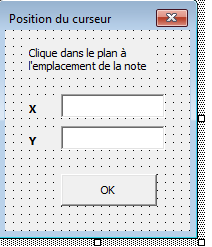
CAPTURE 000717

Ich kann den Code nicht finden

Zur Anmerkung: Ich habe diesen Code:

Public X                        As Double
Public Y                        As Double
Public str                      As String        
       posX = width - posX
        posY = height - posY
        insertionNote swModel, posX, posY, str

Zu prüfen, falls es für einen Block anwendbar ist.

Ich möchte die Position des Mausklicks erfassen, aber ich sehe nicht, wie ich das mit diesem Code machen soll.

Hallo;

Wahrscheinlich eine Spur:

1 „Gefällt mir“

Es passt nicht, es ist für ein Zimmer und ich suche nach einem Plan

Arg, so einfach ist das nicht... aber ich glaube, ich bin fast da:
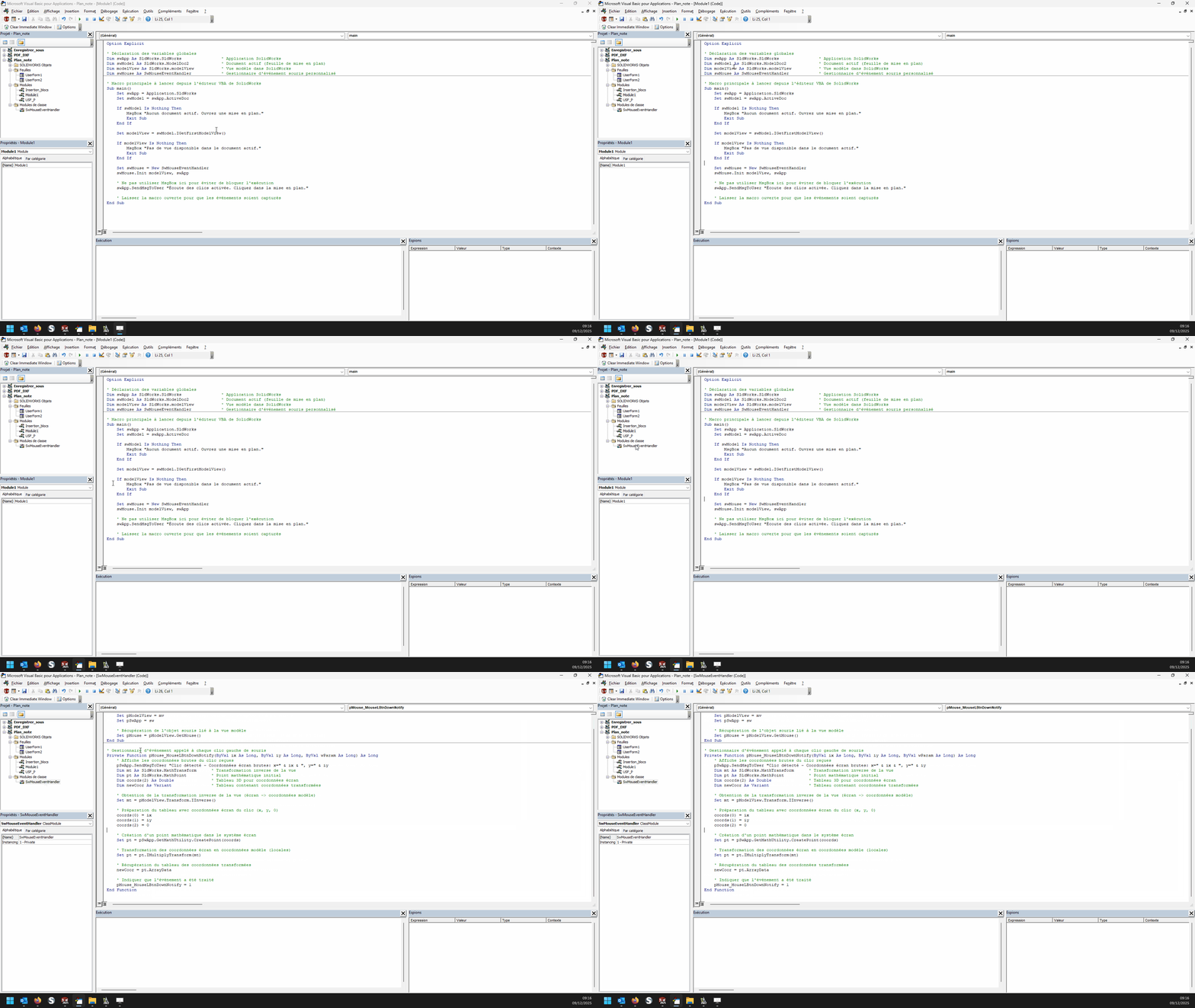
In einem Modul:

Option Explicit

' Déclaration des variables globales
Dim swApp As SldWorks.SldWorks                ' Application SolidWorks
Dim swModel As SldWorks.ModelDoc2             ' Document actif (feuille de mise en plan)
Dim modelView As SldWorks.modelView           ' Vue modèle dans SolidWorks
Dim swMouse As SwMouseEventHandler            ' Gestionnaire d'événement souris personnalisé

' Macro principale à lancer depuis l'éditeur VBA de SolidWorks
Sub main()
    Set swApp = Application.SldWorks
    Set swModel = swApp.ActiveDoc
    
    If swModel Is Nothing Then
        MsgBox "Aucun document actif. Ouvrez une mise en plan."
        Exit Sub
    End If
    
    Set modelView = swModel.IGetFirstModelView()
    
    If modelView Is Nothing Then
        MsgBox "Pas de vue disponible dans le document actif."
        Exit Sub
    End If

    Set swMouse = New SwMouseEventHandler
    swMouse.Init modelView, swApp

    ' Ne pas utiliser MsgBox ici pour éviter de bloquer l'exécution
    swApp.SendMsgToUser "Écoute des clics activée. Cliquez dans la mise en plan."
    
    ' Laisser la macro ouverte pour que les événements soient capturés
End Sub

und in einem Klassenmodul namens " SwMouseEventHandler ":

' Initialisation : affecte la vue, l'application et récupère l'objet souris
Public Sub Init(mv As SldWorks.modelView, sw As SldWorks.SldWorks)
    Set pModelView = mv
    Set pSwApp = sw
    
    ' Récupération de l'objet souris lié à la vue modèle
    Set pMouse = pModelView.GetMouse()
End Sub

' Gestionnaire d'événement appelé à chaque clic gauche de souris
Private Function pMouse_MouseLBtnDownNotify(ByVal ix As Long, ByVal iy As Long, ByVal wParam As Long) As Long
    ' Affiche les coordonnées brutes du clic reçues
    pSwApp.SendMsgToUser "Clic détecté - Coordonnées écran brutes: x=" & ix & ", y=" & iy
    Dim mt As SldWorks.MathTransform      ' Transformation inverse de la vue
    Dim pt As SldWorks.MathPoint          ' Point mathématique initial
    Dim coords(2) As Double               ' Tableau 3D pour coordonnées écran
    Dim newCoor As Variant                ' Tableau contenant coordonnées transformées

    ' Obtention de la transformation inverse de la vue (écran -> coordonnées modèle)
    Set mt = pModelView.Transform.IInverse()

    ' Préparation du tableau avec coordonnées écran du clic (x, y, 0)
    coords(0) = ix
    coords(1) = iy
    coords(2) = 0

    ' Création d'un point mathématique dans le système écran
    Set pt = pSwApp.GetMathUtility.CreatePoint(coords)

    ' Transformation des coordonnées écran en coordonnées modèle (locales)
    Set pt = pt.IMultiplyTransform(mt)

    ' Récupération du tableau des coordonnées transformées
    newCoor = pt.ArrayData

    ' Indiquer que l'événement a été traité
    pMouse_MouseLBtnDownNotify = 1
End Function

Theoretisch erreichen wir fast das Ziel.

Hallo
Bei mir funktioniert es nicht, es überwacht das Klicken nicht, irgendetwas muss fehlen

Fehlermeldungen?
Wurde das Kursmodul umbenannt?' (SwMouseEventHandler)
Denn zu Hause funktioniert es nicht allzu schlecht...

1 „Gefällt mir“

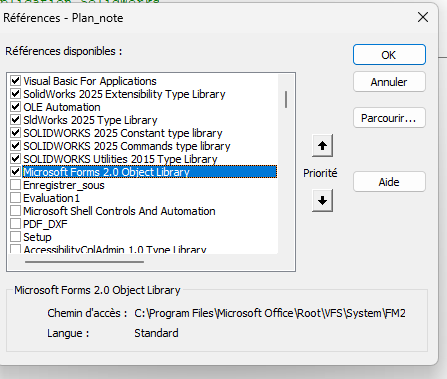
Vielleicht eine Referenz zum Aktivieren, das funktioniert bei mir nicht, SW2025
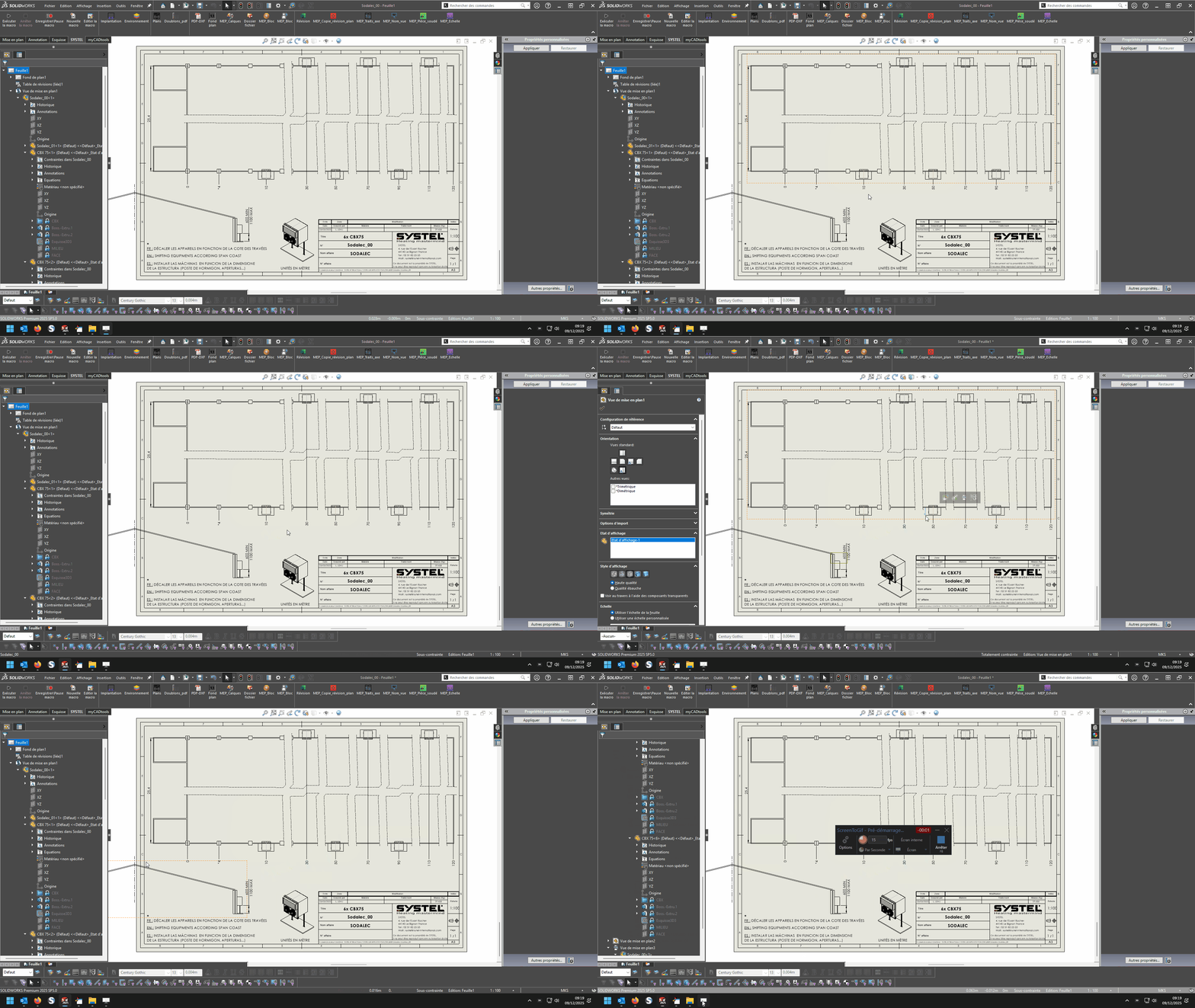
Animation 01
Animation 02

image

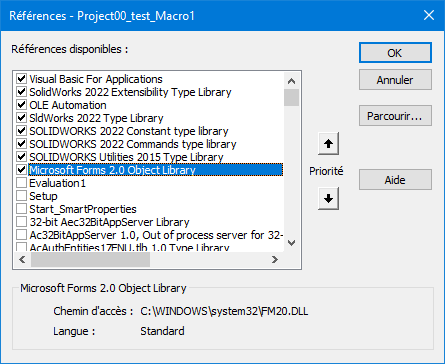
Keine besondere Aktivierung (zumindest nichts Ungewöhnliches): (Solidworks 2022)
00_test_Get Mauskoordinate.swp (47,5 KB)

image
Sei vorsichtig, das ist ein Makro basierend auf einem " Event Listener ", der Schritt-für-Schritt-Modus im Editor sollte nicht funktionieren können.

1 „Gefällt mir“

Ich bin ratlos, dass ich es kopieren und einfügen ließ, es funktioniert nicht

Versuche das Makro zunächst im eigenständigen Modus (ohne es mit deinen bestehenden Makros zu verknüpfen...) Ich habe die *.swp-Datei in meinem vorherigen Beitrag angehängt. Vielleicht gibt es parasitäre " Lüftungen " zwischen deinem Makro und meinem, wer weiß. :melting_face:

Es funktioniert :wink:

Es gibt immer noch ein Problem mit Koordinaten, die nicht denen von Solidworks entsprechen

… Super! Du hast nie über Kontaktdaten zu Solidworks gesprochen...

Wenn ich meine Blöcke platziere, muss das im Flugzeug geschehen und nicht draußen

Hallo
In den Maclane-Beispielen gibt es alles, was du dafür brauchst, aber anstatt über MouseLBtnDownNotify zu gehen, musst du über MouseSelectNotify gehen und die x-, y- und z-Werte anstelle der Ix- und Iy-Werte bekommen, es kann zum Beispiel so aussehen:

Dim swApp As SldWorks.SldWorks
Dim swModel As SldWorks.ModelDoc2
Dim swModelView As SldWorks.ModelView
Dim TheMouse As SldWorks.mouse
Dim obj As New Classe1

Sub main()
    Set swApp = Application.SldWorks
    Set swModel = swApp.ActiveDoc
    Set swModelView = swModel.GetFirstModelView
    Set TheMouse = swModelView.GetMouse

    obj.init TheMouse, swApp, swModel
    
    swApp.SendMsgToUser "Veuillez définir la position de la note."
End Sub

und für die Klasse:

'Classe1
Dim WithEvents ms As SldWorks.mouse

Private cSwApp As SldWorks.SldWorks
Private cswModel As SldWorks.ModelDoc2

Private Sub Class_Initialize()
End Sub

Public Sub init(mouse As Object, sldw As SldWorks.SldWorks, slddoc As SldWorks.ModelDoc2)
    Set ms = mouse
    Set cSwApp = sldw
    Set cswModel = slddoc
End Sub

Private Function ms_MouseSelectNotify(ByVal Ix As Long, ByVal Iy As Long, ByVal x As Double, ByVal y As Double, ByVal z As Double) As Long
    Set myNote = cswModel.InsertNote("C'est ma note")
    If Not myNote Is Nothing Then
       Set myAnnotation = myNote.GetAnnotation()
       If Not myAnnotation Is Nothing Then
          boolstatus = myAnnotation.SetPosition(x, y, 0)
       End If
    End If
    cswModel.ClearSelection2 True
    cswModel.WindowRedraw

    End
End Function

Private Function ms_MouseLBtnDownNotify(ByVal x As Long, ByVal y As Long, ByVal WParam As Long) As Long
    
End Function

Herzliche Grüße

1 „Gefällt mir“

Ah! Hallo @d_roger , es ist schön, dich wieder zu lesen. :grinning:.

2 „Gefällt mir“

Ich habe noch ein letztes Problem, ich fasse zusammen.

Standardmodul

Dim swApp As SldWorks.SldWorks
Dim swModel As SldWorks.ModelDoc2
Dim swModelView As SldWorks.modelView
Dim TheMouse As SldWorks.mouse
Dim obj As New Classe1

Sub Notes_00()
Set swApp = Application.SldWorks
Set swModel = swApp.ActiveDoc
Set swModelView = swModel.GetFirstModelView
Set TheMouse = swModelView.GetMouse

obj.Init TheMouse, swApp, swModel

UserForm2.Show vbModeless
End Sub

Sub Notes_01()
Dim swApp As Object
Dim Part As Object
Dim myBlockDefinition As Object
Dim myAnnotation As Object
Dim URL As String
Dim NR As String
Dim NUM As String 'Pas byte sinon bt annulé impossible
Dim REPONSE As String

Set swApp = Application.SldWorks
Set Part = swApp.ActiveDoc

URL = "C:\Users\Notes\"

NUM = InputBox("1 : Tableau découpe insert hexagonal" & vbCrLf & _
               "2 : Gousset" & vbCrLf & _
               "3 : Soudure" & vbCrLf & vbCrLf & _
               "Entrez le numéro du bloc à insérer", "Choix de la note")

Select Case NUM
    Case "1": NR = "Découpe_insert_hex.SLDBLK": Echelle = 1: EXT = "A"
    Case "2": NR = "Gousset.sldnotestl": EXT = "B"
    Case "3": NR = "Soudure.SLDBLK": Echelle = 0.045: EXT = "A"
    Case Else: Exit Sub
End Select

REPONSE = URL & NR

If EXT = "B" Then
Set myAnnotation = Part.Extension.InsertAnnotationFavorite(REPONSE, UserForm2.TextBox1.Value, UserForm2.TextBox2.Value, 0)
Else
Set myBlockDefinition = Part.SketchManager.MakeSketchBlockFromFile(Nothing, REPONSE, False, Echelle, 0)

End If

End Sub

Modul der Klasse 1

Dim WithEvents ms As SldWorks.mouse

Private cSwApp As SldWorks.SldWorks
Private cswModel As SldWorks.ModelDoc2


Public Sub Init(mouse As Object, sldw As SldWorks.SldWorks, slddoc As SldWorks.ModelDoc2)
Set ms = mouse
Set cSwApp = sldw
Set cswModel = slddoc
End Sub

Private Function ms_MouseSelectNotify(ByVal Ix As Long, ByVal Iy As Long, ByVal x As Double, ByVal y As Double, ByVal z As Double) As Long
UserForm2.TextBox1.Value = x
UserForm2.TextBox2.Value = y
End Function

userform2

Private Sub CommandButton1_Click()
'OK

If TextBox1.Value = "" Or TextBox2.Value = "" Then Exit Sub

Notes_01
Unload Me
End Sub

Was auch immer passiert, es gibt eine Überlagerung der Eingabebox-Dialoge auf USF, das ist kein großes Problem, ich habe das Ding in alle Richtungen gedreht, es funktioniert nicht, es ist immer noch sichtbar, selbst wenn man mit notes_01

Das PB kommt von hier
Set myBlockDefinition = Part.SketchManager.MakeSketchBlockFromFile(Nothing, ANSWER, False, Scale, 0)

was keine Installation in der Ebene mit Koordinaten erlaubt

Hallo

Für mich liegt das Problem in den Argumenten von Part.SketchManager.MakeSketchBlockFromFile.
Was erwartet wird:
InsertPoint
Dateiname
LinkToFile
Maßstab
Winkel

Die Tatsache, dass ich Nothing an den Einführungspunkt gesetzt habe, ich glaube, das blockiert.
Man muss x,y-Koordinaten wie von SW erwartet injizieren
Ich habe diese Art von Code, um einen Block anzuwenden

Sub AddBlock()
    bAddBlock = False
    swDraw.EditTemplate
    Set swMathUtil = swApp.GetMathUtility
    For j = 0 To nInstanceCount - 1
        npt(0) = dInstPoint(j * nInstanceCount)
        npt(1) = dInstPoint(j * nInstanceCount + 1)
        npt(2) = dInstPoint(j * nInstanceCount + 2)
        vInsertPoint = npt
        Set insPt = swMathUtil.CreatePoint(vInsertPoint)
        sBlockPath = cDirBlock & cBlock
        
        Set pBlock = skMgr.MakeSketchBlockFromFile(insPt, sBlockPath, False, 1#, 0#)
    Next j
    swDraw.EditSheet
End Sub

1 „Gefällt mir“