Macro-genoteerde tekening

Ik heb een macro om snel annotaties in een vlak in te voegen, ik mis de positie zoals bij een drag-and-drop, die ik niet kan vinden, dus zoek ik naar de X-Y-positie zoals in de SolidWorks-taakbalk

Sub Note()
Dim swApp As Object
Dim Part As Object
Dim myModelView As Object
Dim myBlockDefinition As Object
Dim myAnnotation As Object
Dim URL_0 As String
Dim URL_1 As String
Dim choix As String


Set swApp = Application.SldWorks
Set Part = swApp.ActiveDoc
Set myModelView = Part.ActiveView

URL_0 = "C:\Users\xxx\"

choix = InputBox("1 : Découpe_insert_hex.SLDBLK" & vbCrLf & _
                 "2 : Gousset.sldnotestl" & vbCrLf & _
                 "3 : Soudure.SLDBLK" & vbCrLf & vbCrLf & _
                 "Entrez le numéro du bloc à insérer", "Choix du bloc")

Select Case choix
    Case "1": URL_1 = URL_0 & "Découpe_insert_hex.SLDBLK"
              Echelle = 1
    Case "2": URL_1 = URL_0 & "Gousset.sldnotestl"
              Echelle = 1
    Case "3": URL_1 = URL_0 & "Soudure.SLDBLK"
              Echelle = 0.05
    Case Else: Exit Sub
End Select

If choix = 2 Then
Set myAnnotation = Part.Extension.InsertAnnotationFavorite(URL_1, X_cd, Y_cd, 0)
Else
Set myBlockDefinition = Part.SketchManager.MakeSketchBlockFromFile(Nothing, URL_1, False, Echelle, 0)
End If

End Sub

Ik wil de positie van de cursor vastleggen in een vlak bij de klik

bijvoorbeeld, ik heb een UserForm2 die ik dacht te gebruiken in non-modal, klik op het blad, visualiseer de X- en Y-positie, valideer en gebruik de coördinaten

Private Sub CommandButton1_Click()
'OK

Call Note
End Sub

Private Sub TextBox1_Change()
'X
End Sub

Private Sub TextBox2_Change()
'Y
End Sub
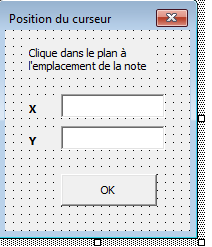
CAPTURE 000717

Ik kan de code niet vinden

Ter info: ik heb dit stukje code:

Public X                        As Double
Public Y                        As Double
Public str                      As String        
       posX = width - posX
        posY = height - posY
        insertionNote swModel, posX, posY, str

Te bekijken als het van toepassing is voor een blok.

Ik wil de positie van de muisklik vastleggen, maar ik zie niet hoe ik dat met deze code moet doen

Hallo;

Waarschijnlijk een aanwijzing hier:

1 like

het past niet, het is voor een kamer en ik zoek een plan

Arg, zo simpel is het niet... maar ik denk dat ik er bijna ben:
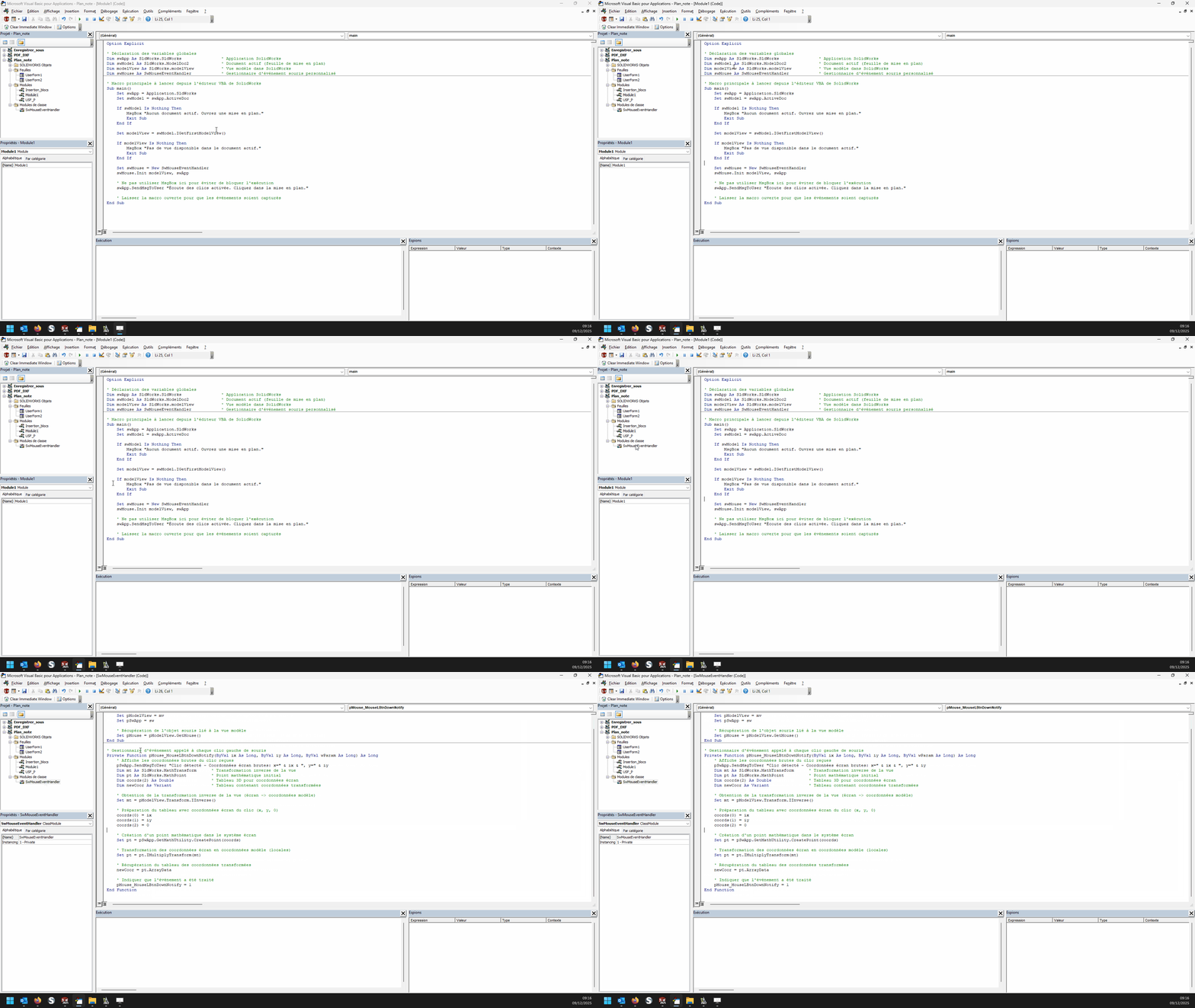
In een module:

Option Explicit

' Déclaration des variables globales
Dim swApp As SldWorks.SldWorks                ' Application SolidWorks
Dim swModel As SldWorks.ModelDoc2             ' Document actif (feuille de mise en plan)
Dim modelView As SldWorks.modelView           ' Vue modèle dans SolidWorks
Dim swMouse As SwMouseEventHandler            ' Gestionnaire d'événement souris personnalisé

' Macro principale à lancer depuis l'éditeur VBA de SolidWorks
Sub main()
    Set swApp = Application.SldWorks
    Set swModel = swApp.ActiveDoc
    
    If swModel Is Nothing Then
        MsgBox "Aucun document actif. Ouvrez une mise en plan."
        Exit Sub
    End If
    
    Set modelView = swModel.IGetFirstModelView()
    
    If modelView Is Nothing Then
        MsgBox "Pas de vue disponible dans le document actif."
        Exit Sub
    End If

    Set swMouse = New SwMouseEventHandler
    swMouse.Init modelView, swApp

    ' Ne pas utiliser MsgBox ici pour éviter de bloquer l'exécution
    swApp.SendMsgToUser "Écoute des clics activée. Cliquez dans la mise en plan."
    
    ' Laisser la macro ouverte pour que les événements soient capturés
End Sub

en in een klassemodule genaamd " SwMouseEventHandler ":

' Initialisation : affecte la vue, l'application et récupère l'objet souris
Public Sub Init(mv As SldWorks.modelView, sw As SldWorks.SldWorks)
    Set pModelView = mv
    Set pSwApp = sw
    
    ' Récupération de l'objet souris lié à la vue modèle
    Set pMouse = pModelView.GetMouse()
End Sub

' Gestionnaire d'événement appelé à chaque clic gauche de souris
Private Function pMouse_MouseLBtnDownNotify(ByVal ix As Long, ByVal iy As Long, ByVal wParam As Long) As Long
    ' Affiche les coordonnées brutes du clic reçues
    pSwApp.SendMsgToUser "Clic détecté - Coordonnées écran brutes: x=" & ix & ", y=" & iy
    Dim mt As SldWorks.MathTransform      ' Transformation inverse de la vue
    Dim pt As SldWorks.MathPoint          ' Point mathématique initial
    Dim coords(2) As Double               ' Tableau 3D pour coordonnées écran
    Dim newCoor As Variant                ' Tableau contenant coordonnées transformées

    ' Obtention de la transformation inverse de la vue (écran -> coordonnées modèle)
    Set mt = pModelView.Transform.IInverse()

    ' Préparation du tableau avec coordonnées écran du clic (x, y, 0)
    coords(0) = ix
    coords(1) = iy
    coords(2) = 0

    ' Création d'un point mathématique dans le système écran
    Set pt = pSwApp.GetMathUtility.CreatePoint(coords)

    ' Transformation des coordonnées écran en coordonnées modèle (locales)
    Set pt = pt.IMultiplyTransform(mt)

    ' Récupération du tableau des coordonnées transformées
    newCoor = pt.ArrayData

    ' Indiquer que l'événement a été traité
    pMouse_MouseLBtnDownNotify = 1
End Function

In theorie bereiken we bijna het doel.

Hallo
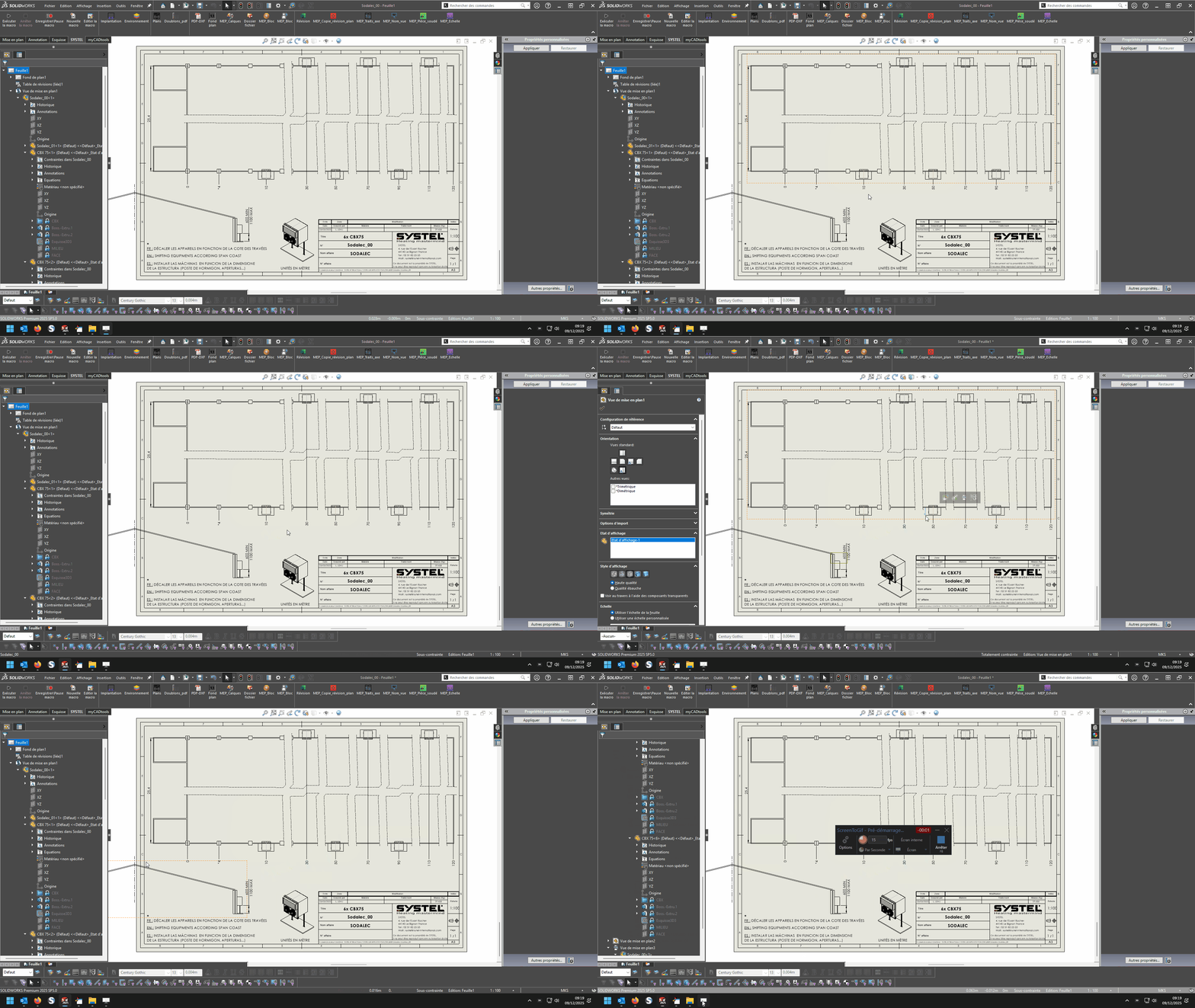
Het werkt niet bij mij, het monitort de klik niet, er moet iets ontbreken

Foutberichten?
Is het klasmodule hernoemd?' (SwMouseEventHandler)
Want thuis werkt het niet zo slecht...

1 like

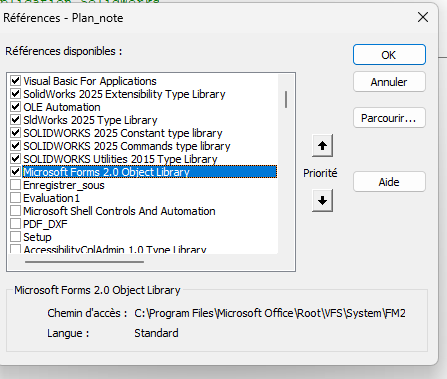
Misschien een referentie om te activeren, het werkt niet voor mij, SW2025
Animation 01
Animation 02

image

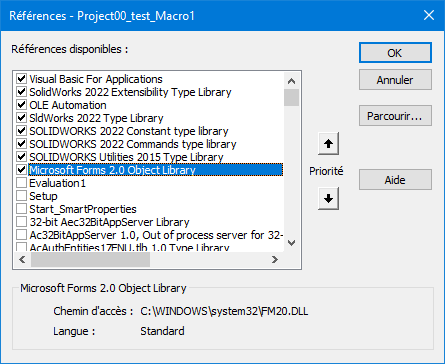
Geen specifieke verwijzing om te activeren (althans niets bijzonders): (Solidworks 2022)
00_test_Get muiscoördinaat.swp (47,5 KB)

image
Wees voorzichtig, dit is een macro gebaseerd op een " event listener ", de stap-voor-stap modus in de editor zou niet moeten kunnen werken.

1 like

Ik ben verbaasd dat ik het heb laten kopiëren en plakken, maar het werkt niet

Probeer de macro eerst in standalone modus (zonder het te koppelen aan je bestaande macro's...) Ik heb het *.swp-bestand in mijn vorige bericht bijgevoegd. Er kunnen parasitaire " ventilaties " zijn tussen jouw macro en de mijne, wie weet. :melting_face:

Het werkt :wink:

Er is nog steeds een probleem met coördinaten die niet die van Solidworks zijn

… Super! Je hebt nooit gesproken over contactgegevens met betrekking tot Solidworks...

Als ik mijn blokken plaats, moet dat in het vliegtuig gebeuren en niet buiten

Hallo
Er is alles wat je nodig hebt om dit te doen in de Maclane-voorbeelden, maar in plaats van via MouseLBtnDownNotify moet je via MouseSelectNotify de x-, y- en z-waarden krijgen in plaats van de Ix- en Iy-waarden; het kan er bijvoorbeeld zo uitzien:

Dim swApp As SldWorks.SldWorks
Dim swModel As SldWorks.ModelDoc2
Dim swModelView As SldWorks.ModelView
Dim TheMouse As SldWorks.mouse
Dim obj As New Classe1

Sub main()
    Set swApp = Application.SldWorks
    Set swModel = swApp.ActiveDoc
    Set swModelView = swModel.GetFirstModelView
    Set TheMouse = swModelView.GetMouse

    obj.init TheMouse, swApp, swModel
    
    swApp.SendMsgToUser "Veuillez définir la position de la note."
End Sub

en voor de klas:

'Classe1
Dim WithEvents ms As SldWorks.mouse

Private cSwApp As SldWorks.SldWorks
Private cswModel As SldWorks.ModelDoc2

Private Sub Class_Initialize()
End Sub

Public Sub init(mouse As Object, sldw As SldWorks.SldWorks, slddoc As SldWorks.ModelDoc2)
    Set ms = mouse
    Set cSwApp = sldw
    Set cswModel = slddoc
End Sub

Private Function ms_MouseSelectNotify(ByVal Ix As Long, ByVal Iy As Long, ByVal x As Double, ByVal y As Double, ByVal z As Double) As Long
    Set myNote = cswModel.InsertNote("C'est ma note")
    If Not myNote Is Nothing Then
       Set myAnnotation = myNote.GetAnnotation()
       If Not myAnnotation Is Nothing Then
          boolstatus = myAnnotation.SetPosition(x, y, 0)
       End If
    End If
    cswModel.ClearSelection2 True
    cswModel.WindowRedraw

    End
End Function

Private Function ms_MouseLBtnDownNotify(ByVal x As Long, ByVal y As Long, ByVal WParam As Long) As Long
    
End Function

Vriendelijke groeten

1 like

Ah! Hoi @d_roger , fijn om je weer te lezen. :grinning:.

2 likes

Ik heb nog één laatste probleem, ik vat het samen

Standaardmodule

Dim swApp As SldWorks.SldWorks
Dim swModel As SldWorks.ModelDoc2
Dim swModelView As SldWorks.modelView
Dim TheMouse As SldWorks.mouse
Dim obj As New Classe1

Sub Notes_00()
Set swApp = Application.SldWorks
Set swModel = swApp.ActiveDoc
Set swModelView = swModel.GetFirstModelView
Set TheMouse = swModelView.GetMouse

obj.Init TheMouse, swApp, swModel

UserForm2.Show vbModeless
End Sub

Sub Notes_01()
Dim swApp As Object
Dim Part As Object
Dim myBlockDefinition As Object
Dim myAnnotation As Object
Dim URL As String
Dim NR As String
Dim NUM As String 'Pas byte sinon bt annulé impossible
Dim REPONSE As String

Set swApp = Application.SldWorks
Set Part = swApp.ActiveDoc

URL = "C:\Users\Notes\"

NUM = InputBox("1 : Tableau découpe insert hexagonal" & vbCrLf & _
               "2 : Gousset" & vbCrLf & _
               "3 : Soudure" & vbCrLf & vbCrLf & _
               "Entrez le numéro du bloc à insérer", "Choix de la note")

Select Case NUM
    Case "1": NR = "Découpe_insert_hex.SLDBLK": Echelle = 1: EXT = "A"
    Case "2": NR = "Gousset.sldnotestl": EXT = "B"
    Case "3": NR = "Soudure.SLDBLK": Echelle = 0.045: EXT = "A"
    Case Else: Exit Sub
End Select

REPONSE = URL & NR

If EXT = "B" Then
Set myAnnotation = Part.Extension.InsertAnnotationFavorite(REPONSE, UserForm2.TextBox1.Value, UserForm2.TextBox2.Value, 0)
Else
Set myBlockDefinition = Part.SketchManager.MakeSketchBlockFromFile(Nothing, REPONSE, False, Echelle, 0)

End If

End Sub

Module Klasse 1

Dim WithEvents ms As SldWorks.mouse

Private cSwApp As SldWorks.SldWorks
Private cswModel As SldWorks.ModelDoc2


Public Sub Init(mouse As Object, sldw As SldWorks.SldWorks, slddoc As SldWorks.ModelDoc2)
Set ms = mouse
Set cSwApp = sldw
Set cswModel = slddoc
End Sub

Private Function ms_MouseSelectNotify(ByVal Ix As Long, ByVal Iy As Long, ByVal x As Double, ByVal y As Double, ByVal z As Double) As Long
UserForm2.TextBox1.Value = x
UserForm2.TextBox2.Value = y
End Function

userform2

Private Sub CommandButton1_Click()
'OK

If TextBox1.Value = "" Or TextBox2.Value = "" Then Exit Sub

Notes_01
Unload Me
End Sub

Wat er ook gebeurt, er is een overlay van de inputbox-dialogen op USF, het is geen groot probleem, ik heb het ding alle kanten op gedraaid, het werkt niet, het is nog steeds zichtbaar, zelfs als ik met notes_01

De PB komt hiervandaan
Set myBlockDefinition = Part.SketchManager.MakeSketchBlockFromFile(Nothing, ANSWER, False, Scale, 0)

die installatie in het vlak met coördinaten niet toestaat

Hallo

Voor mij zit het probleem in de argumenten van Part.SketchManager.MakeSketchBlockFromFile.
Wat er wordt verwacht:
InsertPoint
Bestandsnaam
LinkToFile
Schub
Hoek

Het feit dat ik Nothing in het insertiepunt heb geplaatst, denk ik dat dat de blokkade veroorzaakt.
Je moet x,y-coördinaten injecteren zoals verwacht door SW
Van mijn kant heb ik dit soort code om een blok toe te passen

Sub AddBlock()
    bAddBlock = False
    swDraw.EditTemplate
    Set swMathUtil = swApp.GetMathUtility
    For j = 0 To nInstanceCount - 1
        npt(0) = dInstPoint(j * nInstanceCount)
        npt(1) = dInstPoint(j * nInstanceCount + 1)
        npt(2) = dInstPoint(j * nInstanceCount + 2)
        vInsertPoint = npt
        Set insPt = swMathUtil.CreatePoint(vInsertPoint)
        sBlockPath = cDirBlock & cBlock
        
        Set pBlock = skMgr.MakeSketchBlockFromFile(insPt, sBlockPath, False, 1#, 0#)
    Next j
    swDraw.EditSheet
End Sub

1 like